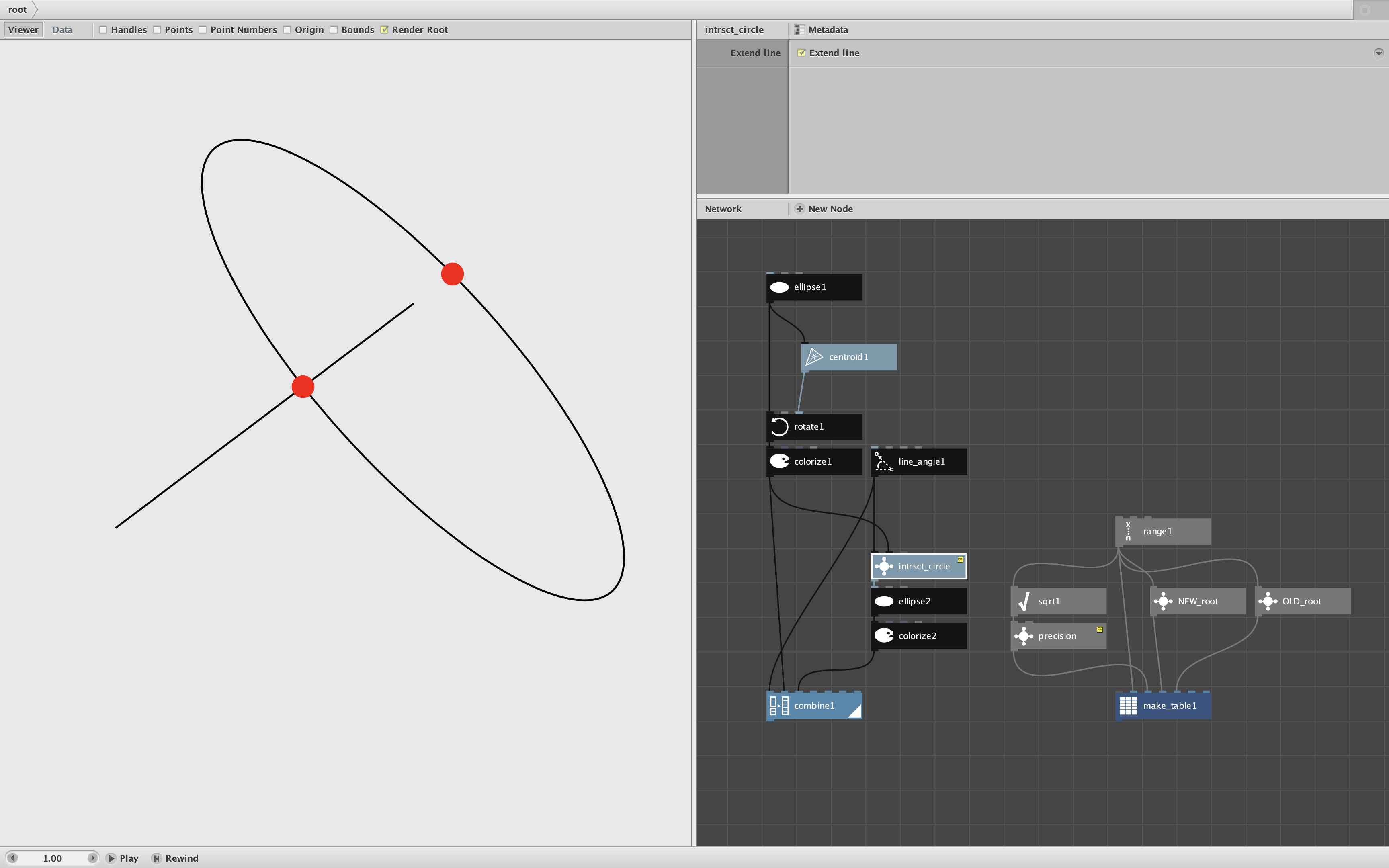
Just a quick note to say that I updated an old node from my library.
Intrsct_circle finds the intersection(s) of a line and an ellipse. The updated version works exactly the same, except:
- It's faster
- It's more accurate
- It fixes a rare bug with vertical lines
Normally I wouldn't bother to even post about such a minor update. But the story behind this one reveals some fundamental Nodebox behavior.
In Nodebox, an ellipse is actually composed of 4 bezier curves glued together - one for each quadrant. The resulting shape looks like an ellipse, but is slightly off. This is because, mathematically, a Bézier curve cannot perfectly replicate a true arc.
My old intrsct_circle node simply broke the ellipse into four quadrants and applied my intrsct_curve node to each one. This works pretty well; the intersection points look right. But each one may be off by a fraction of a point.
One situation where this matters is geometry problems that rely on finding such intersections and measuring lengths or angles for use in a calculation of some kind. One such problem is included in the demo as OLD_root and NEW_root subnetworks.
The subnetworks compute a square root of a value v geometrically. They do this by:
- extending a line from the origin left one unit and right v units
- drawing a circle from the midpoint of that line
- finding where that circle intersects with the Y axis
- measuring the height of that point. The height = square root of the value.
The only difference between the two subnetworks is that one uses the old version of intrsct_circle and the other uses the new version.
A table shows the results for square roots between 2 and 100. If you render that table you will see that the old node returns roots that are sometimes about a half percent off the true value.
So what did I do to make the new version more accurate?
I completely rewrote it to use the quadratic equation to operate on the actual ellipse, not the bezier spline that Nodebox uses. There is some math involved to deal with oblong ellipses that might be rotated (Google's Gemini AI helped me with that). But the main trick is finding the true properties of the ellipse.
I did this taking the spline apart and finding the major and minor diameters, and then looking at the major diameter to see if it had been rotated. Feeding these values into the equation produces a much more accurate result.
It also happens to be significantly faster and resolves that rare bug with some vertical lines. You can play with the demo by rotating the ellipse, changing its dimensions, changing the direction and distance of the line segment, and turning the "Extend Line" option on and off.
The moral of this story is that if you need extreme accuracy it pays to know how Nodebox shapes actually work!