The new NodeBox forum is live! Everything from support.nodebox.net moved here: sign in with the same email to pick up your old posts. Something not working? Write to forum-support@nodebox.net.
Every now and then, I come across projects that are ideal for NodeBox.
I think this is one of them.
While browsing the web, I stumbled upon an art form that piqued my interest
and curiosity, as it seemed to share a lot of characteristics with vector graphics.
It involves winding a thread around a pattern of nails.
For the vector graphics equivalent of nails, nodes or points immediately came to mind,
along with NodeBox as an easy way to generate all kinds of point patterns.
For the subsequent coloring process, I use VectorStyler, a vector graphics app packed
with nice features—including coloring tools. For instance, you can apply gradients along paths,
which can create beautiful color patterns.
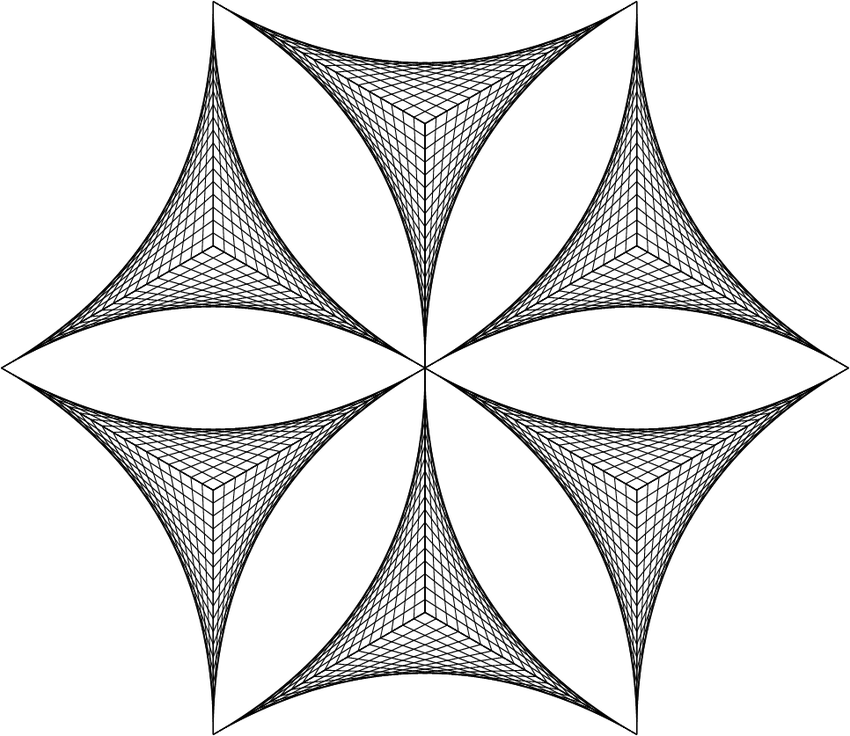
Below there are one of my early attempts; the black-and-white version is the one created in NodeBox.
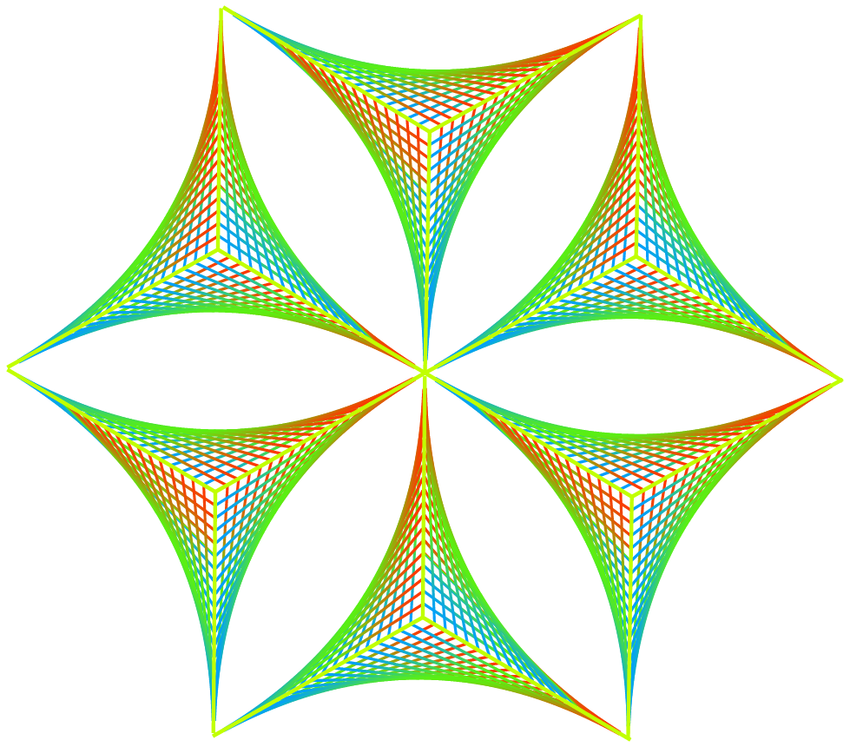
The color version was made in VectorStyler, where I applied a gradient along every path.
I add also the Nodebox File for any one who is interested.
This is excellent! Thank you. String art is indeed a perfect fit for NodeBox.
But you didn't actually have to export the SVG to VectorStyler to apply a gradient. NodeBox can do that too.
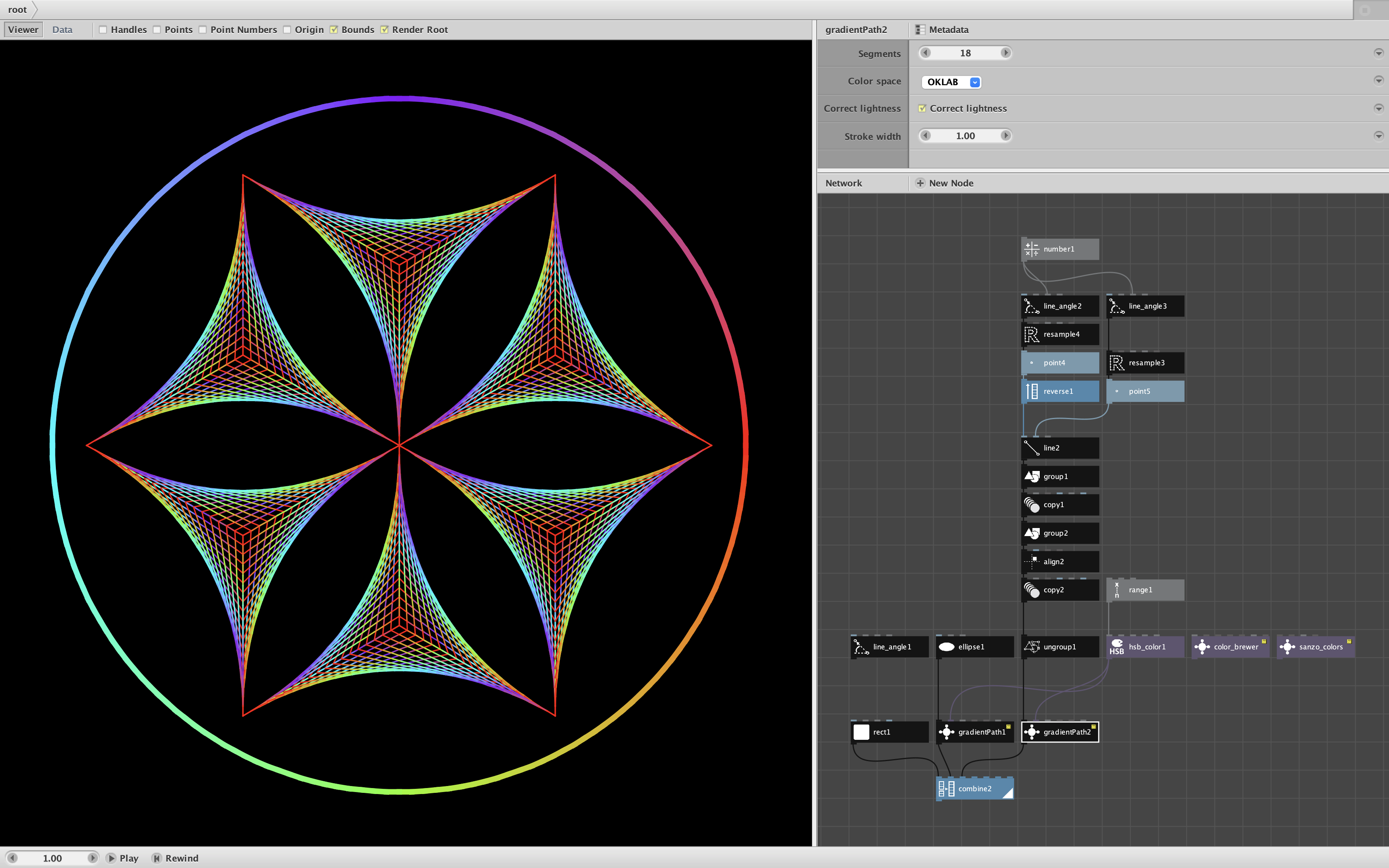
I have created a new subnetwork, gradientPath, to do this. See screenshot and attached demo.
My gradientPath node takes six parameters:
Path. An open or closed path.
Color List. A list of one or more colors to define the gradient.
Segments. The number of segments in the gradient. Does not have to match the number of colors in the color list.
Color Space. The color space used to form the gradient (five choices).
Correct Lightness. Apply gamma correction (only affects RGB, HSB, and RYB spaces).
Stroke Width The width of the resulting path.
gradientPath returns the path as a group of straight line segments, each colored according to the gradient. For curved paths, adjust the segment count as high as needed to create smooth curves.
The demo shows one gradient applied to Gottfried's string art and the same gradient applied to a circle surrounding it. I set this against a black background for better contrast.
I also included my color_brewer and sanzo_color nodes. Try using these in place of my plain vanilla color spectrum to create all manor of colorful designs.
Thanks again for sharing this idea, Gottfried. This is exactly the kind of thing I like to see people share!
It occurred to me that it would be even more fun to animate this string art.
So attached is a demo and video showing the improved gradientPath node. Just the same as before except it now has a seventh parameter:
Travel. How far to advance the color gradient (in segments). Leave at the default value of 0 for static art. To create color animation, attach a frame node.
You can multiply or divide the frame value to control the speed. For seamless animations, make sure the final travel value is an even multiple of the number of segments. For example, in the demo I let frame value from 1 to 50 (a two-second movie). The circle has 200 segments; I multiplied frame by 4 for its travel value to come full circle. The string art has 20 segments; I multiplied frame by .4 to slow its animation down and ensure that its final travel value was 20.
For closed paths, positive travel values will move clockwise; negative values will move counterclockwise.
Check out the attached video to see the results. Let it loop continuously.
Unfortunately, I am not able/allowed to download the Nodebox zip file.
There is this Note below the File
( available to Support Staff )
JO
JOjohn
Hi Gottfried,
Thanks for bringing this to my attention. The forum software we used was recently updated and apparently this is a new "feature". I looked through the limited admin screens available to me, but was unable to find any obvious way to fix this.
I have posted this as an issue to the Tender forum and am waiting to hear back. Meanwhile I will try to send the zip file and mp4 directly to your email address.
If anyone else is having this problem, please let me know. I will post a general announcement when we get this resolved.
LA
LAlastvector
Hi John
Thank you, I have the files now.
That looks interesting. I never would have thought you could
create a gradient on a path in Nodebox.
As you may know me, I see the possiblities to export as SVG from Nodebox more of
a feature I appreciate than a hindrance. Because using Vectorstyler besides
Nodebox offers, apart from Gradients, a lot other editing options to play around too.
But it's fantastic that you can also apply gradients along a path in Nodebox, which
expands the playfield. The animation feature is also useful for easily looking for
beautiful color gradients.
So, thanks for the info and the wonderful nodes.
Have a nice day.
gottfried
Know something that helps?
Sign in with your email address to reply. No password needed.