The new NodeBox forum is live! Everything from support.nodebox.net moved here: sign in with the same email to pick up your old posts. Something not working? Write to forum-support@nodebox.net.

Show your WorkFrom the old forum

Polygon beauty

1 reply Last reply

  1. Hi John,

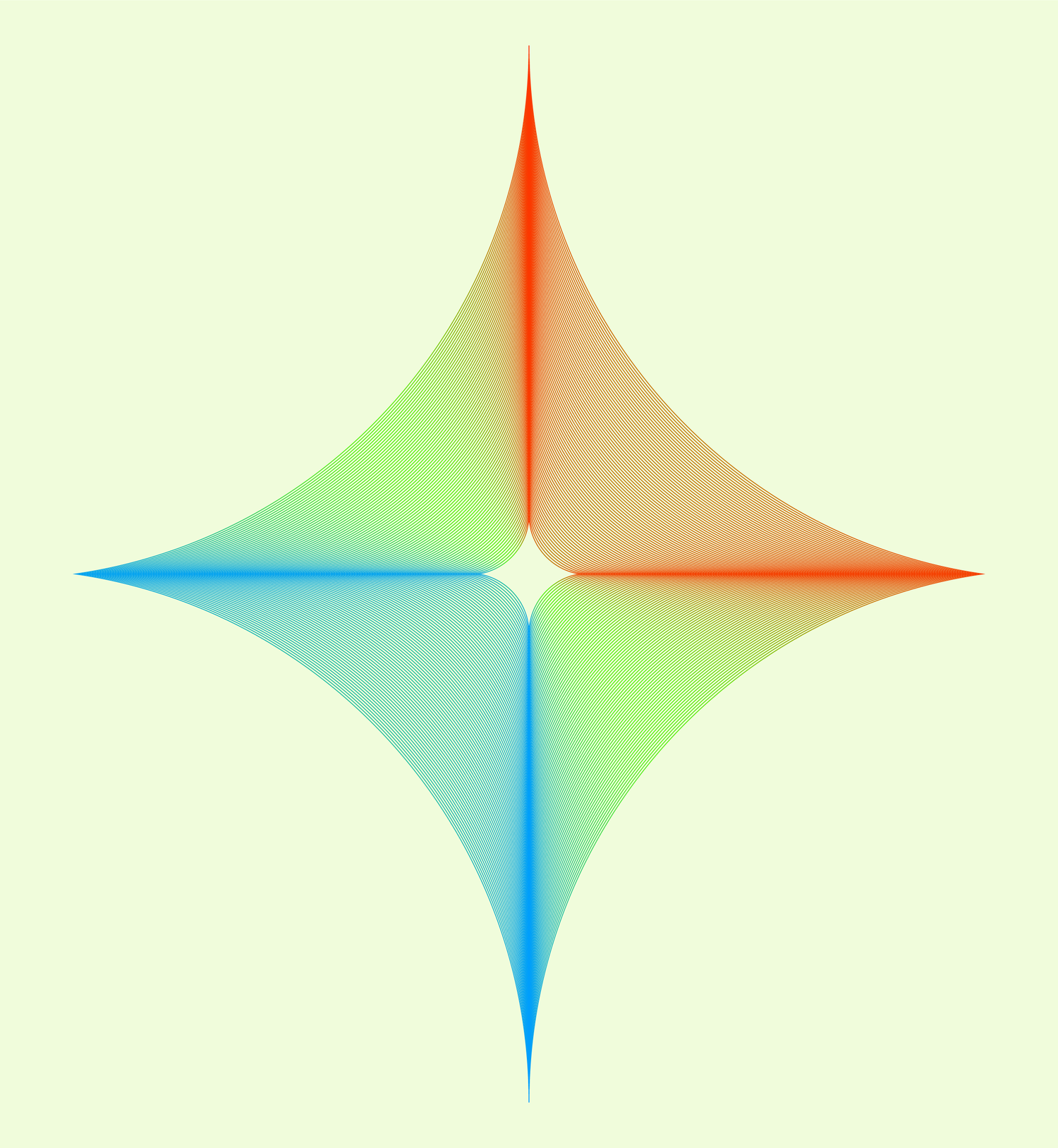
    Another Nodebox design, colored in VectorStyler using a gradient along a path.

    I also tried it in Nodebox, but the result doesn’t look as good and crisp possibly
    because, in Nodebox, color gradients along a path are composed of tiny polygons,
    whereas in VectorStyler they are rendered as a true smooth gradient.

    Btw. incidentally, a part of the coloring method used in VectorStyler has its origins back
    in Nodebox. I once faced a situation where I wanted to transfer the style of several strokes
    to another group of strokes. At the time, doing this in VectorStyler was a tedious, manual,
    one-by-one process.

    I solved that in Nodebox back then. Here is the link.
    https://forum.nodebox.net/t/9525446742/nodebox-was-helpful-for-guilloche-pattern-project

    Subsequently, I suggested an improvement to the developer of Vectorstyler: the ability to
    transfer styles from one group of objects to another. Some time later, the developer of
    Vectorstyler implemented this.

    In this case here.
    I imported the Nodebox design into VectorStyler; which consists of 80 objects, which I
    combined into a group.

    Next, I created a single stroke and applied a gradient that runs along the path. I duplicated
    this stroke until I had 80 of them, and grouped those as well.

    I selected the imported Nodebox design then and used the new grouping feature— in conjunction
    with VectorStyler’s "Style Picker"— to transfer the colors from the strokes onto the design.

    By the way, it wouldn’t be an issue if each stroke had a different gradient; since the individual style
    of every single stroke will be transferred, that would work just as well.

    gottfried

    First pic is the Vectorstyler Result

    Second Pic the Nodebox Result

    And at least the Nodebox Node Tree

    Copy link
  2. Gottfried,

    You are 100% correct about my gradientPath node producing a crunchy gradient. VectorStyler presumably uses a standard SVG gradient for smooth output. Sadly, NodeBox did not implement SVG gradients natively, so my node was a workaround.

    The problem with my node is that when you stroke each line segment, the strokes overlap at each end and stick out a little if there's any change in direction. The wider the strokeWidth, the more obvious the problem.

    I did provide a way around this in my dashed_line node. If you check the "Output lines" box it outputs line segments, as gradientPath currently does. But if you don't, it instead uses the strokeWidth to construct quadrilateral segments that fit together perfectly for the desired thickness. The quadrilaterals are then filled but not stroked at all to create what appears to be a thickened line.

    This approach works well for applying gradients to straight lines and polygons, but is not quite perfect when applied to Bézier curves. Increasing the number of segments hides this problem, but the corners are still there under magnification.

    I do also have a solution to this issue, by using my sub_path node to break a curve into tiny curved pieces, but that node is wildly inefficient. I might try it anyway just to see how slow it is.

    Bottom line: I can improve my gradientPath node to be much closer to a true gradient, but can never perfectly replicate it. I will probably at least implement my quadrilateral option and you can try that. I think your strategy of feeding Nodebox SVGs into VectorStyler makes perfect sense, but I enjoy the challenge of doing as much as I can in Nodebox. And my node does animations!

    By the way, re your clever style transfer technique, I have a general purpose node in my library that does the same thing:

    https://forum.nodebox.net/t/2160535122/apply-color-node

    I don't have a node that replaces line segments with standardized curves, but that's an interesting idea.

    John

    Copy link

Know something that helps?

Sign in with your email address to reply. No password needed.

Sign in to reply