The new NodeBox forum is live! Everything from support.nodebox.net moved here: sign in with the same email to pick up your old posts. Something not working? Write to forum-support@nodebox.net.
I am trying to use the OSC in Nodebox 3 and connect with Max/Msp/Jitter to send live signals back and forth between the two programs, but the page that describes the method (http://nodebox.net/code/index.php/OSC) doesn't seem to be telling enough to get my project going. Could you tell me more detailed instructions on this ? Thank you.
FB
FBFrederik De BleserNodeBox team
The documentation page you mentioned is for NodeBox 1, and so wouldn't be useful for NodeBox 3.
For NodeBox 3, the OSC nodes are labelled "experimental": that means they lack documentation and can change.
Here's a short tutorial on how to listen to events FROM Max MSP:
In Preferences, make sure "Device Support" is checked. Restart NodeBox if needed.
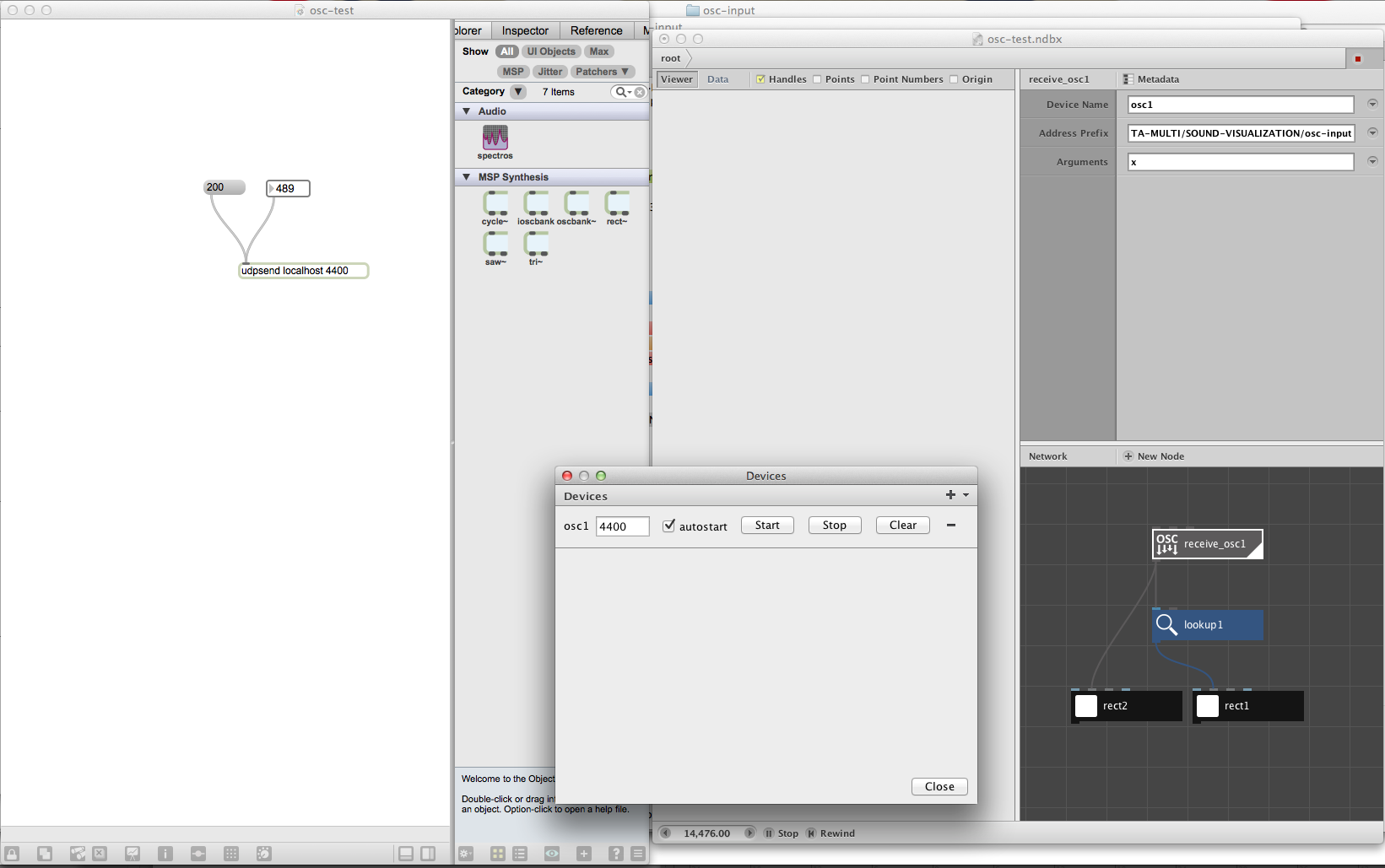
In File > Devices, create a OSC device. In the first field (where it says "-1" enter the port NodeBox should listen to). Press start. (You can also enable auto-start if you want to start the OSC listener automatically when the file is opened).
Start Max MSP and create a "send OSC" node (or whatever it is called). Use the same port to send to.
In NodeBox, create a "Receive OSC" node. Leave the device name as-is. Optionally, change the address prefix to only listen to messages under an address (by default it listens to everything).
If you want the arguments to have names, you can fill them in under the "arguments" port. For example, if you receive events with an x,y coordinate, use "x,y" (without the quotes) in the arguments field.
I've included an example that uses PD to send OSC events (I don't have Max MSP).
Thank you so much for your help, I am really enjoying this tool a lot.
I have tried what you suggested for connecting nodebox and max msp, and here I am attaching what I have so far. So, I followed your instruction and created my max patch using the "udpsend" node, (it seems like it's working with vvvv here, http://www.youtube.com/watch?v=NR0F3uCzTmo) and also set up my node in nodebox. but, I don't see they are connected yet, so here I am asking you some more questions. ; )
what I am not sure about current state is
whether the address prefix in the receive_osc node should reference the folder structure of the max map file, like the way I have right now.
also what kind of data the arguments in the receive_osc node can have when receiving numbers from max msp. I know you had set up size, hue and rotation in your example file, but I am not sure how these can be received from max msp.
maybe this has something to do with the PD file that you sent me? I have no idea what to do with it except that knowing that is a pure data file.
Thank you in advance, I look forward to hearing from you.
Best,
Sang Un Jeon
FB
FBFrederik De BleserNodeBox team
The address prefix is not the file path. You could see it as a relative URL. In my PD example, the address is set to "/output", and so that's what I listen for in NodeBox. I'm not really sure how this would work in Max/MSP. A quick Google Search I could find this blog post, but I don't really understand it.
The arguments are always numbers, I think.
I made the example in PD because I don't know / have Max/MSP. PD is free software, so you might consider it if you can't get it working in Max.
ED
EDedon
Is it possible to send OSC from Nodebox3 to PD ??
FB
FBFrederik De BleserNodeBox team
Currently, sending OSC data works, but is very hacky. The problem is that NodeBox only calculates the rendered node and its dependencies. This means that if you have some node in your network sending OSC events, and it is not the rendered node, it won't work.
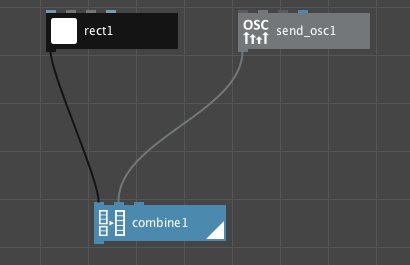
A trick is to combine your output with the "send osc" node. This way you can send message and have NodeBox show output at the same time.
Again, this is a hack. We're thinking on how we can make this work correctly. We reserve the right to change the way sending and receiving works: that's why the nodes are labelled "experimental".
Best,
F
Know something that helps?
Sign in with your email address to reply. No password needed.