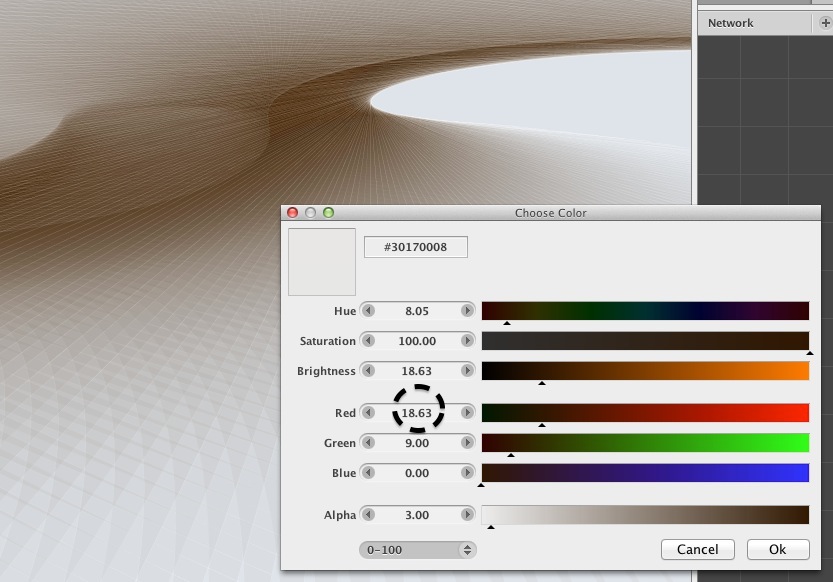
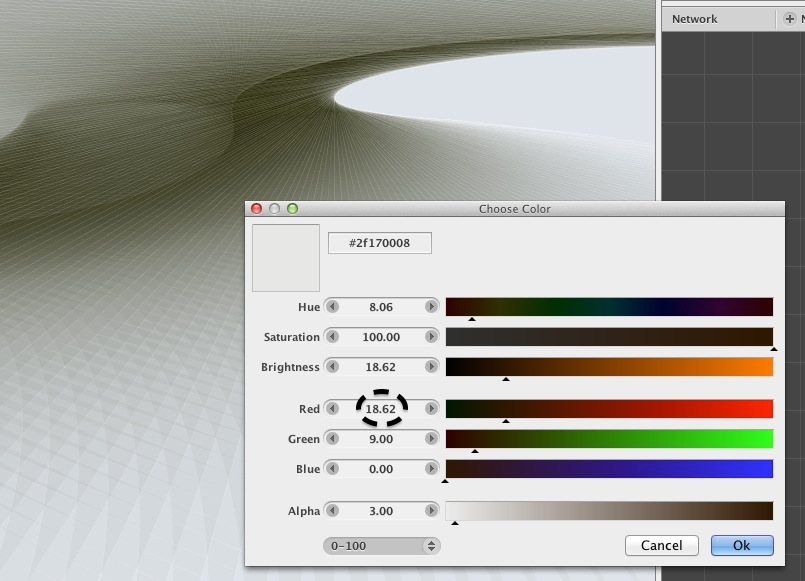
The NB ability to specify even decimals in HSB color definition appears to run into irritations. Such sensitive color seems to result in an obvious but unwanted jump on screen between hundrtedths of one value. See in screenshots below: Red changes 1 hundredth only but visually/suddenly jumps to green.
The new NodeBox forum is live! Everything from support.nodebox.net moved here: sign in with the same email to pick up your old posts. Something not working? Write to forum-support@nodebox.net.
NodeBox 3From the old forum
nb3 : GUI : Colorize : Decimals (tenth, hundredth)
-
-
NodeBox team This is very weird. I guess this relates to a rounding error in Java's color management. No idea how to solve this at the moment, though.
Could you compare the hex values with the ones in Photoshop? Which one is correct?
-
Photoshop does – in any color space – not allow to define colors with decimals like NodeBox does, instead it auto-rounds those to the next integer. I guess the irritation might come from the Alpha value in NodeBox or/andf from its ability to enter even decimals (tenth, hundredth) for RGB values when the color range is set to 0-100 (not: 0-255).
Here's tool to convert them all, Alpha included; only HSB enables decimals (tenth, not hundreth), RGB does integers only: http://colorizer.org/
Thoughts about java script and color convertion (which I don't understand myself;):
http://stackoverflow.com/questions/8468855/convert-a-rgb-colour-value-to-decimal(p.s.: even Adobe Suite's various apps convert between color spaces from same input values to different results, depending on the suite's app)
-
I just tried to repeat the occurency with some retcs with 10% alpha and the two color definitons mentioned above, copied either 10x and 100x.
In this sample it appears that I can not set the color as mentioned in the topic:
once I set this values r 18.62 / g 9/ b 0 – alpha 10
then go to set the next sample and come back to the first then its color got set to 18.84/9.02/0 – alpha 10.2(I attach color-rgb-decimals.ndbx)