Is there anyway of visualising a .xml file retrieved via the Get HTTP node?
The HTTP address is:
http://cloud.tfl.gov.uk/trackernet/predictiondetailed/v/OXC
The new NodeBox forum is live! Everything from support.nodebox.net moved here: sign in with the same email to pick up your old posts. Something not working? Write to forum-support@nodebox.net.
General DiscussionFrom the old forum
Is there anyway of visualising a .xml file retrieved via the Get HTTP node?
The HTTP address is:
http://cloud.tfl.gov.uk/trackernet/predictiondetailed/v/OXC
The issue is how to "flatten" the XML file so it appears as a table.
Since your XML file is rather flat, we might get away with some shortcuts.
I've included a project with a custom node that allows you to select the "path" of tags through the XML document. This is expressed as a list of tags separated by slashes, e.g. "A/B/C".
Unfortunately, in your case, both the inbound and outbound parts of the document use the same "P" tag. I don't have a solution for that currently.
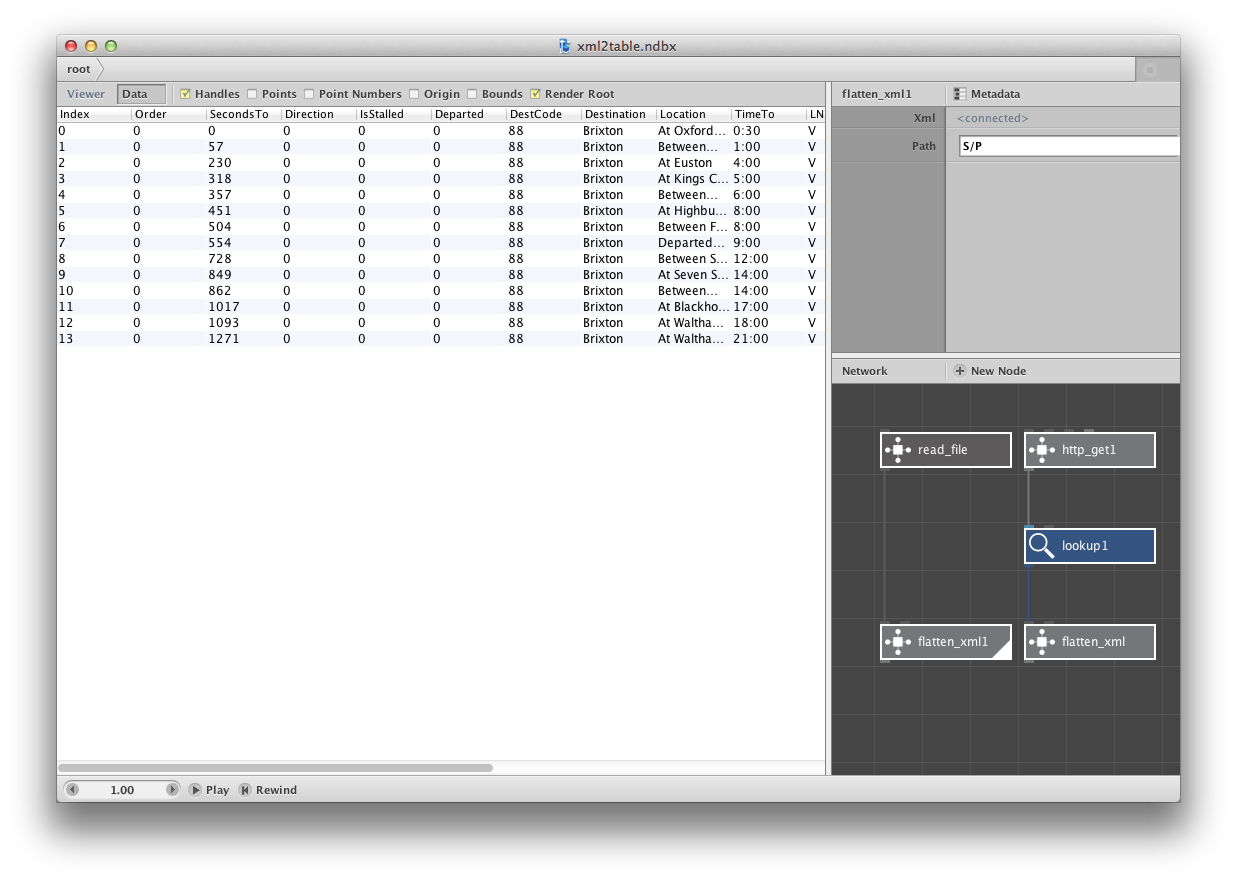
That's great! Thank you so much. Yeah it's a bit annoying that in some feeds northbound is the first "P" and some southbound is.
Would there be a way for the custom node to carry on looking for <P> after it's found one set.
Also... with regards to this and also the TimeToValue node you created for me, it's seems to crash when there's a value of "-" (it used to be 0:00, but it seems TfL have changed it to "-")
For the date conversion I've written another node that will make it into NodeBox itself soon. For now, I've attached it here.
I takes an input format and an output format, both in a format you specify. The format uses Java's SimpleDateFormat -- see that page for examples.
As for the next "P", the search algorithm needs to be expanded so that we can specify more complex queries. The "correct" way to do this is using XPath but I currently don't have time to implement that.
Cheers, I think I've got enough to create enough visual elements to convey my idea.
The new node still seems to be struggling when there data in the list which doesn't conform to the right format
at some points I have a list as such
1:00
2:30
4:00
6:30
How could I get rid of the dash? or make it equal to 0:00.
I've just tried to write some python to do this...
if x == "-"
print "0:00"
else print "x"
don't think this is right though.
for some reason it isn't showing the dash at the beginning of that list
You could use the string replace node to replace the dash with 0:00.