The new NodeBox forum is live! Everything from support.nodebox.net moved here: sign in with the same email to pick up your old posts. Something not working? Write to forum-support@nodebox.net.
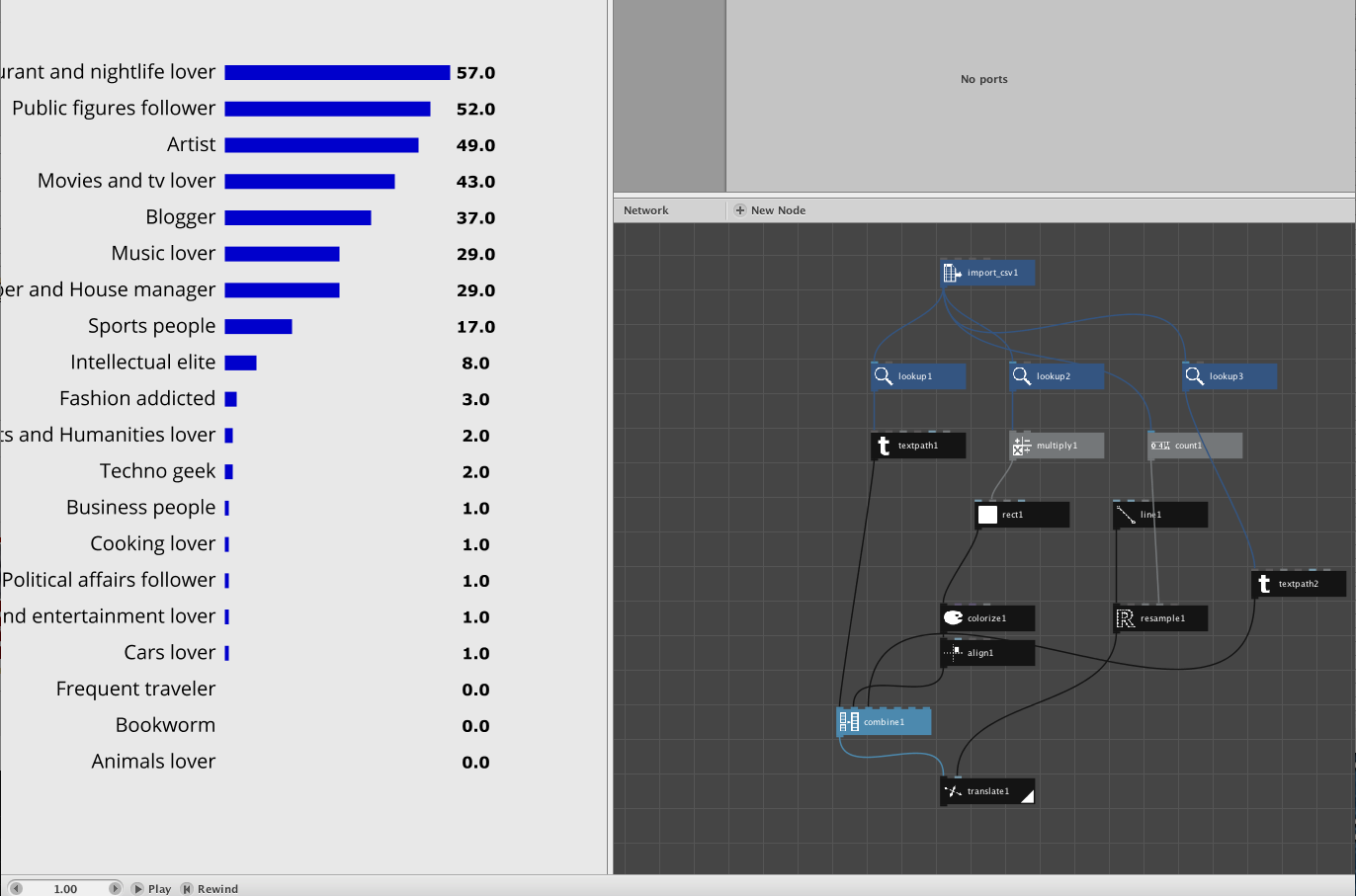
Hi guys, i'm a new user of Nodebox and i'm really happy i found it. I've a simple question for you that is a mountain for me. I've a simple csv that i use to create an Histogram. Id like to put the value of each bar at he right of it. I can easily show the number but i can't set the position. Do u have any advice?
Thanks
Alberto
LU
LUlucasnijs
Hi Alberto,
the x-position of your numbers is actually the x-position of your bar where you add the width of your bar plus an offset (how many pixels you want the number be from the end of the bar). You already have the x-position of the bars as well as their y-positions, you also have the width of the bars: so add them up to the x-position and create points with a make point node (x and y values from above) and use these points to position your numbers. If realy you do not succeed: post the NB file.
grtz,
Lucas
AL
ALAlberto
Thanks Lucanijs that's exactly what i was looking for. I'm really new but the make point node is what i needed. Now everything works and next week i'll post the NB here to help other people with my same problem.
Bye
RS
RSRajwinder Singh
Hi there,
I have given this attached data but I can not find this data by import csv in the Nodebox. can you please check what is wrong with this data
I looked at your file, it contains decimal numbers which are formatted with a comma. I could not change this quickly in Excel, but through Numbers and after changing locale preferences in the system preferences I managed to create a csv with decimal points and that seems to work just fine. The commas may only be used for field separation not for decimal or thousands separation. Your file had two sheets, i attach both of them,