Hi Bertha,
To plot this data as a horizontal trend line, you would simply lookup one value (e.g. "Seconds") as your X and another (e.g Making2) as your Y, feed these into a make_point node, and use a connect node to connect those points into a line. You might also want to first multiply those X and Y values by a scaling factor.
The result would be a spiky line. You could make it look smoother using the round_segments node.
Wrapping that trend line around a circle is just as easy. Instead of a make_point node, you can use a coordinates node, using X as the angle and Y as the distance. To wrap around a circle of radius R, add R to the Y value.
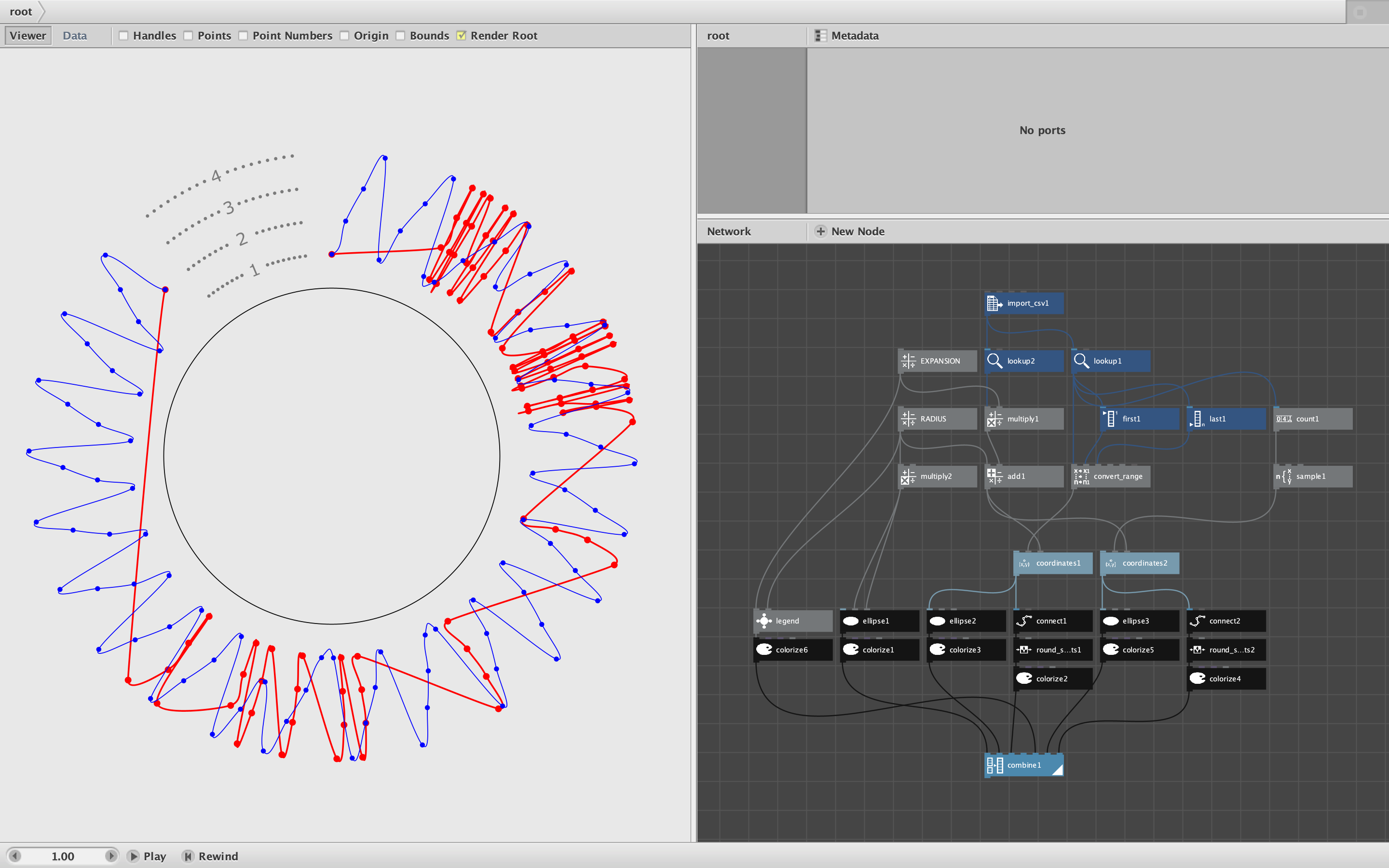
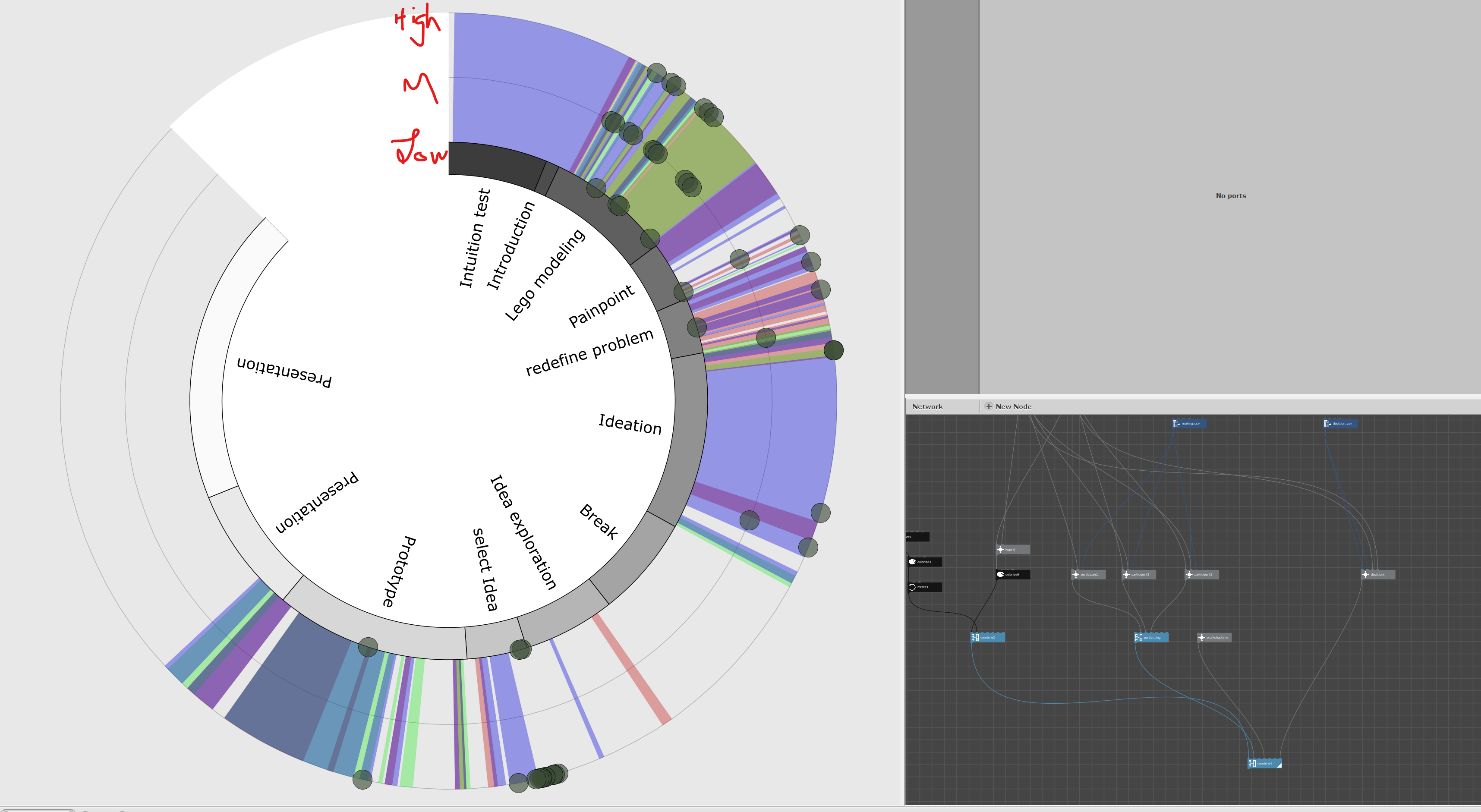
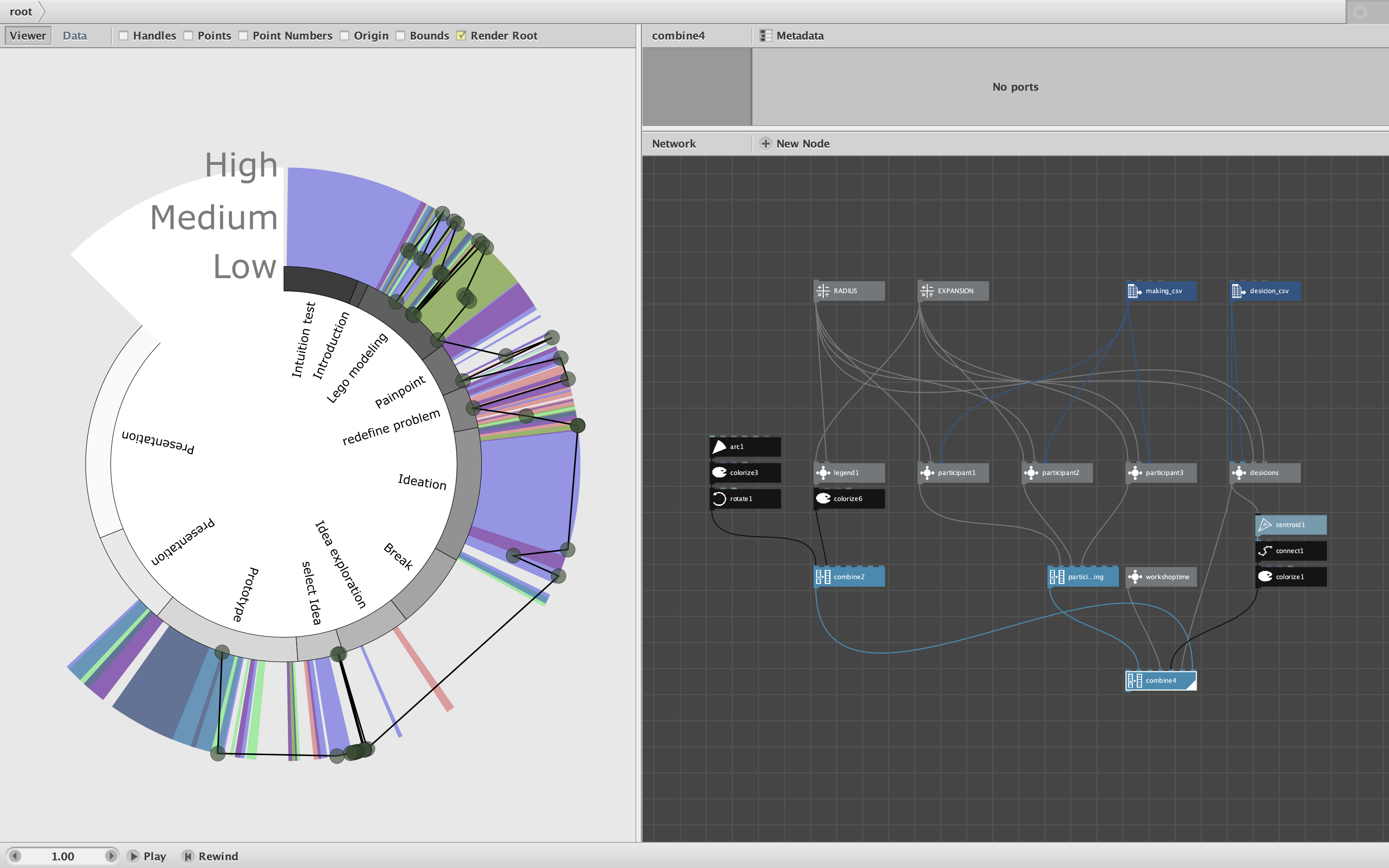
In your attempt, instead of using the Seconds column to determine the angle, you distributed your values evenly around a circle. To show you what this would look like, I made a circular chart plotting your Making2 values in blue (see screenshot).
I then overlayed a trend chart using the Seconds column in red. The attached zip file contains your original files and my example.
You can see how this works by adjusting the RADIUS value and the EXPANSION value. I only wrapped the trend lines from due north (-90 degrees in Nodebox) to 7/8s of the way around (225 degrees). This was easily done using a convert range node. The gap left room for a simple legend, which I wrote as a subnetwork (control click and Edit Children to see how I did that).
As for the "missing information", do you mean more precise frequency values instead of the simple Making2 values? If so, and if these are raw data that cannot be computed directly from the values already in your CSV file, then yes: it would be easiest to simply type them in using Excel. (You can also enter a list of values directly in Nodebox using a make_numbers node, but Excel is easier for a long list of values.)
But if you mean create interpolated values at regular intervals between the existing Making2 values to create smoother curves, then you could do that entirely in Nodebox. It would take a bit of math to add the interpolated values in a pleasing manner.
Please play with this and see if it answers your questions. Then ask more questions!
John