The new NodeBox forum is live! Everything from support.nodebox.net moved here: sign in with the same email to pick up your old posts. Something not working? Write to forum-support@nodebox.net.
The attached NodeBox file includes a handy general purpose subnetwork "fade". It sucks in a fading setting (0 = transparent, 100 = opaque) and applies it to any incoming geometry, even a combined set of multiple differently colored shapes.
The example file creates a randomly-colored grid of rectangles and ellipses, joined with a combine node. It then feeds the combined output along with a number node into the fade subnetwork. The fade node is set to render in the viewer.
To test it, scrub the value of the number node and see what happens. Any value less than 0 will be treated as a 0; any value greater than 100 will be treated as a 100.
Let me know if you have any problems or questions. If there is already an easier way of doing this let me know that too!
Hat tip to the NodeBox team for their new Keys node which helped me figure out how to lookup fill color values for incoming shapes.
It also points out an issue that I've been meaning to fix, which is that you ideally like to be able to set one color component (i.e. alpha) without touching the others.
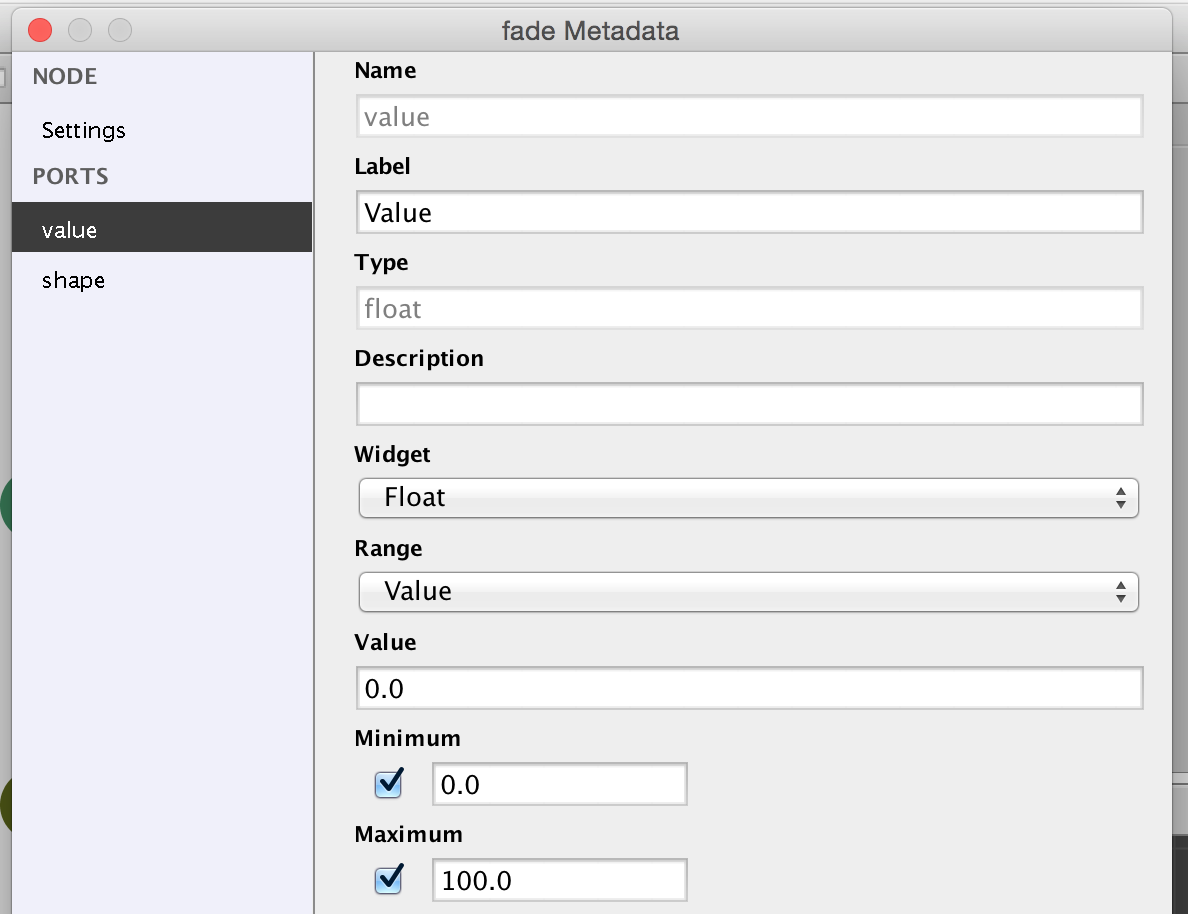
You could also set the min/max in the fade subnetwork metadata (see screenshot).
CL
CLclarasimson12
I have just started working on nodebox, and would like some expert advice regarding this.
john
I'm not an expert yet, but my advice is to keep playing, read through past forum postings, and don't be afraid to ask specific questions when you get stuck.
RO
RORory
This is very nice.
I didn't know there was a null node, I had been using my own python node to basically pass information on without touching it. This is much simpler.
Also I was not aware that you could lookup a property of a non-list output. What other properties are available. Could you for example get list.length, or rect.width and so on? Is there a place in the documentation where this technique is discussed?
I'm not quite clear what the convert_range node is up to. The output seems to be the integer divided by 100. That then feeds into the alpha node of colorise.
FB
FBFrederik De BleserNodeBox team
The "keys" node can tell you which properties are available.
Convert range is used in data visualization. It's basically the rule of three: it converts values from an input domain (e.g. Time of the day) to an output domain (e.g. degrees of rotation)
Best,
F
Know something that helps?
Sign in with your email address to reply. No password needed.