Hi,
I have some Hebrew characters in my csv list I want to visualize. It didn't work so far...
Can anybody help?
Cheers, Magen
The new NodeBox forum is live! Everything from support.nodebox.net moved here: sign in with the same email to pick up your old posts. Something not working? Write to forum-support@nodebox.net.
NodeBox 3From the old forum
Hi,
I have some Hebrew characters in my csv list I want to visualize. It didn't work so far...
Can anybody help?
Cheers, Magen

Hi Magen,
Could you reply and attach your ndbx file and your csv file? If you are using a special font you might have to post that as well.
Thanks,
John
Hi John,
I attached the files below. So far, the font is not important to me.
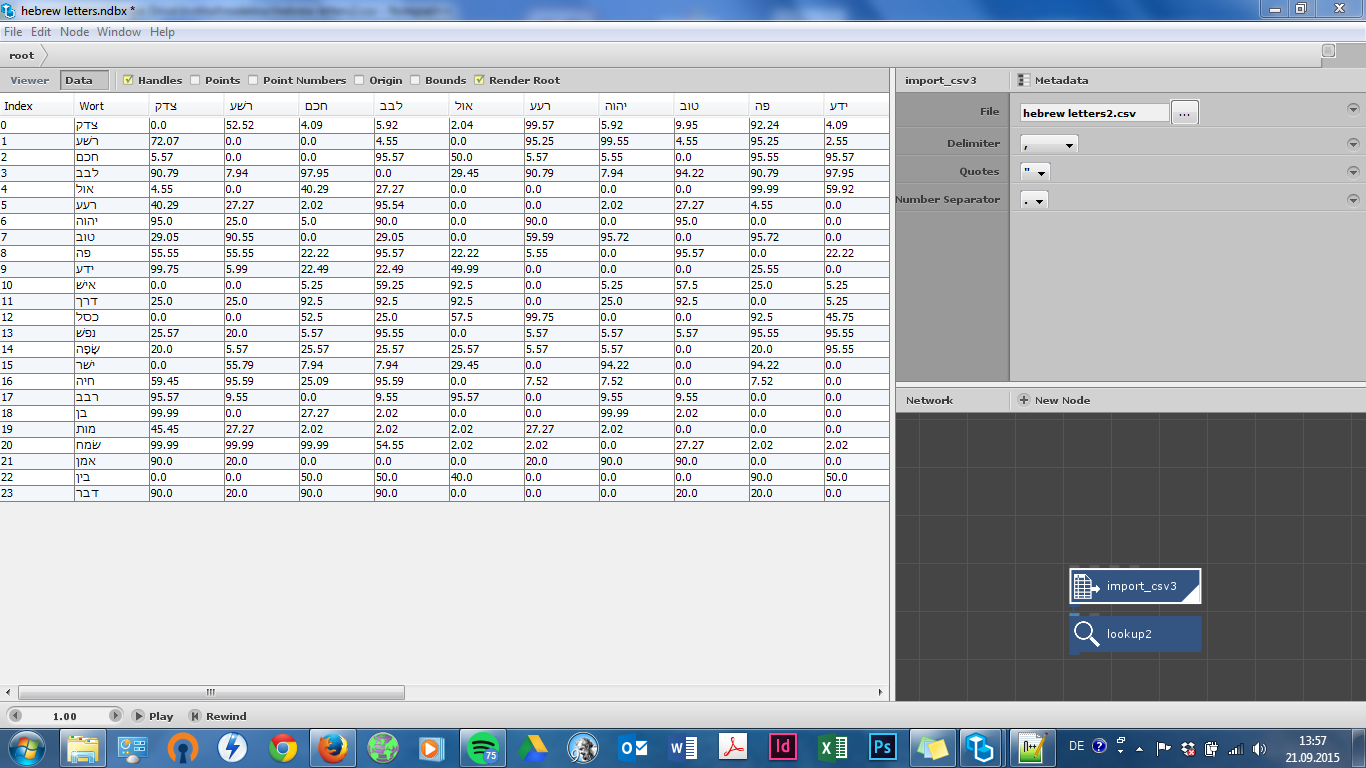
Nodebox is displaying the csv file correctly in the data pane of the import node. But apparently it cannot look up the first column ('Wort').
Thank you for helping!
Magen
Hi Magen,
There appears to be some difference between how your system sees the file and the way mine does. My Mac interpreted it as an xls file and changed the name to hebrew_letters.csv.xls. I had to do a Save As and change the format to CSV to see any data.
When I did this I found a problem with the header row. It looks like your data is in a single column, so you want the header row to read simply "Wort". But what I saw was the word Wort with extra characters before and after. Once I cleaned up the CSV file so that the first row only said "Wort", the lookup node worked correctly. I'm not sure whether this is a problem in your original file or something that happened when the file was downloaded on to my Mac.
I also saw some problems in the data. Each row was a semicolon-separated string of numbers. Most of the numbers appeared to be coordinates, but some were single values (0 instead of 0,0) and there were extraneous characters here and there. Again, I'm not sure if that is in your original file, but if it is you may want to clean it up a bit more and make everything consistent.
What font are you using in Excel? I was seeing some Hebrew characters here and there.
My system read it as a mix of different fonts. "Wort" and the numbers were in Verdana but other characters were in Lantinghei TC Demibold or Menlo Regular. Maybe if every character in your original CSV file was in Verdana some of these problems might go away.
Hope this helps. Once you can get your system to read the file correctly I think you could have a lot of fun with NodeBox.
John
Hi John,
perhaps it is important for you to know that I had to encode the csv file with utf-8 to make the hebrew letters visible. I saved the file first with excel in as an unicode text. Then I opened it with notepad to save it as a csv file. Notebox had no problems to read it then. It works with a semicolon or a comma as a number seperator. Same for the delimiter. I changed the file for you anyway and attached one csv file with comma delimiter and a dot as number seperator. The other file has the same data with semicolon (delimiter) and comma (number seperator). I changed the 0s to 0.00 (or 0,00) as well. I also attached a screenshot of nodebox where already imported the file, so you can see how it is meant to be. Can I do anything else to help you getting along with the file?
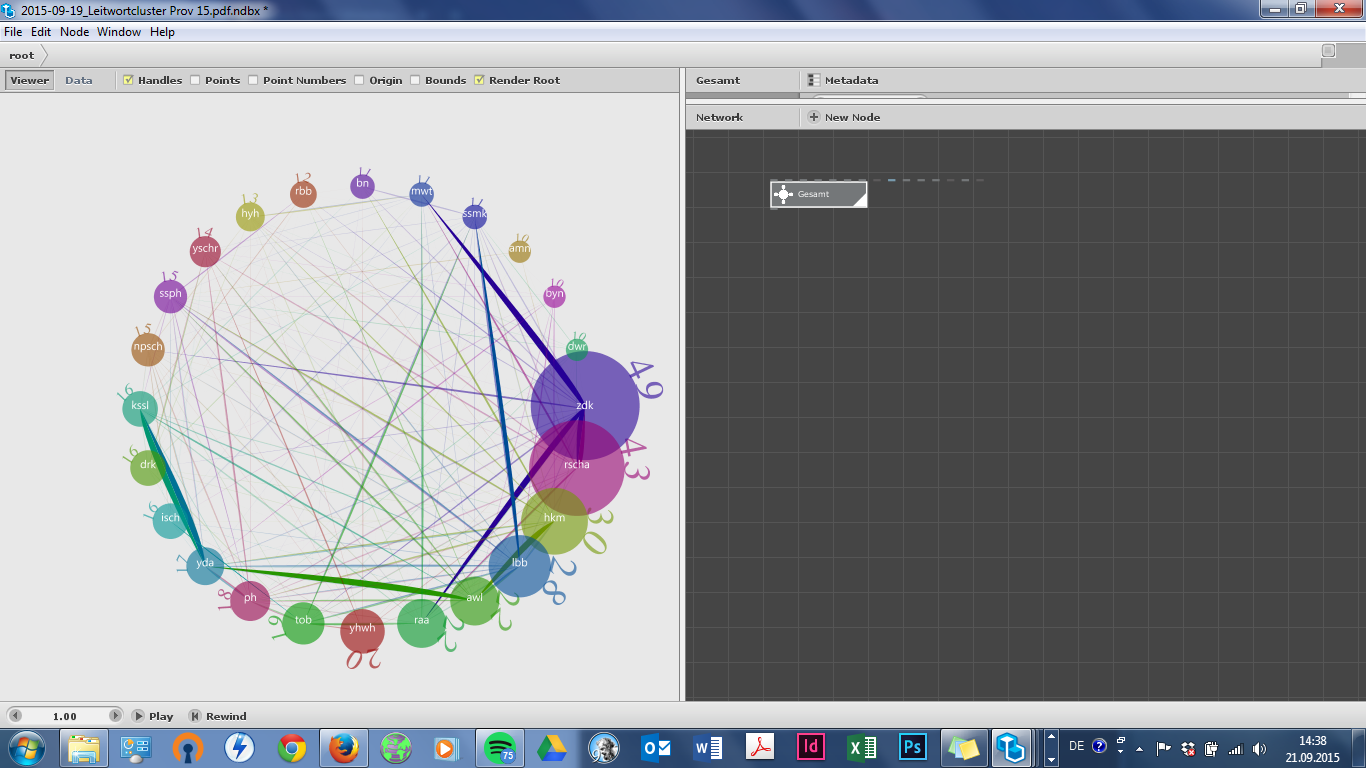
I've actually finished my visualization. I just want to change the (incorrect) translittered Hebrew to proper Hebrew letters. To give you an idea of how it will look in the end I attach a screenshot of the visualization (with wrong data).
Thanks again,
Magen
Hi Megan,
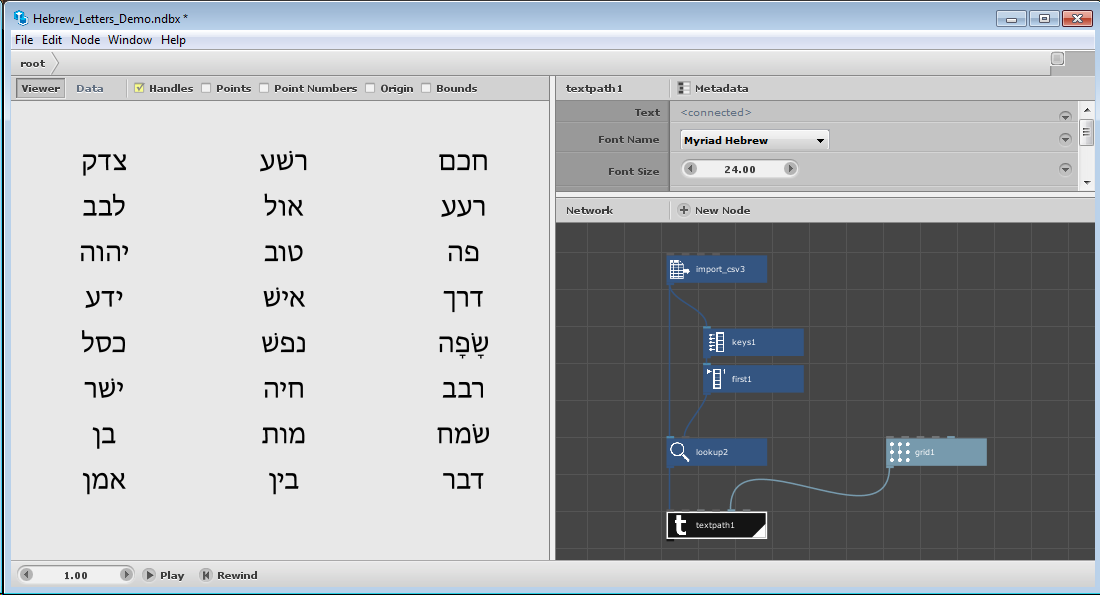
Thanks. I can see the CSV file correctly now from NodeBox and was able to make proper Hebrew letters appear. I am attaching a quick demo NDBX file and a screenshot.
I did two things to pull this off. First, even though the initial column in the csv file appears as "Wort", doing a lookup on Wort wasn't working. There must be some font mischief going on somewhere. So instead of typing in Wort myself as the lookup key I let NodeBox do it for me.
As you can see, I used the Keys node to extract the row headers and the First node to retrieve only the first value (Wort). I then fed this into the Key port of the Lookup node and that did the trick. The lookup node produced the correct list of 24 words.
The second trick was to find the right font. I fed the lookup node into a textpath node and set the font to Myriad Hebrew. I happened to do this on my PC at work, so not sure what Mac fonts will work. But on my PC Myriad Hebrew did the trick.
I just printed out the words in a 3-column grid, but you should be able to use the same technique to place the words into your visualization.
Let me know if this works for you.
Happy NodeBoxing!
John
Genius! It worked. Thank you a lot, John.
Magen