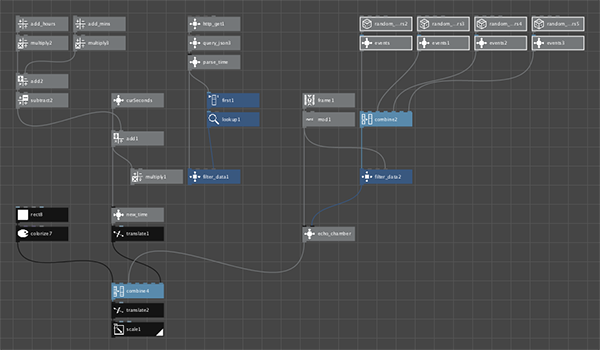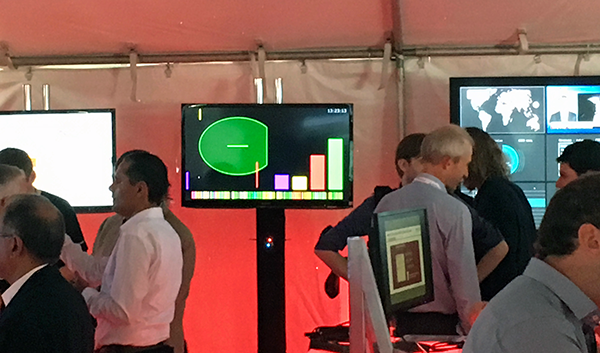
At a large computer conference in San Francisco last week I used NodeBox to create a simple art installation.
Our team placed small sonic sensors around our demo tent. Whenever someone passed in front of one, it uploaded event data to a cloud database. My NodeBox program scanned the resulting JSON file once every 5 seconds and updated an ambient display I designed.
This was an experiment to explore ambient displays, real-time sensing, and the internet of things. It was the first time I have used NodeBox for something like this. I had to add two Python clock nodes and fiddle around a bit to get the timing right and keep the animation running smoothly. NodeBox did a great job! We ran the display continuously for three days and it was seen by hundreds of people.
I am attaching a screenshot of my NodeBox program and a video showing the "calibration display". This was a randomly-generated display I used to explain the initial concept to my team and later to calibrate the display when we moved into the tent. When the display was properly calibrated I just changed two links to switch the display to real-time data.
For more information, you can see our AppsLab blog at http://theappslab.com/2016/09/30/our-real-time-ambient-display-at-openworld/
Enjoy!
John