Alexandre,
Yes, you can use NodeBox to shuffle among different layouts, up to a point, but it may drive you crazy.
NodeBox is missing two things that a real layout engine needs: images and text!
You may not have noticed yet, but NodeBox does not have a bitmap image node. It is vector-only. Another NodeBoxer created a custom image node, but to use it inside of NodeBox you have to output vector paths (lines or dots), which is not practical for rendering most images. So if you want to layout PNGs or JPGs inside (desktop) NodeBox, you're out of luck.
At first glance, NodeBox seems to have text. But in fact, it only has text paths. In order to render text you have to convert strings into vector paths. You don't have a lot of control over how the text converts (e.g. no way to specify leading), and once it turns into paths there is no way to recover the actual text.
If you output your NodeBox rendering as an SVG, that SVG will have nothing but vector paths - no text objects. And because each letter turns into an elaborate set of paths, even a small amount of text will turn into thousands of paths - which eventually slows NodeBox to a crawl. In practice it can only handle a few thousand words.
I gather that NodeBox Live does or will have actual text objects, and because it lives in an html page you should be able to mix PNGs or JPGs in with your display (though this may be tricky). Frederik can tell you more about that. People have asked for both images and text objects in desktop NodeBox; Frederik says he is thinking about it.
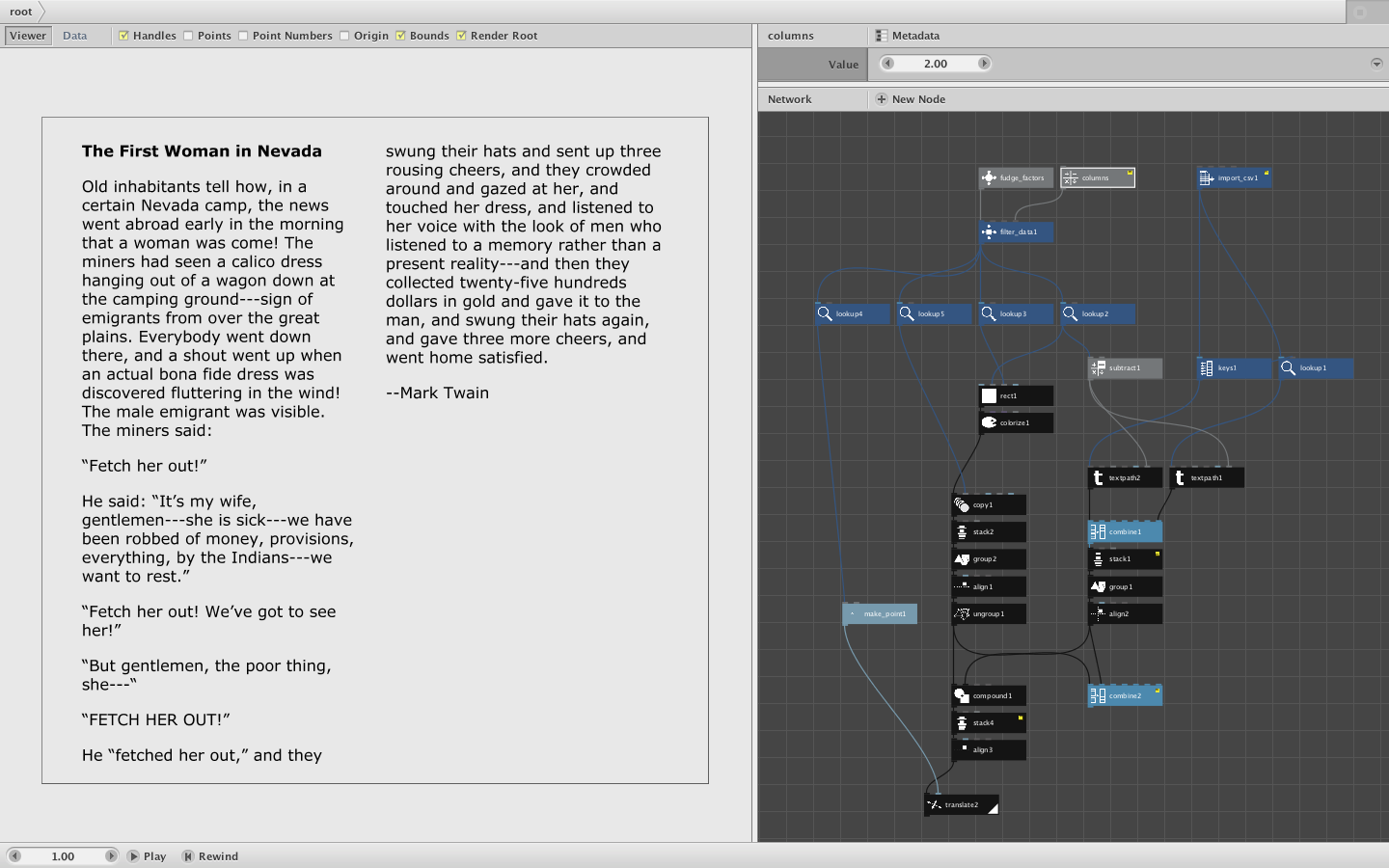
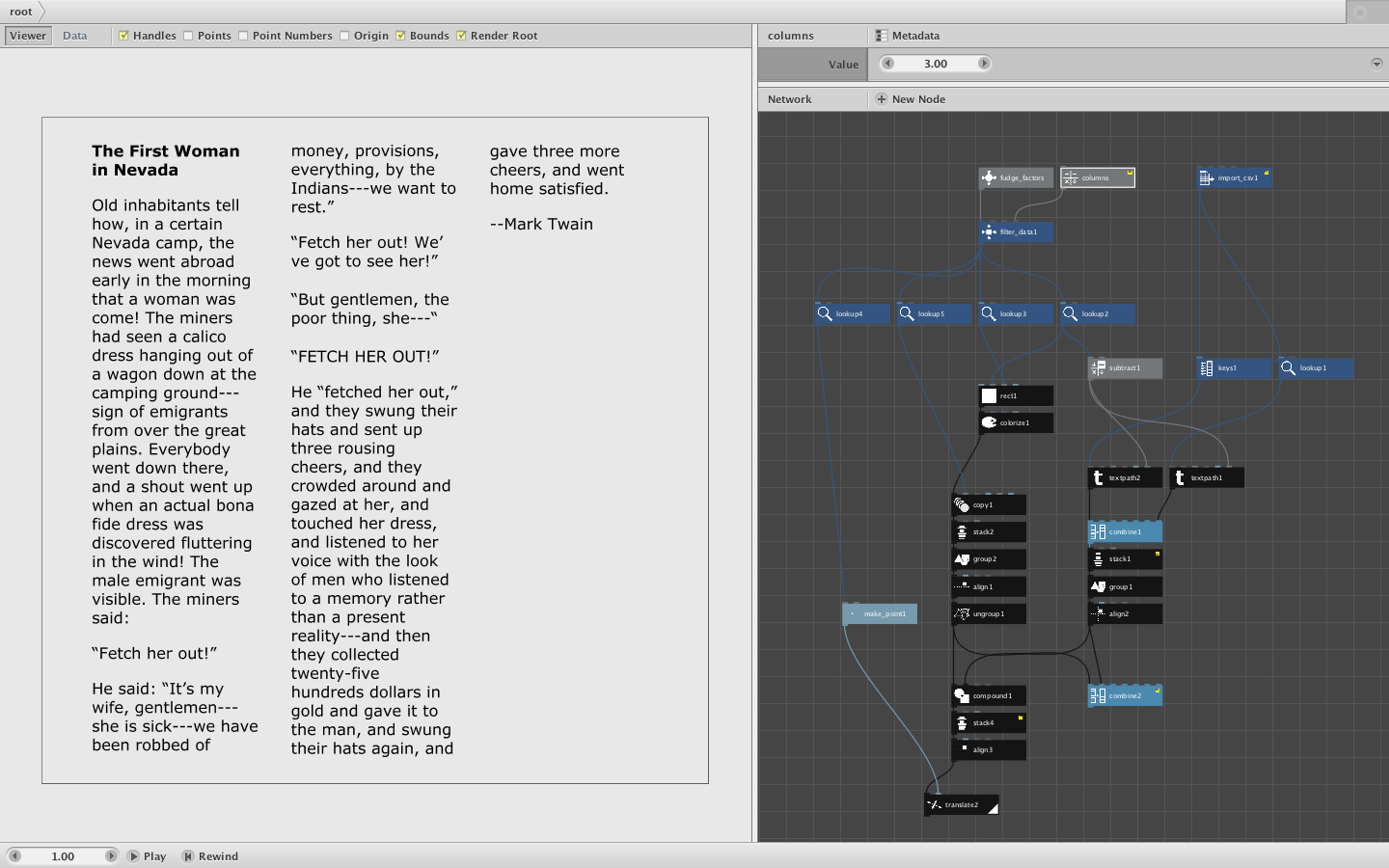
Nevertheless, some simple layout shuffling is possible in desktop NodeBox. I whipped up a quick example which reads in a text file and renders it in a 1, 2, or 3-column layout. Just change the "columns" value at the top of the network.
The zip file contains the code and a short sample text by Mark Twain. The basic approach is to read the text file and produce a single column of rendered text. I then overlay 1-3 properly sized rectangles and take an intersection of the text shapes under each rectangle. I am then free to position the rectangles anywhere I want to form various layouts.
There are several pesky problems. Because the text is not arranged in a fixed leading, slight variations arise between paragraphs (depending on whether the final line of the paragraph has descenders, what font you are using, etc.) This makes it tricky to divide the text column precisely. For this simple example I just adjusted the column heights by hand so that no words got cut in half. Unfortunately, you would have to adjust this height fudge factor with each new text or font change.
(I did once create a way of controlling leading in NodeBox text, but it's kind of a hack. I posted it so you can hunt for it in the forum.)
Another problem is that doing intersections on thousands of text shapes is slow. Even for this short (200 word) example, it takes about 10 seconds to calculate a new layout. I did a three column layout of a 1200 word story and it took well over a minute.
For one-off projects, NodeBox gives you a lot of control over the layout. I wouldn't advise trying to build a robust, precise general-purpose layout engine in NodeBox though. But please feel free to examine my example code. I think it will give you a feel for how to approach problems like this in NodeBox.
Please let me know if this helps.
Thanks!
John