Is it possible to import an SVG, and have layers in separate parts (not grouped)?
So for ex, I could rotate a specific layer of the SVG, not the whole thing?
The new NodeBox forum is live! Everything from support.nodebox.net moved here: sign in with the same email to pick up your old posts. Something not working? Write to forum-support@nodebox.net.
NodeBox 3From the old forum
Is it possible to import an SVG, and have layers in separate parts (not grouped)?
So for ex, I could rotate a specific layer of the SVG, not the whole thing?
Ungroup the svg and you can slice any part of it and let it behave independently.
I did ungroup in Illustrator/exported as SVG/mported into nodebox
but it's became "one piece" on nodebox
Attached example file
Alexandre,
If you attach your Import SVG node to an Ungroup node, NodeBox will resolve the svg into its parts.
It's all or nothing, though, so in this case ungrouping your svg results in a list of 41 individual shapes (10 for each plate plus the 1 for the gray rectangle).
If you know the structure of your svg, you can slice the resulting list into subsections and group those subsections to form layers, which you can then rotate or reposition or do with as you please.
I am attaching a very simple network which does this. It imports your svg, ungroups it, and then forms the top two plates into two separate objects. I rotate the white plate by 90 degrees, leave the dark plate as it was, then recombine them.
Please let me know if you found this helpful.
John
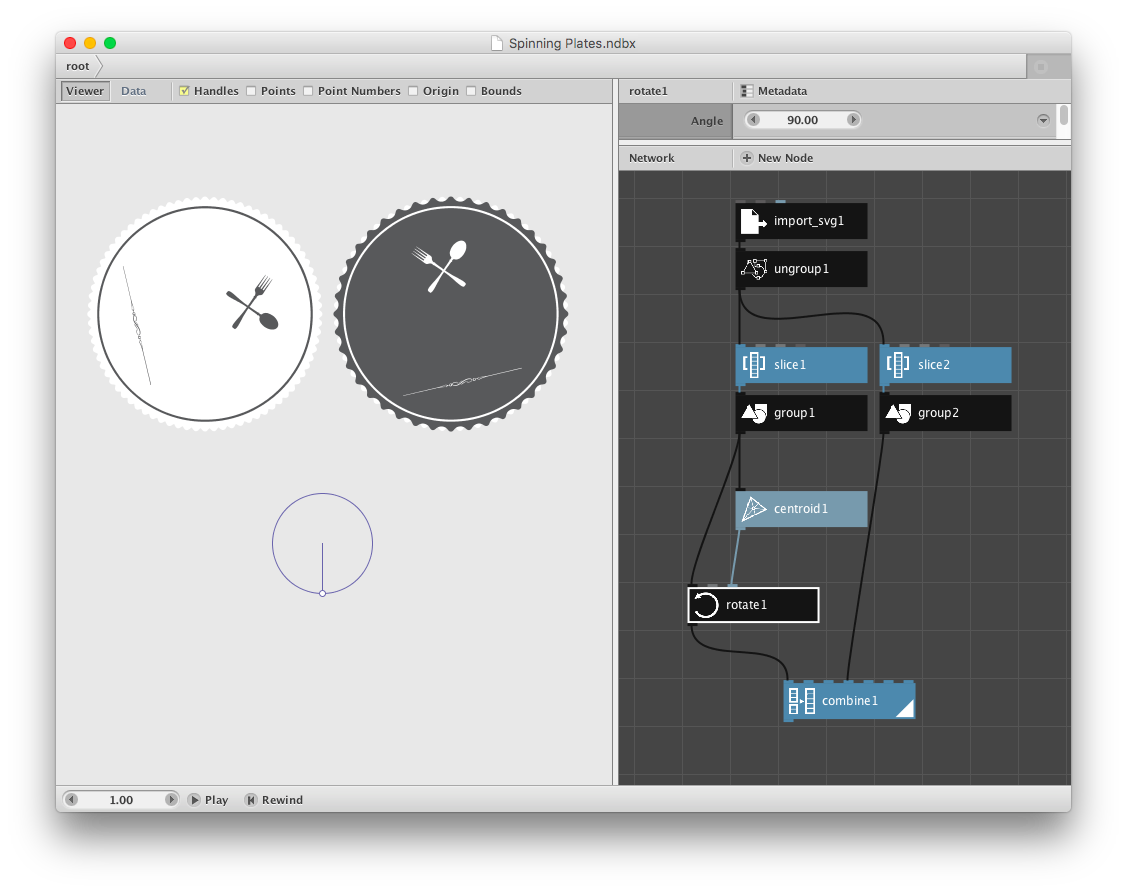
Hey Jonh, thanks so much! This is exactly what I wanted to do!
Ideally, the "layer slicing" would be same as layer structure defined in Illustrator. Is there a node that does that, instead of manually doing it?
What is missing is the imported text (attached original SVG). Is there a way to have it imported (as text, not outlined/vector)?
best!