Sometimes I need to swap the rows and columns in a table.
In order to render the data visualization "on the other side" )
Tell me how to do this in Nodebox?
The new NodeBox forum is live! Everything from support.nodebox.net moved here: sign in with the same email to pick up your old posts. Something not working? Write to forum-support@nodebox.net.
NodeBox 3From the old forum
how swap columns and rows
-
-
Hi Denis,
Good question. If you will post your csv table I will write you a subnetwork to transpose it.
NodeBox tables, which are actually lists of zipmaps, need to have column headers. To transpose a table you will probably want to use the values in your first column, currently used as row headers, to be turned in to column headers. If that's how your table is organized this is fairly straightforward.
John
-
Denis,
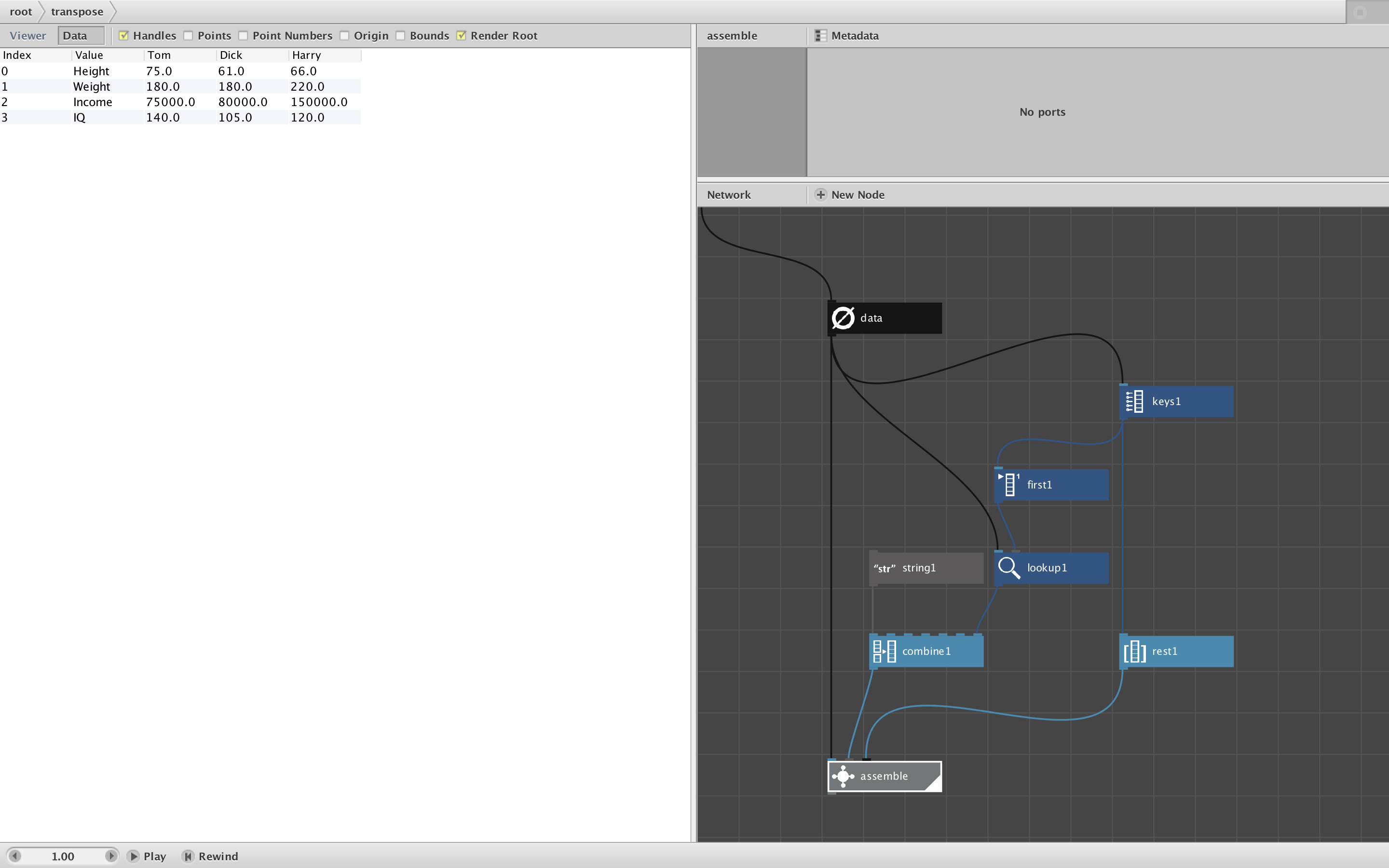
Assuming your table is organized the way I described, the attached transpose subnetwork should do what you want.
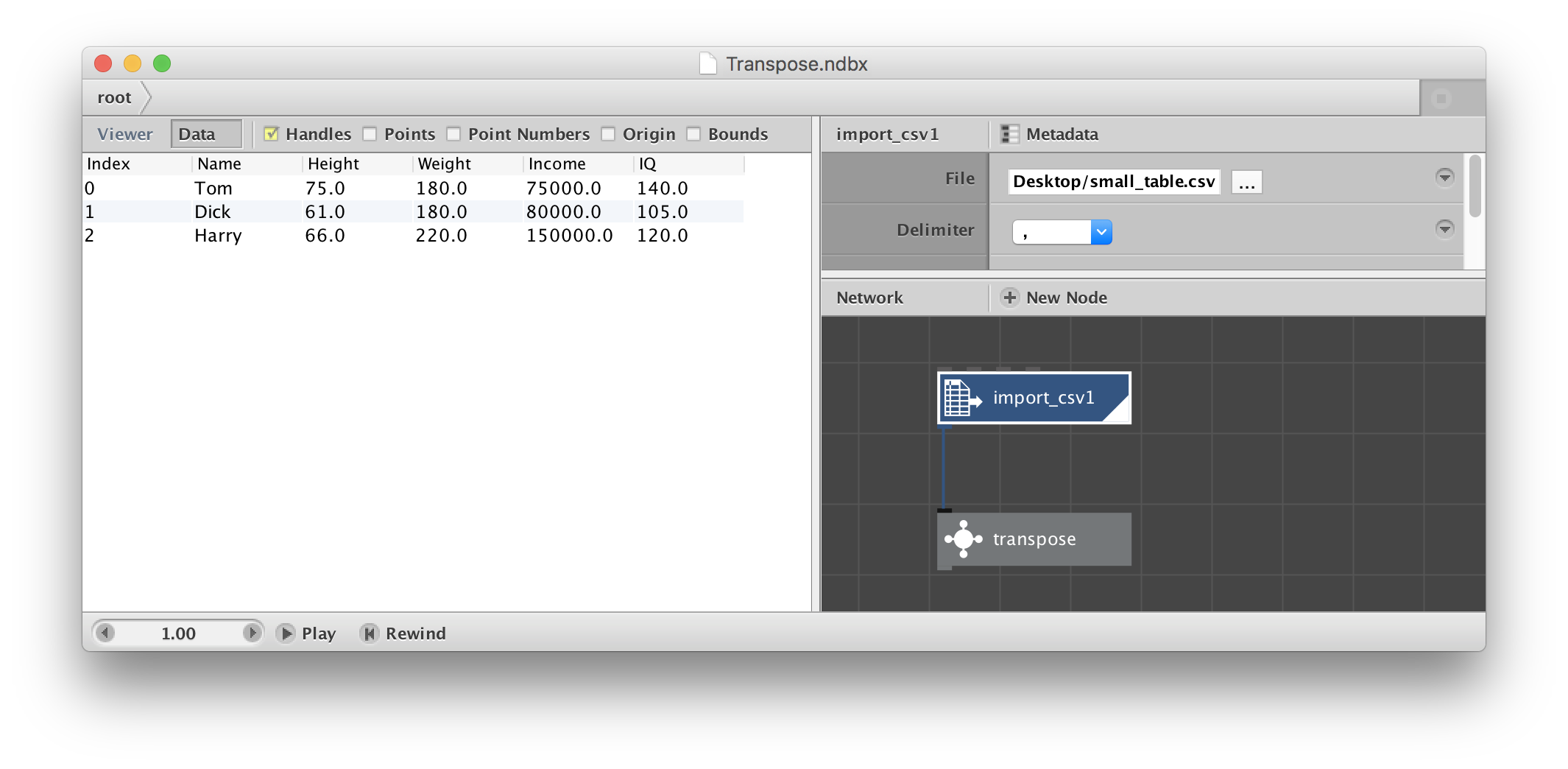
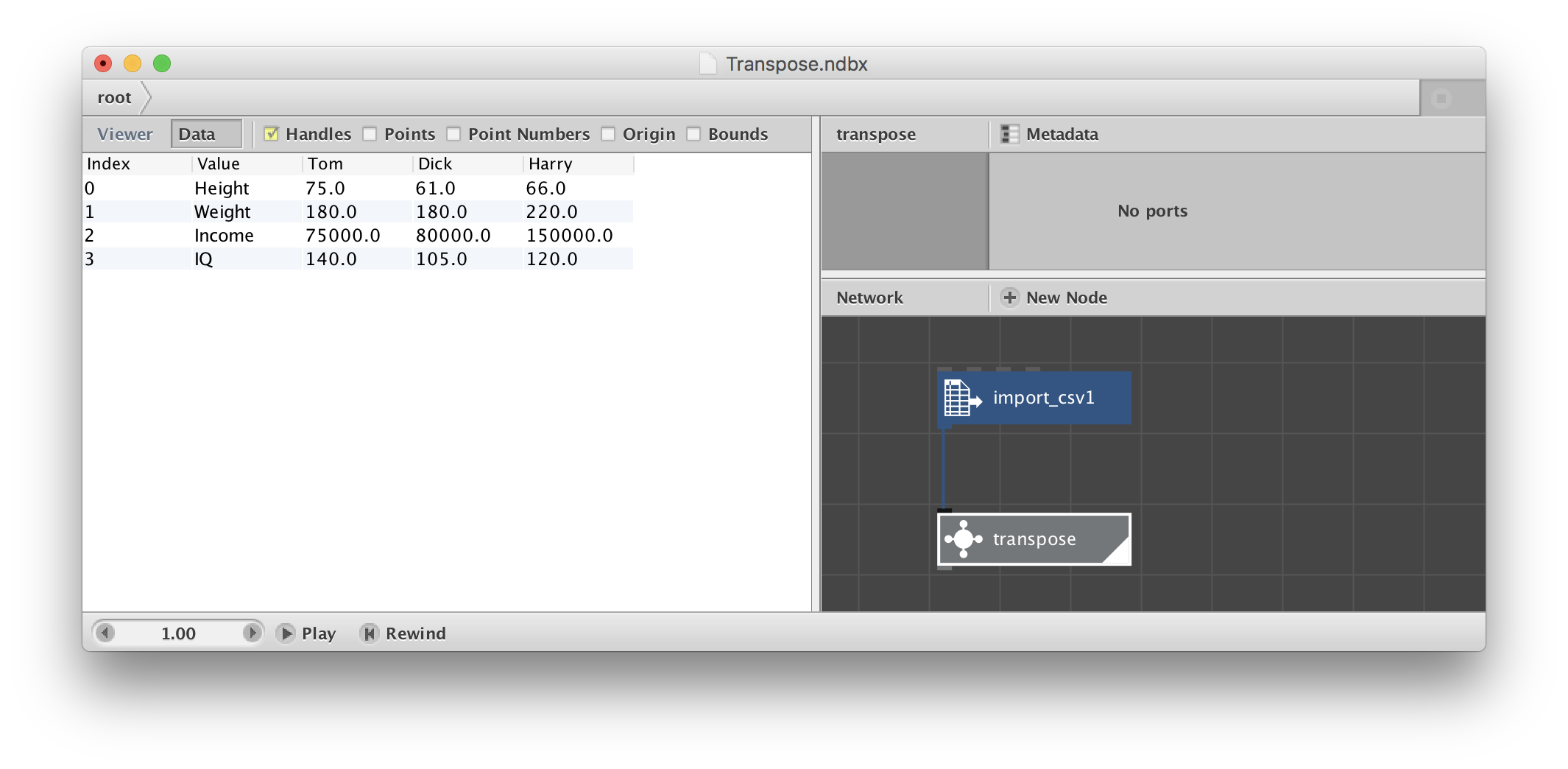
Just feed your table (or any node that resolves into a table) into the transpose node and it will switch the rows and columns. See attached screenshots.
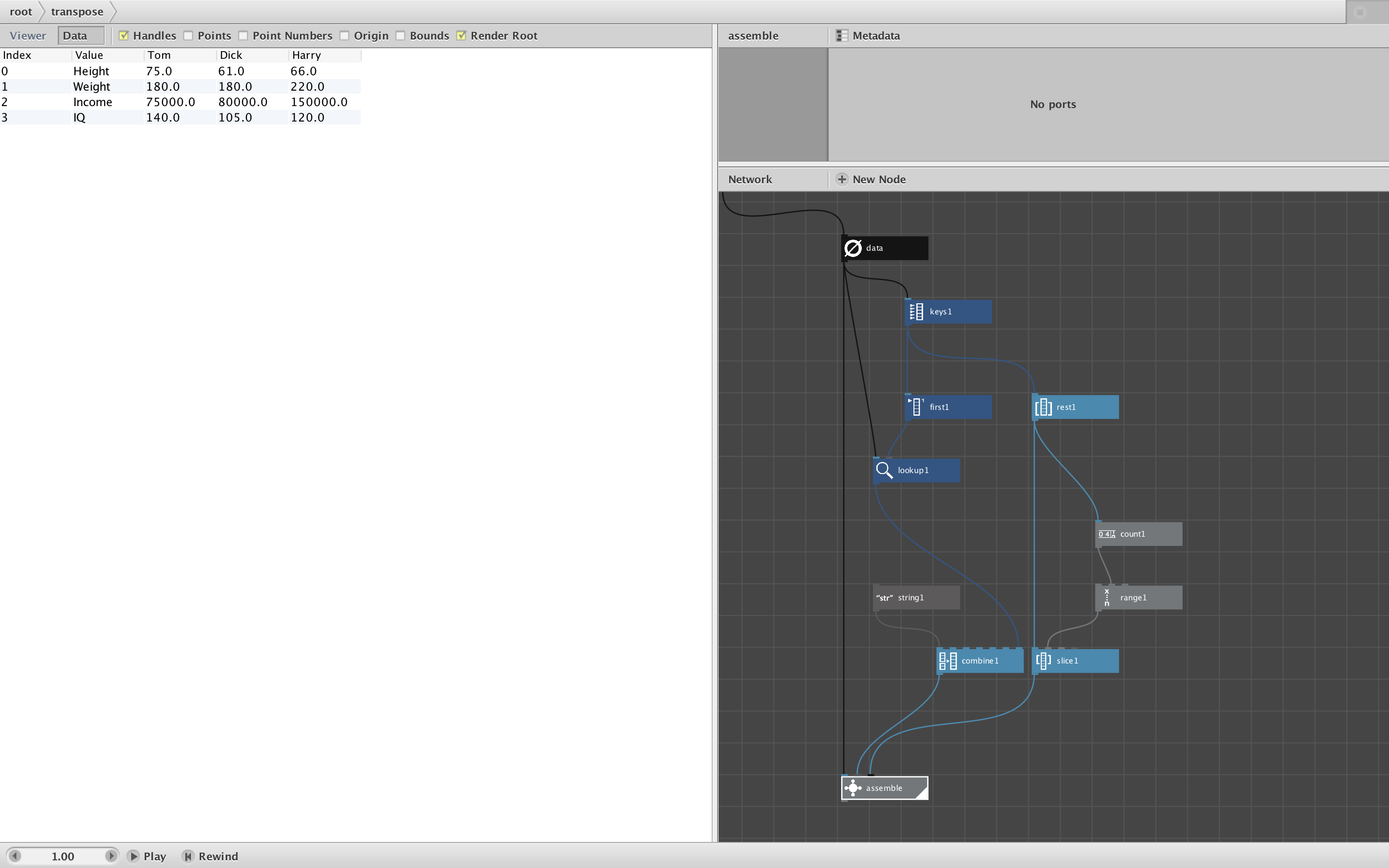
Transpose works by using the key node to determine the current column headers and uses the first of these to create a list of the current row headers. It then uses the assemble subnetwork to build one row for each current column.
Enjoy!
-
-
Many thanks, John!
I teach the design of infographics on the course Data Journalism at the Higher School of Economics in Moscow. Nodebox is convenient as a didactic tool (Nodebox visually shows students what transformations occur with data)
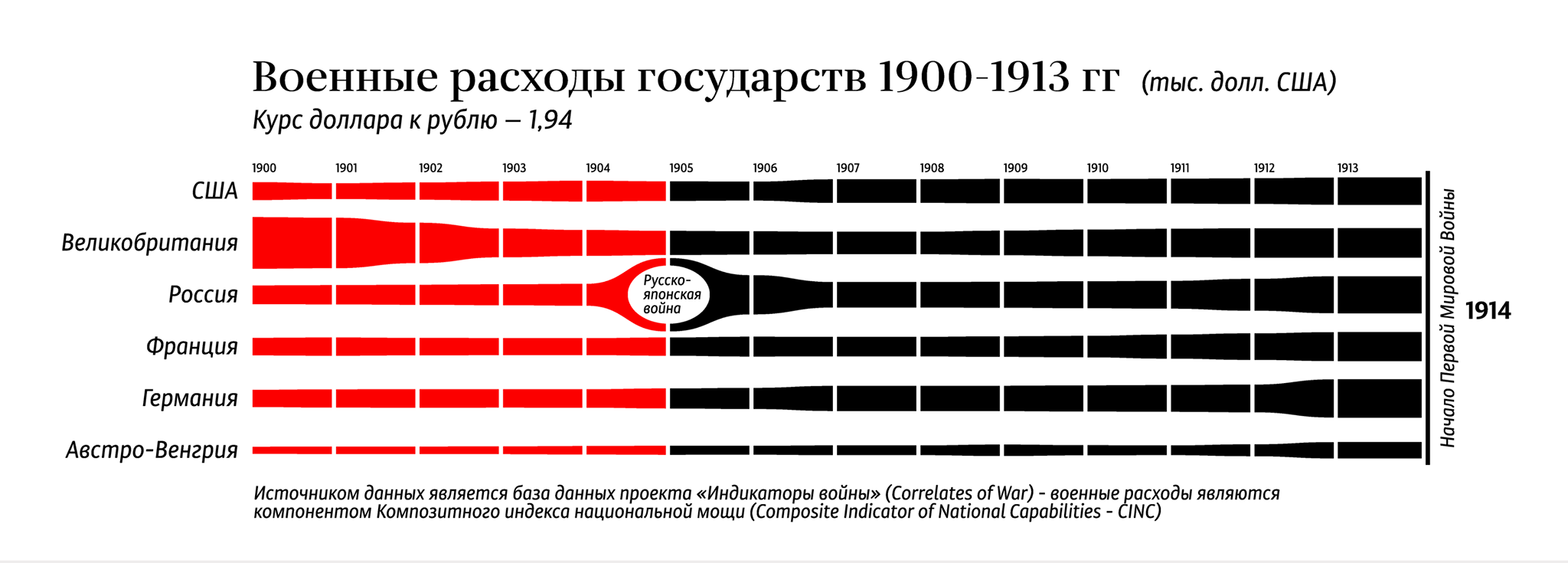
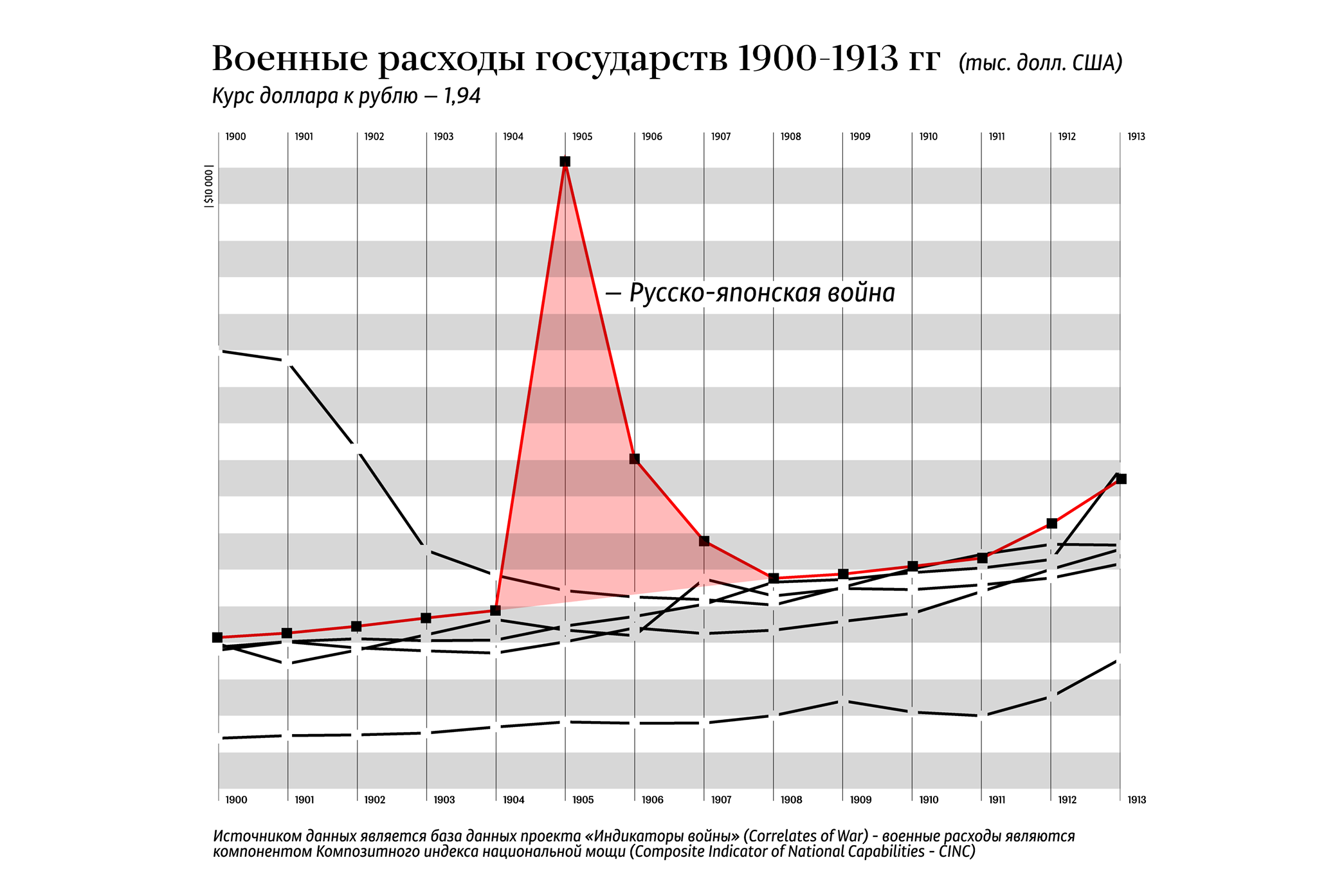
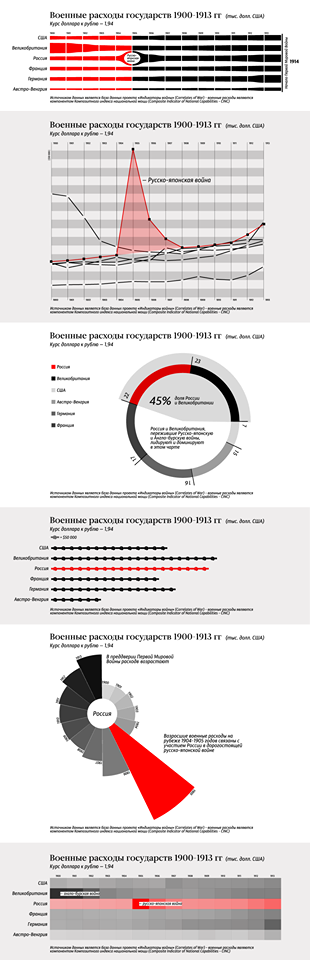
Here, for example, we differently visualize a small data set:
Flow diagram (columns in the table by years)
Line graph (in columns - countries)
(Attached files)
All pictures are completely made in Nodebox :)
The task for students is to do the most complete information blocks without switching to other tools)
Only in Nodebox -
-
Denis,
These visualizations are beautiful. I agree that NodeBox is a great didactic way to teach the art of visualization. That's what I love about it - I can see each step of the transformation.
By the way, after a good night's sleep I realized the network I sent you yesterday works fine, but has 3 unnecessary nodes. There is no reason to slice up the list of column headers and put it back together again. Silly me. Without those nodes the transpose subnetwork is even simpler.
Revised node and screenshot attached.
John
-
-
Thank you very much!!
-
Thank you so much!
-
I can not add a new comment in this thread.
The message disappears(Hello, John! For some reason I can use the created by you node, but I can not repeat it myself. It seems that the nodes on the subnet and outside of it work differently. At some point even your network stops working (apparently this is a bug of the program) helps to move the file. Can not be repaired) but if copied to another project, the node works as it should.
-
Hi, John! For some reason I can use the created by you node, but I can not repeat it myself. It seems that the nodes on the subnet and outside of it work differently. At some point even your network stops working (apparently this is a bug of the program) helps to move the file. Can not be repaired) but if copied to another project, the node works as it should.
-
Hello, John!
For some reason I can use the created by you node, but I can not repeat it myself. It seems that the nodes on the subnet and outside of it work differently. At some point even your network stops working (apparently this is a bug of the program) helps to move the file. Can not be repaired) but if copied to another project, the node works as it should. -
This is a test comment. Denis said he was unable to post new comments to this thread.
Now I will try. Here goes...