The new NodeBox forum is live! Everything from support.nodebox.net moved here: sign in with the same email to pick up your old posts. Something not working? Write to forum-support@nodebox.net.
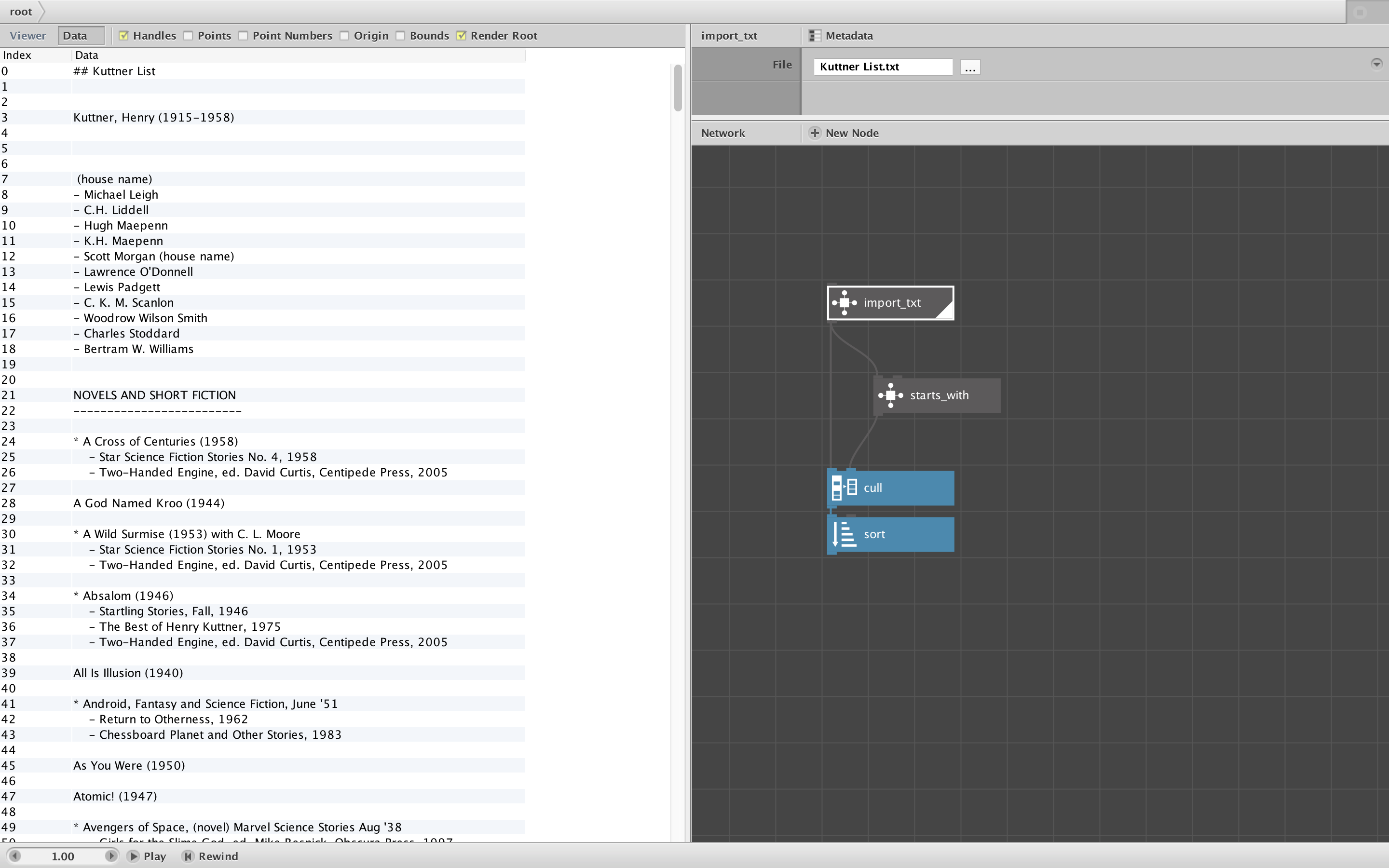
Attached is a demo network with a custom node, import_txt. Import_txt works just like import_csv: point it at a txt file and it will return a list of each line (string) in that file.
To use it, like all custom nodes, you must not only copy/paste the node, but also copy the import_txt.py file (usually into the same folder holding your NodeBox file) and then add it to your Code Library (under the Nodebox File menu).
There are many situations where it is useful to read in text files. In the past I have done this using the import_csv node, taking the first key, and feeding that into a lookup node. However, this is kludgy and will not work if the first line of the text file contains a character forbidden for keys (column headers) like commas.
The zipped demo file contains a folder with the Import_TXT NodeBox network, the import_txt.py python code file, and a sample text file: the works of Golden Age sci-fi-fi writer Henry Kuttner. The demo reads that text file and then culls and sorts lines beginning with an asterisk to produce a list of all the Kuttner books in my collection.
Frederik, if you're listening, this would be easy to add as another standard node.
Having a "import text file" node would indeed be useful. I see here that you split by lines, do you ever have a need of importing it as a single string?
JO
JOjohn
No, so far I have only needed multiple lines. I am hard pressed to think of a case where I would want a single string.
I was going to add that it would be easy enough to recombine multiple lines into a single string, but that is hard in NodeBox, isn’t it? I have occasionally wanted to recombine a list of individual strings into one string but didn’t see a way to do that (since NodeBox doesn’t have recursion or state). The characters node will turn a string into a list, but there seems to be no way to do the reverse.
So I guess instead of providing an “import giant string” option, I would prefer a simple import text that splits by line, but I’d also like a “join” node that would join a list into a single string. That would be useful even without an import_txt node!
Thanks,
John
FB
FBFrederik De BleserNodeBox team
I was thinking about"concatenate" but that doesn't work on a list of inputs. An "string join" that works on lists would help...
Know something that helps?
Sign in with your email address to reply. No password needed.