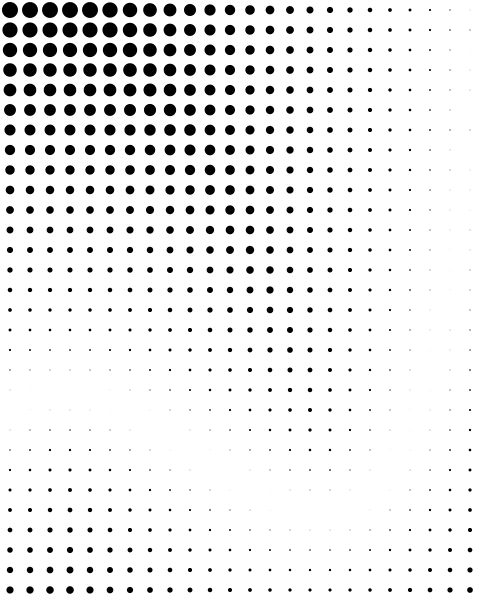
Hi Mikllaj,
I think NodeBox is the perfect tool for this task. Did you make your doodles using NodeBox? If so, you are already pretty close.
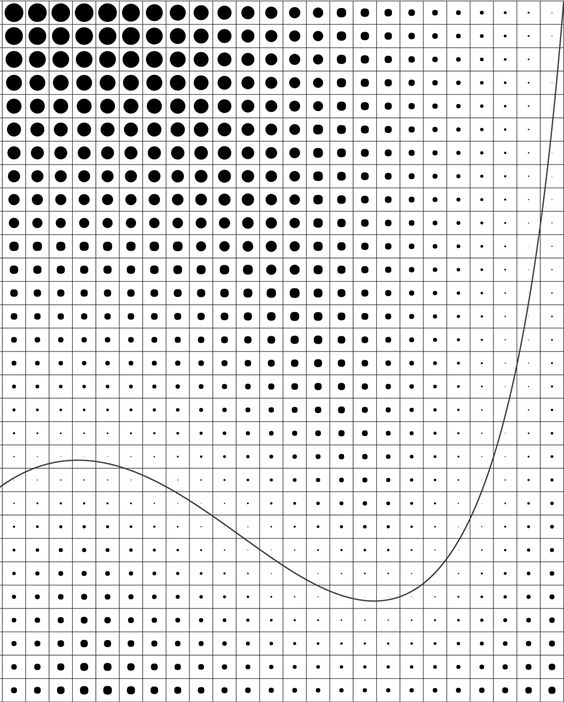
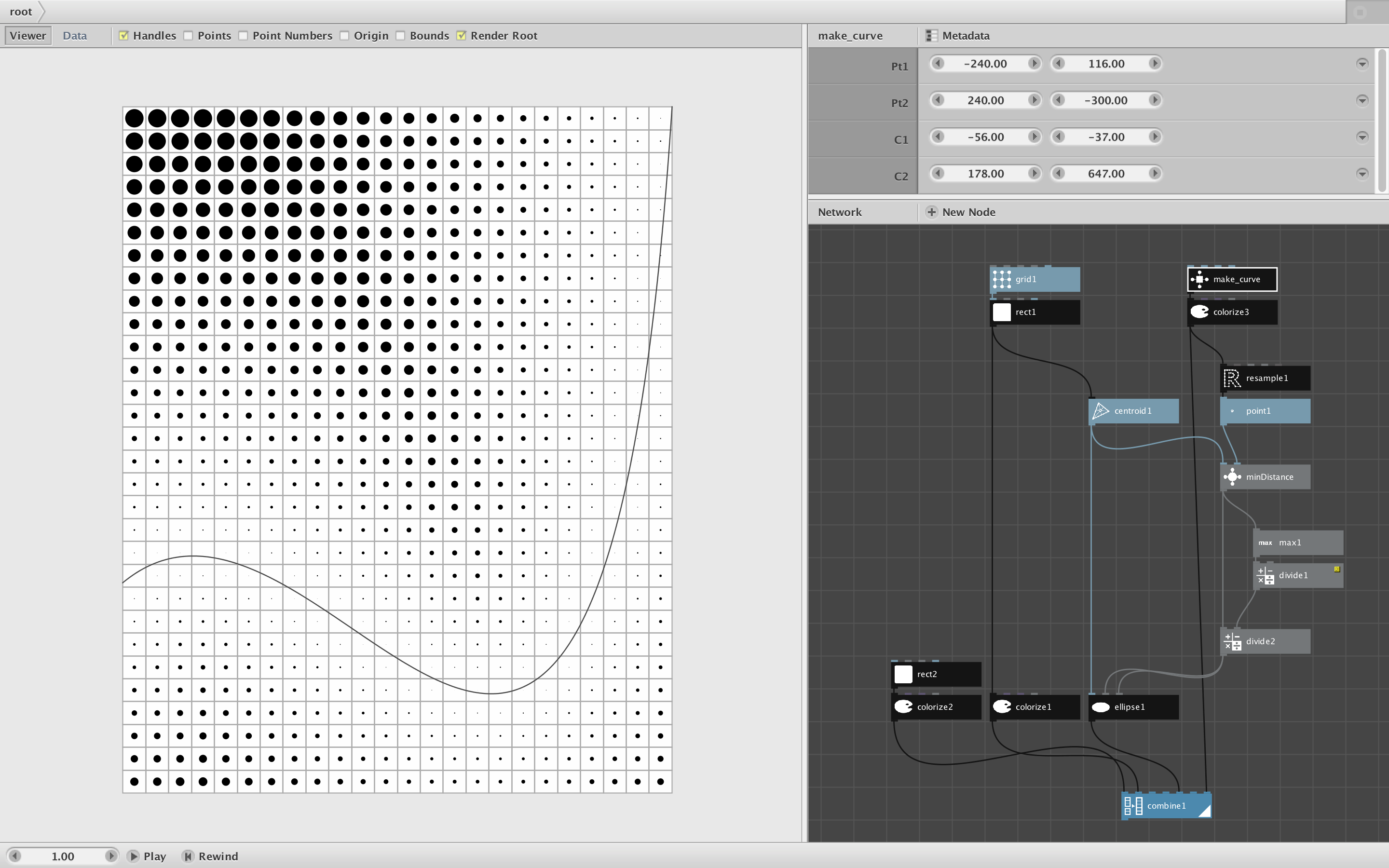
Your first example, attractor1, is the easiest. I'll show you how I replicated it and then will tackle the other two examples later. I am attaching:
- your original reference photo
- a screenshot of my NodeBox network replicating it
- an SVG file of just the holes (to import into SolidWorks)
- a zipped file with the ndbx file and make_curve.py custom code
Making the grid is child's play. I use a 20 by 20 rectangle, colorized to be hollow (set fill to 0 alpha, stroke width to 1), and attach a grid node with 24 columns and 30 rows. Adjust grid height and width to make the cells align.
The curve is a little trickier. This curve has two inflection points, but NodeBox's quad node only lets you make curves with a single inflection. So I was forced to use my custom make_curve node which requires that you add a Python code file to your document library. I then fiddled with the control points until the curve matched your reference image.
The final piece is the dots. After some experimentation I confirmed that the diameter of the dots in the reference image is proportional to the minimum distance from each cell to the curve. To calculate that I made a NodeBox subnetwork called minDistance. I feed the centroids of the 24x30=720 cells and 50 sample points along the curve into minDistance and it returns 720 minimum distances, one for each cell.
If you Edit Children of that node you will see that it is extremely simple: just a distance node and a min node. So why did I need to wrap it into a subnetwork? Because, in order to work properly, I need to take the cell centroid points one a time but take sample positions along the curve all at once as a list. If you select minDistance and bring up the Metadata dialog you will see that I set the range of point1 to value and the range of point2 to list. There is no way to achieve this effect without making a subnetwork.
(Aside: subnetworks are the most essential and most confusing aspect of NodeBox. Beginning users assume that subnetworks are merely a way to hide complexity like file folders, but actually their main purpose is to coordinate inputs so that some can be fed in as values and some as lists.)
The rest of the network is easy. I convert distances to dots, normalize the size of the dots, and combine everything together along with a whitish background. I also reset the Document Properties so that the width and height of the export window matches the grid.
To export the entire image, render the combine node at the bottom. To export just the holes (as I did to create the SVG), render the ellipse node just above that. Of course you can adjust the gird and shape of the curve as you want. The NodeBox network is yours to do with as you will.
Please let me know if that helps and if you have any questions. As time allows I will tackle your other two examples in subsequent comments.
John