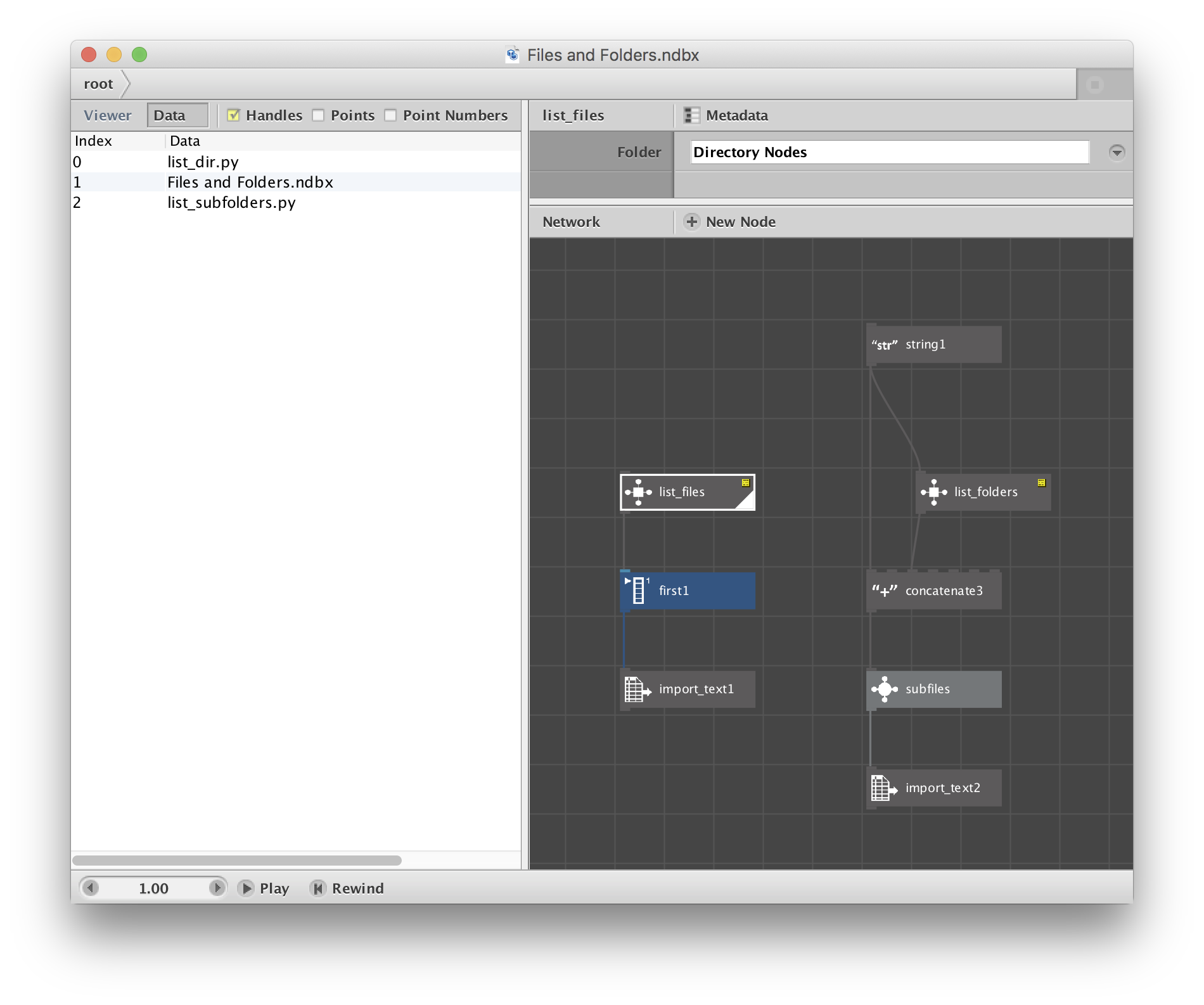
The attached zip file contains a folder and demo file with two custom nodes: list_files and list_folders.
Both nodes require a folder path (starting from your desktop). list_files will return a list of files within that folder; list_folders returns a list of subfolders within that folder.
These nodes work nicely with import_text and import_csv to perform batch operations across multiple files. The demo file shows two simple use cases. In the first example, list_files retrieves all three files in the Directory Nodes folder (assuming you placed it on your desktop), takes the first one, and uses import_text to show its contents.
The second example shows how you can combine list_folders and list_files to retrieve a list of all the files in all the subfolders of a given folder. Note that these nodes return only the top level files or folders. Since NodeBox does not do recursion you cannot do a full recursive search of a directory tree with these nodes. (It wouldn't be too hard to modify the Python nodes to do this though).
To use these nodes in your own network you will need to include the two python files (list_dir.py and list_subfolders.py) and add them to the Code Library of your network.
Enjoy!
John