Hi Sue,
Glad I could be of help.
The mistake you made was placing your connect node inside the subnetwork.
Subnetworks are the most powerful - and most confusing - feature of NodeBox. Each subnetwork is a function; it takes up to seven inputs and spits out a single output. The nodes inside a subnetwork know nothing about what goes on in the outer world; they just do their thing, one set of inputs at a time.
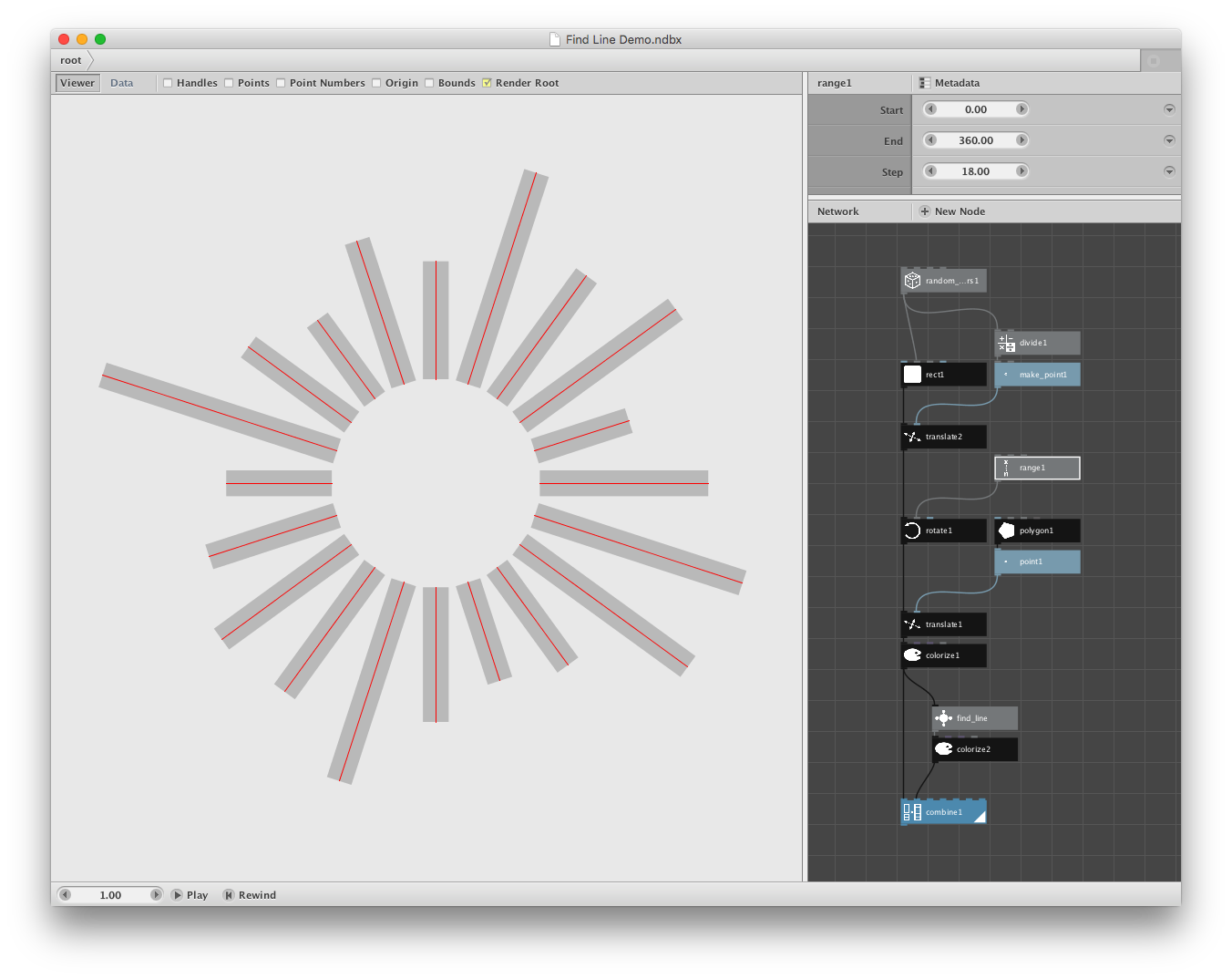
In this case, the find_line subnetwork takes in one rectangle at a time and spits out one line at a time. Connect cannot work here because there is only one line being produced each time - so there is nothing to connect.
So all you have to do is move your connect node outside. You now face a new problem, though. Find_line produces lines, but you only want the outer end points of those lines.
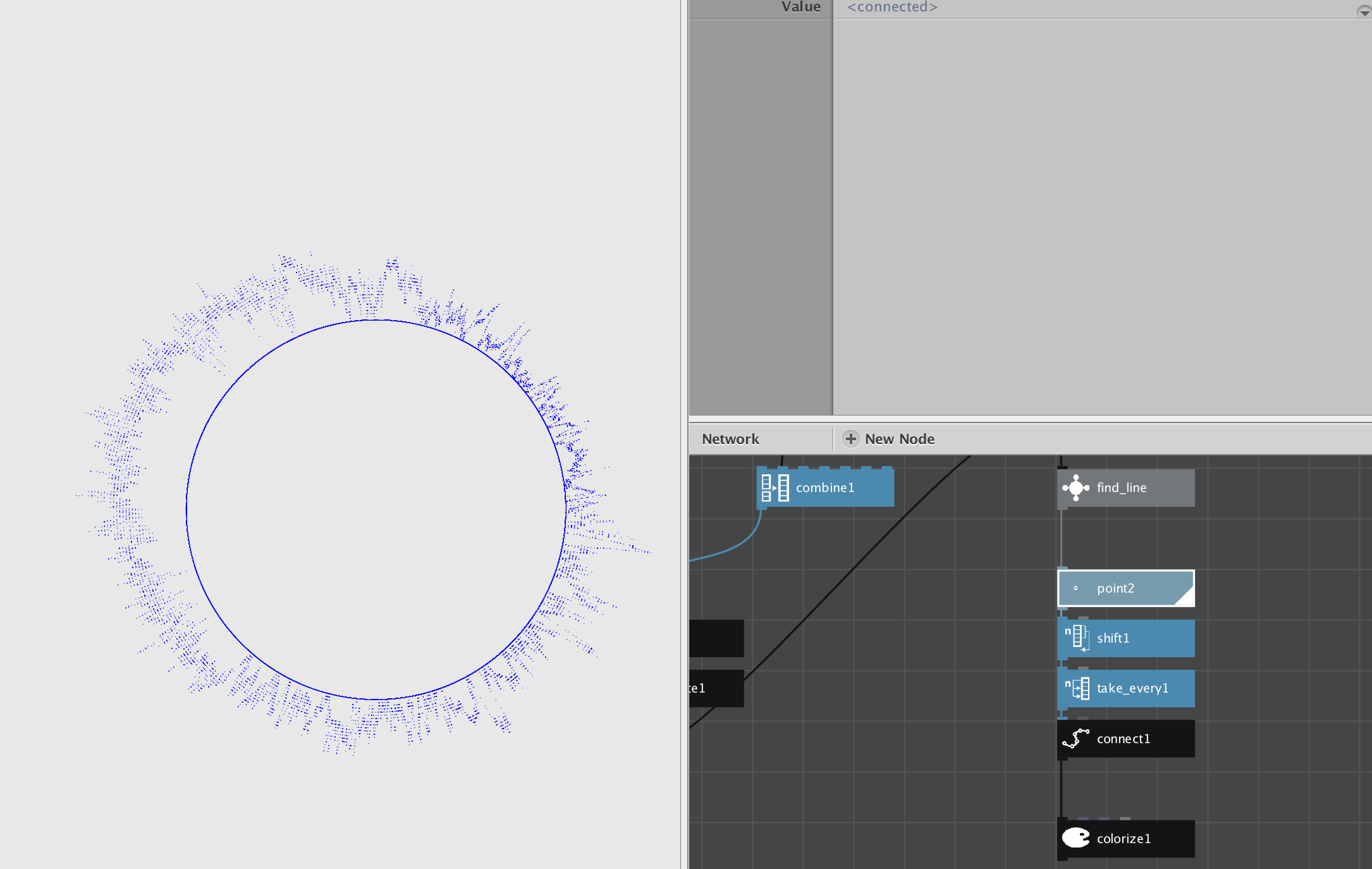
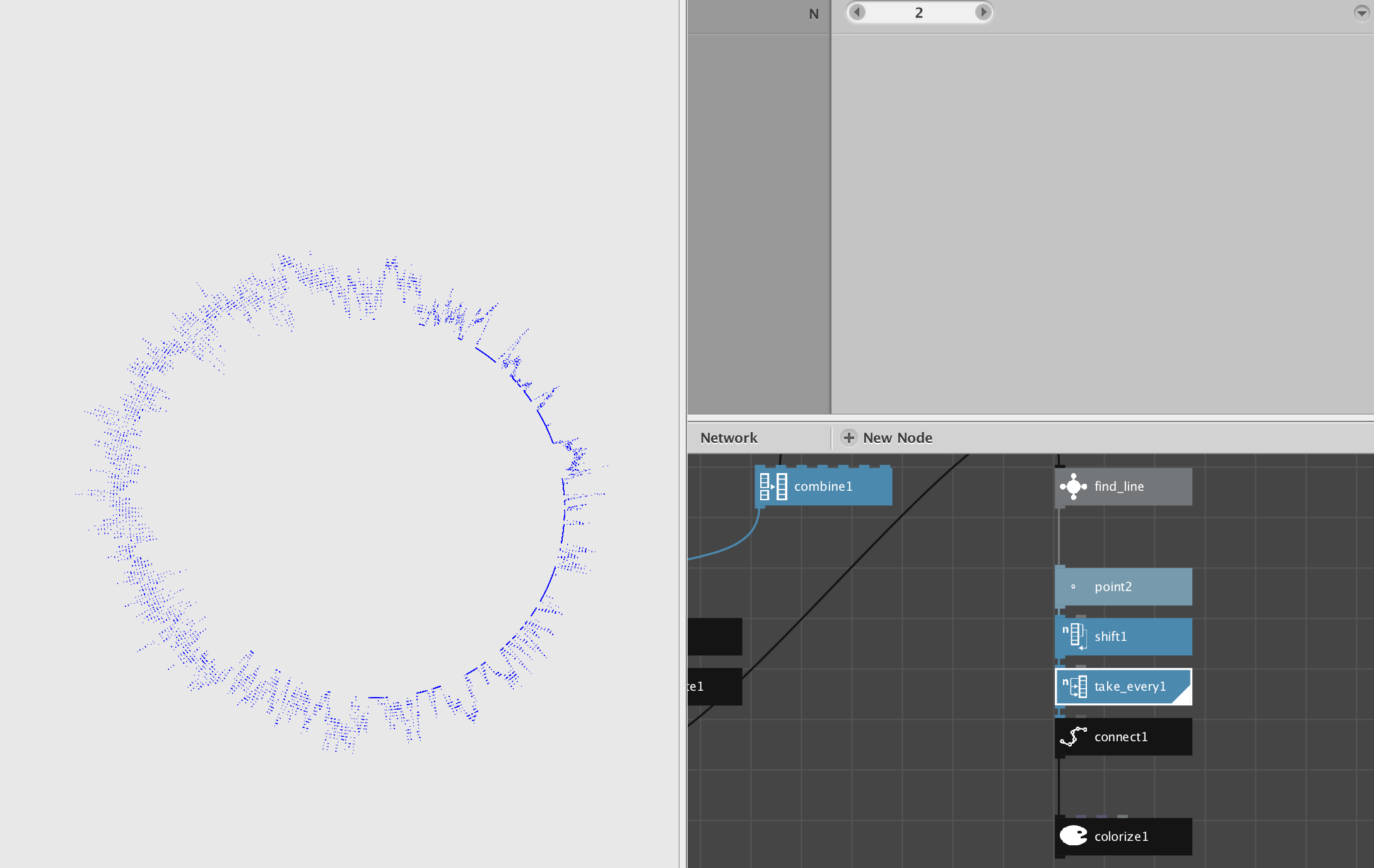
To get those outer end points, first feed the output of find_line to a point node. If you have 20 lines this will produce 40 points: inner, outer, inner, outer, etc. You only want the outer points. Fortunately there is node that can do this for you: take_every. If you set the take_every node to 2 it will take every other node from that list.
One minor problem remains. Since this list happens to start with the inner node, take_every will give you all the inner nodes, not all the outer nodes. To solve this, just shift the list by 1 before using take_every.
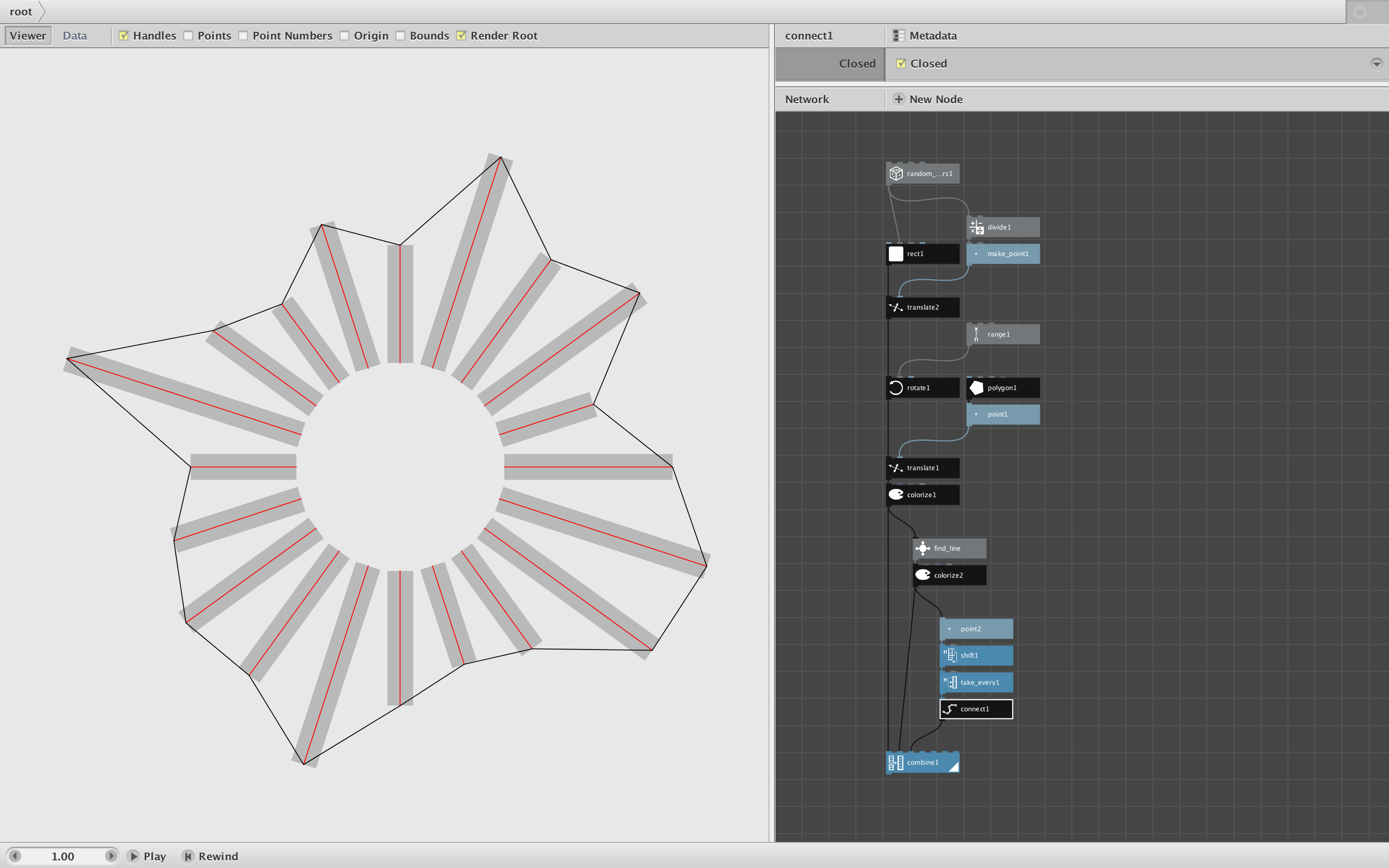
I am attaching a revised version of my demo network and a screenshot. All I do is feed another output line from find_line to the following four nodes in succession: point, shift, take_every, and connect. Voila! The outermost points of your radial lines are now connected. (You can either close them to form a loop or not using the checkbox in the connect node.)
Hope that clears things up. Keep playing and keep asking questions!
John