Hello,
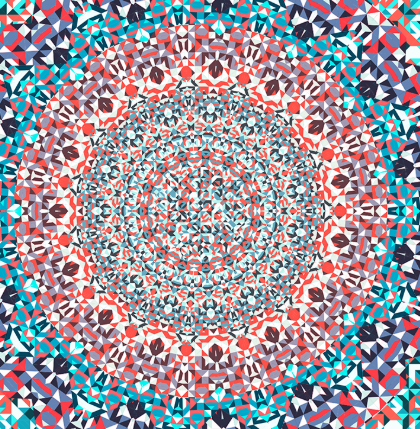
I want to learn how to create this particular type of images with Processing and Nodebox, but don't have a roadmap behind this outcome, could you help to lay out the main steps or share links to similar code or tutorials if you know any?
I'm strating out with all 3 (coding, Processing, Nodebox), so any guidance/tips/tutorials towards the desired result will be greatly appreciated.
The new NodeBox forum is live! Everything from support.nodebox.net moved here: sign in with the same email to pick up your old posts. Something not working? Write to forum-support@nodebox.net.
General DiscussionFrom the old forum
Tutorials on using Nodebox with Processing to achieve this kaleidoscope outcome?
-
-
Hello Codestart,
I think it's a great idea to try recreating images in different languages as a way of learning. In general both NodeBox and Processing are well-suited to this kind of thing.
However this particular image is quite complex. With the cropping I can't see the whole thing, but there is a lot going on. I would suggest starting with something a bit simpler.
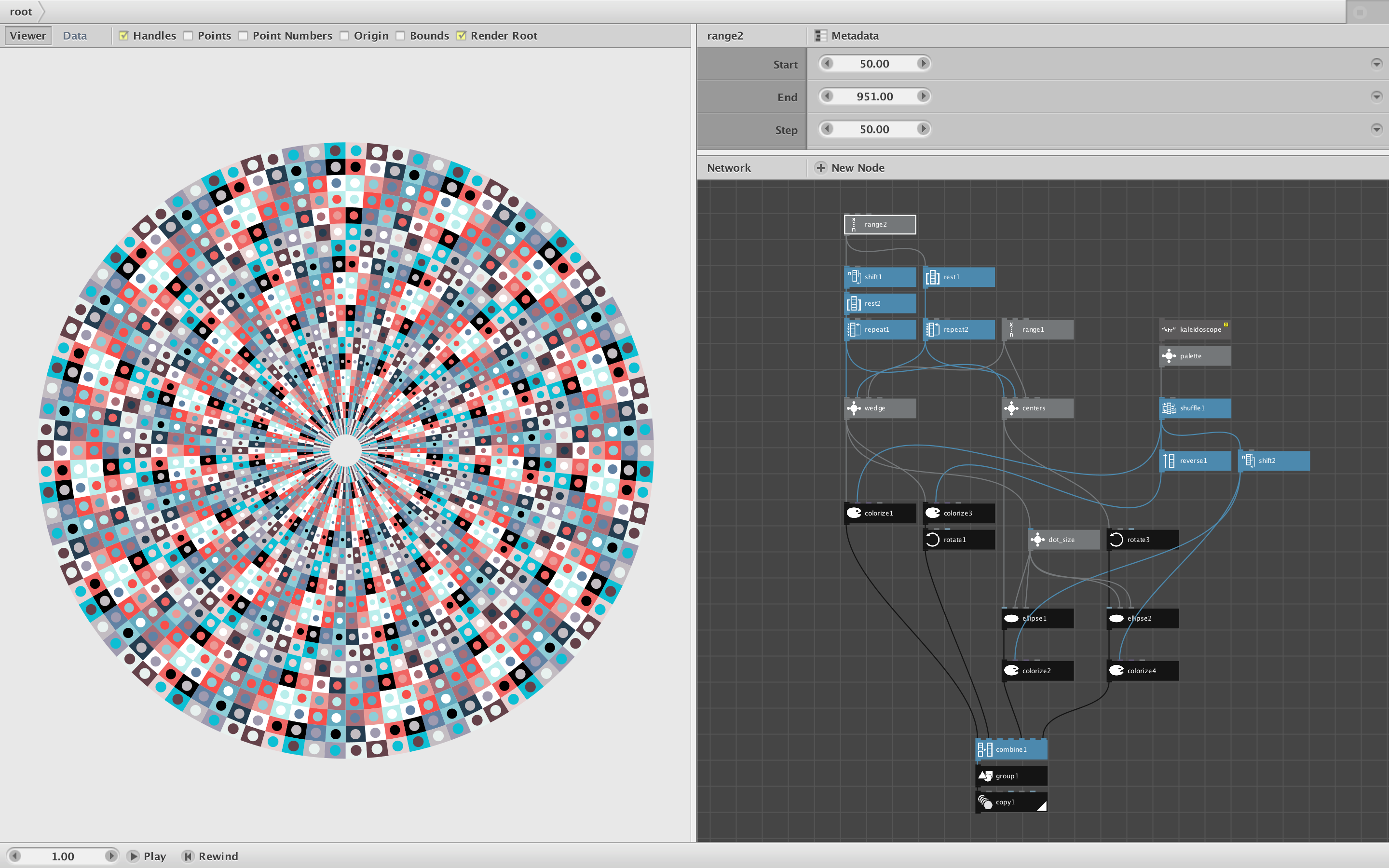
See attached screenshot and compressed NodeBox network. I made a similar but simpler image in NodeBox. It has the same 15-unit rotational symmetry with elements enlarging as they move away from the center. I used an 18-color palette based on the colors in your reference image.
To make the pattern I defined wedge units and generated them in rows of three repeated in increasingly large radii. I did this 12 degrees wide and then again using the same colors in reverse order. I added dots in the center of each one (colored using a shifted version of the same color palette), Finally I repeated and rotated the combined 24-degree wide segment 15 times.
One subtle issue was placing the dots in the exact center of each wedge. NodeBox has a centroid node which would normally make this easy, but because of the way wedges are shaped the position is slightly off. So I made my own "centers" node to do it more precisely.
Please open the network and see how it works. Double-click on each node to see what it does. For fun I added a shuffle node to the color palette so you can see how different orderings affect the overall pattern (just drag over the seed parameter in the shuffle node to try different random number seeds). NodeBox makes it easy to experiment and use trial and error to explore endless possible variations.
If you search this forum you will find other geometric designs with notes and code examples. It's a great way to learn.
Happy coding!
John
-