Hello!
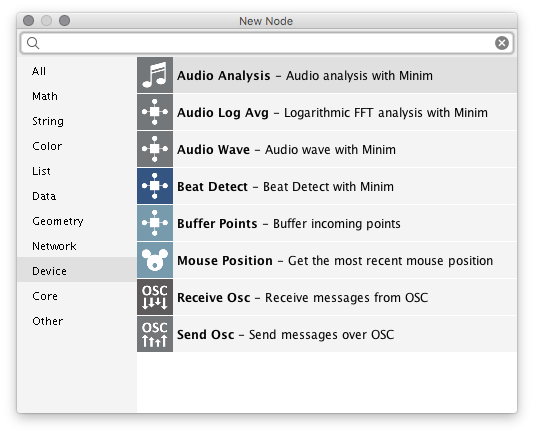
I enabled Device Support in settings, rebooted, but I can't see "Audio input". I'm trying to animate shapes based on sound (external file or mic recording). Anyone can help?
Thanks a lot!
The new NodeBox forum is live! Everything from support.nodebox.net moved here: sign in with the same email to pick up your old posts. Something not working? Write to forum-support@nodebox.net.
NodeBox 3From the old forum
Hello!
I enabled Device Support in settings, rebooted, but I can't see "Audio input". I'm trying to animate shapes based on sound (external file or mic recording). Anyone can help?
Thanks a lot!
Hi John!
Thanks a lot for your response!
Yes this is exactly what I was looking for. It doesn't really work on my file, but works on yours so I think I'll find the problem and fix it on my file :)
Thanks again for your help!
BTW, Do you also know how to export a video with audio analysis? The preview works, but if I export it shows blank canvas...
Thanks! :)
Alessio,
Sorry, I'm a little out of my depth here. I played around a bit using both the audio input and audio player devices but was not able to generate a movie (except in a limited way). I'm not sure it's even possible to generate live audio visualizations and record a movie at the same time in NodeBox.
I did discover that screen recordings work pretty well, so that's an option. Simple movie attached.
Frederick, Lucas, can you confirm? Is there any way to export live visualizations as movies?
John
Oops!
I tried to edit this thread and accidentally deleted my earlier response. Here it is again for posterity:
Hi Alessio,
I have never tried this, but looking through past forum discussions I found this short note from Lucas:
"in preferences check device support. Then in the file menu select devices and add an audio player or audio input. Then get an audio-analysis node."
So "Audio Input" is not a node. It's a device type which you can add in the Devices dialog.
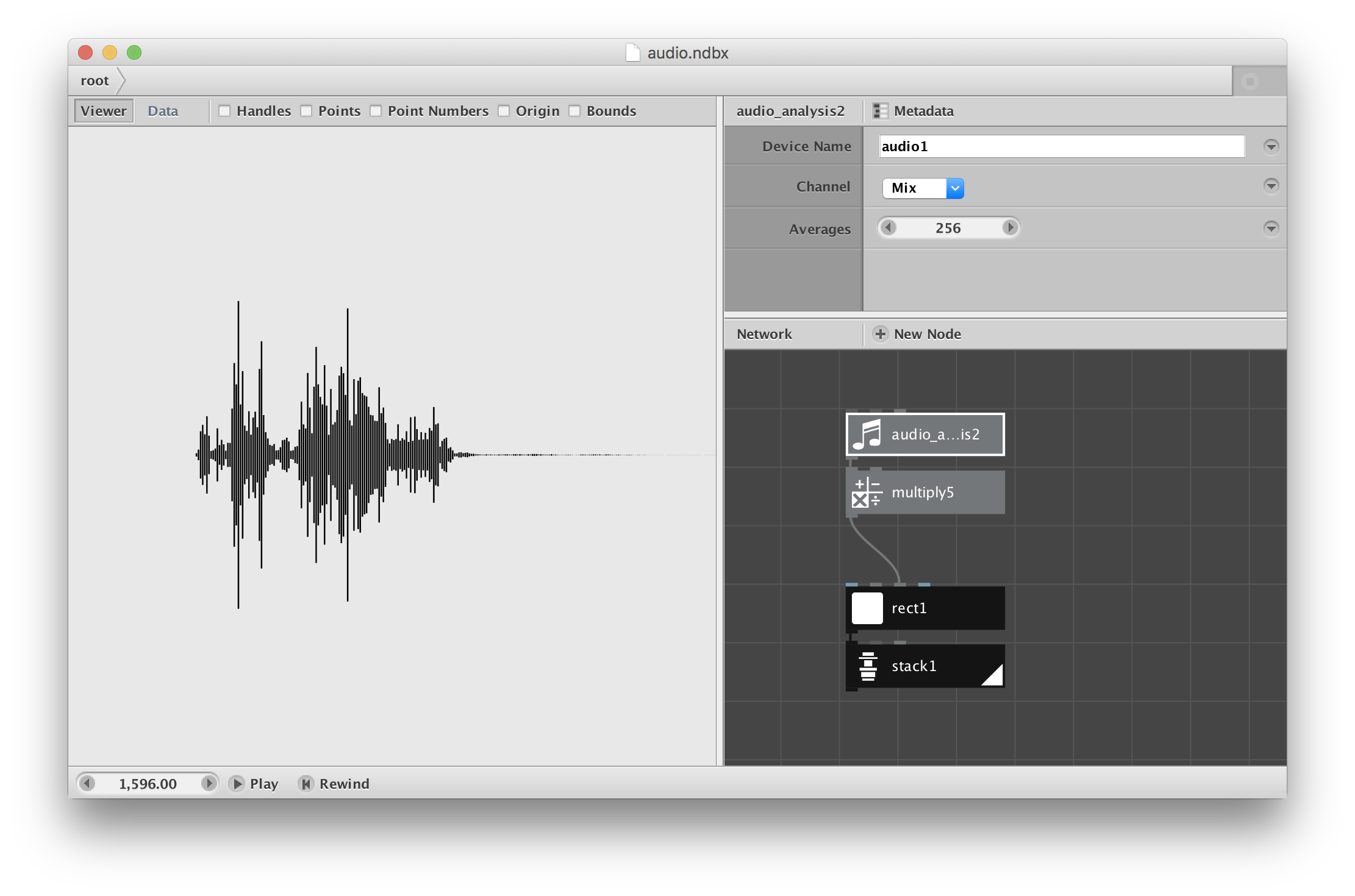
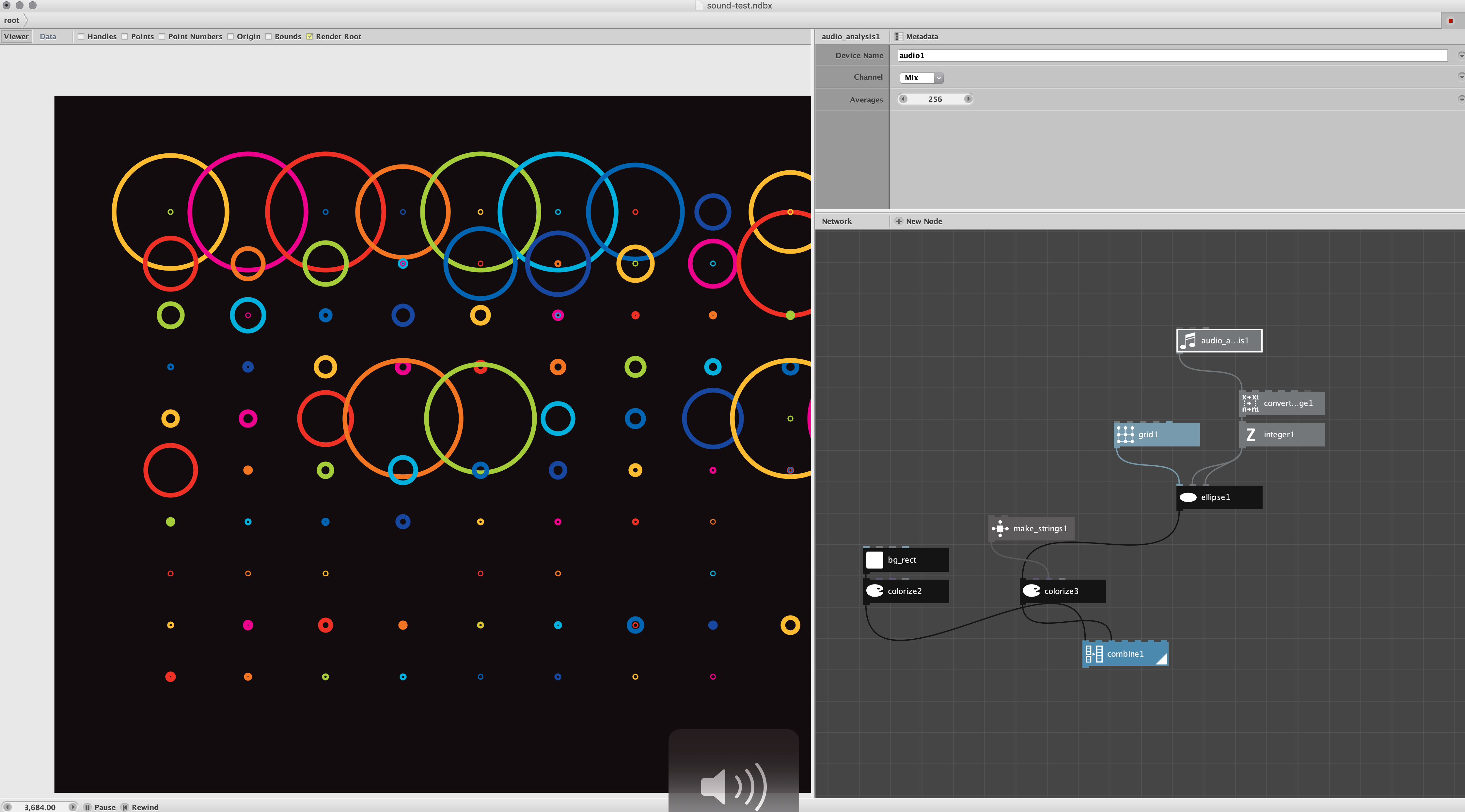
When I tried this it worked for me. Attached is a very simple audio sampler. To try it launch the Nodebox file, under File/Devices click the Start button on audio1, close the dialog, hit play, and start talking or play music.
There are several audio nodes other than the Audio Analysis node. I don't know how they work, but it would be fun playing with them. Search for Minim on the web for clues. If anyone comes up with an interesting visualization please share!
John
Hello, we don't currently have a way of exporting live animation and sound. I don't know how easy/difficult it would be to implement this, but I agree that it would be a nice addition to the program.
Stefan
this is awesome! @John I couldn't open your ndbx file but followed your directions and works great (with both mic and mp3 tracks)—thanks! (was doing this in p5js but so chuffed can do it in nodeBox now!)
just noticed, couldn't open file until I've checked the device support in file>preferences as you already mentioned 'in preferences check device support' —then it opens fine :)
How to render a video with audio and audio based animation? I am using audio_wave and see the result in the program. But when exporting to MP4, there is no animation (
Denis,
First, what machine and system are you using? Movie export of any kind is still not working on Mac Catalina. Frederik has actually fixed this but has not yet released the new version.
But based on the above thread, I don't think Nodebox could ever export both video (animation) and audio at the same time as an MP4. If other readers have ever done this please speak up and correct me.
One thing you could try: record the audio, feed the audio into your NodeBox program to produce the animation (using the frame node), and save that animation as a normal (silent) MP4. (If you are on Catalina you will have to use "Export Range" to save the individual frames as PNGs and then stitch them together to form a movie - see my instructions elsewhere in the forum.)
THEN use a third party app to recombine your Nodebox animation with your recorded audio. There are any number of apps that should be able to do this without too much trouble (though I have never actually tried this myself).
Not a perfect solution, but desperate times call for desperate measures.
I am adding Frederik to this thread in case he can add more or tell us when he is going to release the next rev of NodeBox with working movie export. Not sure he is still listening to the forum. Frederik?
Sorry I couldn't be more help.
John
UPDATE
At Seohyo's request I just tried the same simple test file I posted above. I am now running a Mac under Big Sur.
It works fine if you set the device to audio player and point it to an mp3 file. But if you set it to audio input it no longer seems to work with the internal microphone.
Seohyo reports the same result under Catalina.
Frederik, if you're still there, can you confirm this? I'm guessing this may be a permissions issue. Are you aware of any workarounds?
Thanks,
John
P.S. I found this. "In macOS 10.14 and later, the user must explicitly grant permission for each app to access cameras and microphones." Here are details for app developers to meet this new requirement:
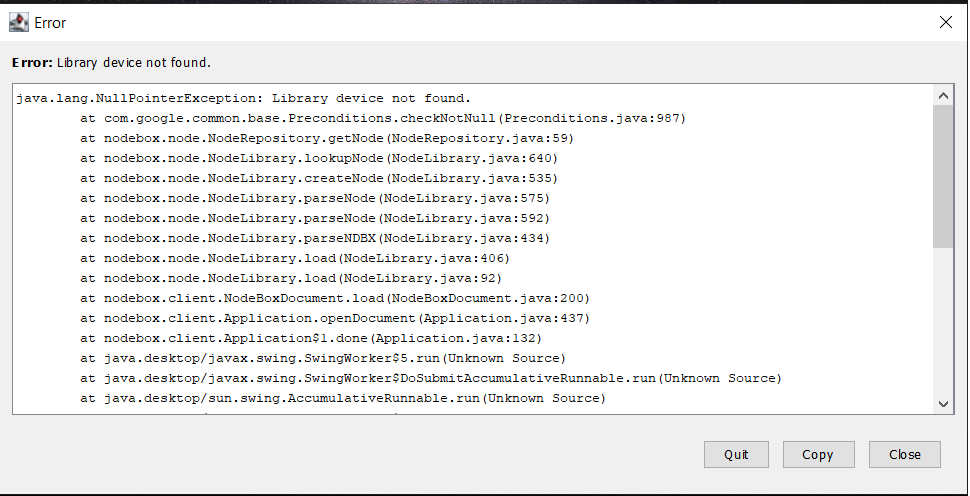
hi guys i was wondering when i tried to open certain nodebox project files that have been posted here in my case https://forum.nodebox.net/files/B4IbMbHbkRmwNbi-/sound-test.ndbx.zip file it shows the error message that is displayed in the image below and also in my nodebox V3.0.52 there is no section for importing audio or so called Device section doesn't appear at all
if you guys have a fix please let me know
Hi Amanuel,
Are you still there? Sorry - for some reason the forum software dumped your note in the spam folder and I only just now saw it.
I was able to launch the Nodebox file you referenced and got it to work for me using an MP3 music file as the audio source.
The way audio works in Nodebox is quite circuitous and not well-documented.
You should now hear the music and also see the colored circles dancing on your screen.
Please give this a try and confirm you were able to get it working. If you have any other problems I will try to help.
Sorry again about the slow reply. I wish the forum software would stop filing people's requests in the spam folder!
John
Hi John
first thanks for your response
i tried every steps that you mentioned but when i press play it shows the error down below how can i fix that.
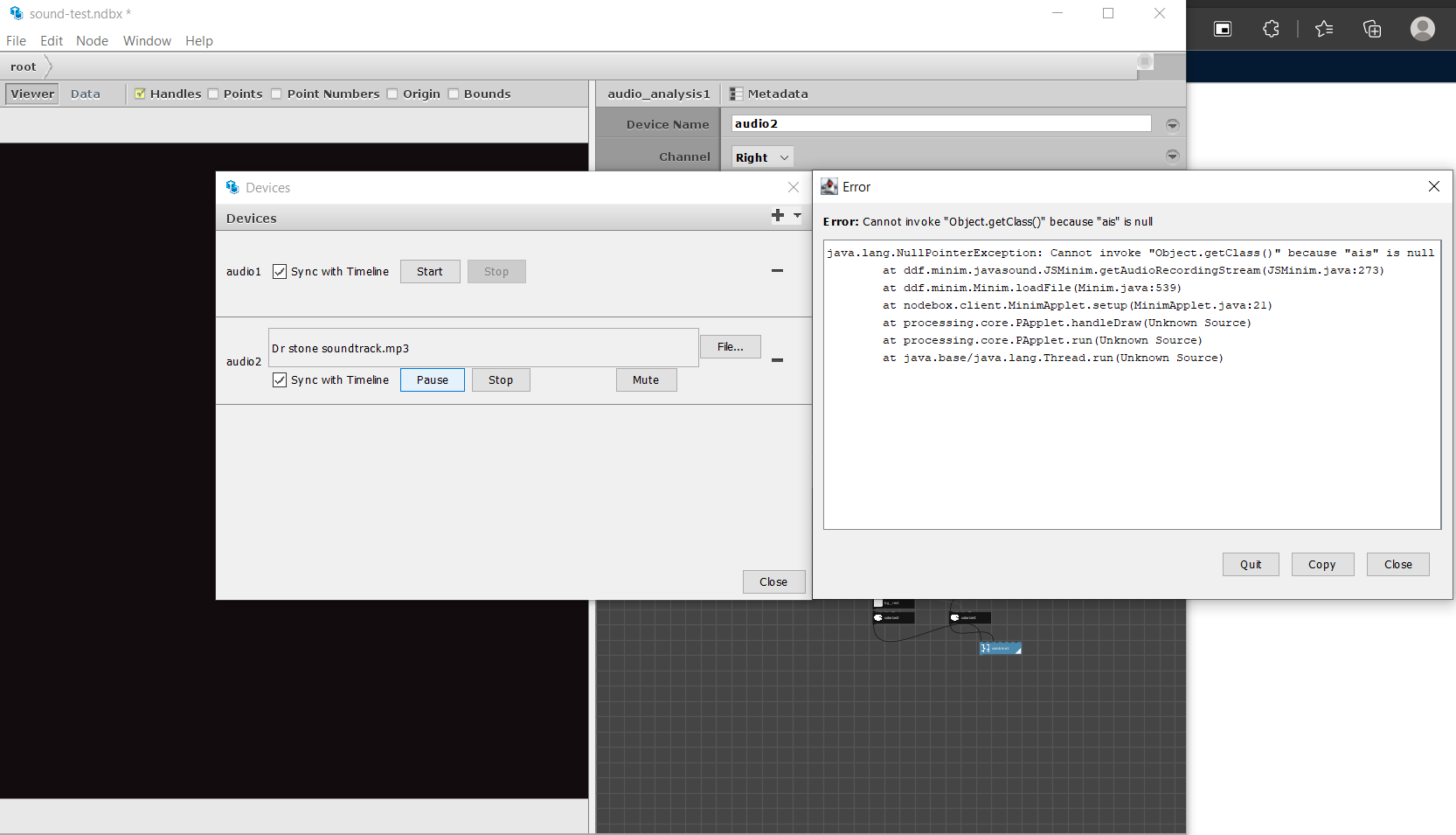
Amanuel,
I see you are running the Linux version of Nodebox. I'm not a Linux user so can be of little help.
On the off chance that he is available, I have added Fredrik to this conversation. Perhaps he can help (if he sees this).
Are there any Linux Nodebox users out there who have gotten the audio_analysis node to work properly? If so, please weigh in.
I'm sorry, Amanuel. I'm afraid there's not much more I can do. I fear this may be another instance of Nodebox showing its age.
John