NOTE: This node was updated on July 5. If you downloaded it before then you should re-download this version.
Evolve is a general purpose animation node which allows you to gradually change various properties of a shape.
You can use it to move, bounce, orbit, grow, spin, or color shift any shape. It takes the following parameters:
- shape - any path with non-zero width and height. A line or curve must be colorized in order to be seen. If a geometry (grouped paths) is used as the input shape, no color changes will be applied.
- reference (optional) - any path with a location, size, and color. These properties will be used to change the input shape. If reference is omitted, the shape can still spin or follow an alternate path.
- T - a time index. Normally varies between 0 and 100 but other values also work depending on the method
- spin (optional) - a rotation amount to make the shape spin
- method - takes one of four possible values:
- Mirror: moves back and forth
- Ignore: continuous change even if T is below 0 or above 100
- Wrap: at end of each cycle shape jumps back to beginning
- Clamp: change is confined between start and end points
- alternate path (optional) - if supplied, shape will follow this path (ignoring locations of the shape and reference)
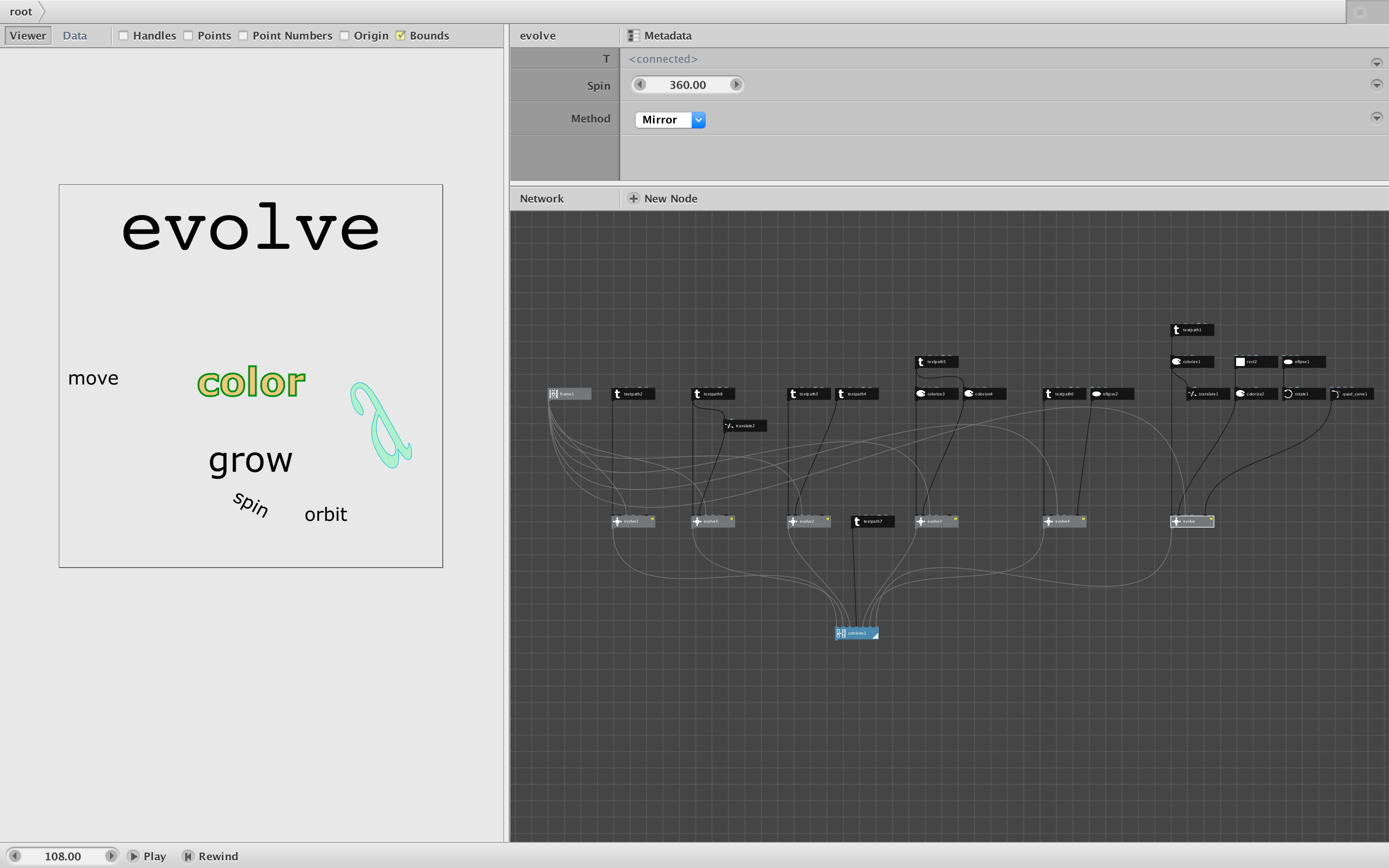
Countless animations can be easily performed with this one node. The attached demo shows some simple examples:
- Feed just the shape and set spin to spin in place
- Feed the shape and a translated copy to move from one position to another
- Feed a text path and the same path with a larger font to grow it
- Provide a reference object with different fill, stroke width, and stroke color to perform color changes
- Feed a shape with an ellipse as the alternate path to orbit the shape
- Do any or all of the above at once. Change the method for each example to see what happens.
I am quite curious to see what people will do with this. Please send comments and feedback.
Enjoy!
John