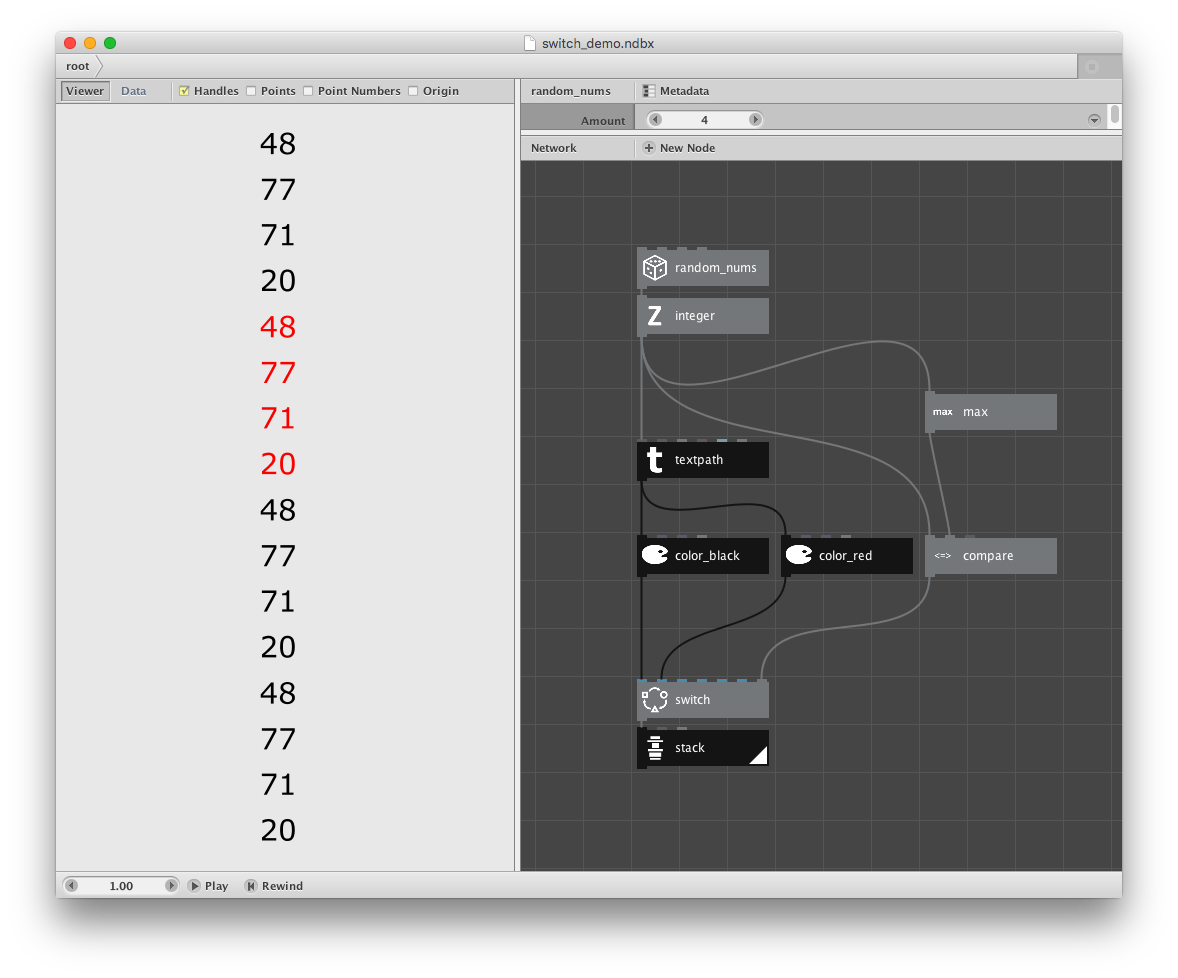
Suppose you wanted to print 4 random numbers and highlight the largest number in red. A natural first attempt might look something like the first screenshot attached:
- make a list of 4 integers
- compare each with the maximum value
- if it doesn't match render it black; if it does render it red
Instead of 4 numbers, you get 16. Do you see the problem?
The problem is the switch node - and it's a problem that drove me half mad when I was a NodeBox newbie. I thought if I gave a switch 4 choices in each port and 4 booleans to make each choice I would get 4 values out. But instead I get 16.
The reason for this is that the ports on standard NodeBox nodes are hard-coded to take inputs either one at a time (value) or all at once (list). This choice is not at all obvious. You can only see how each node is wired by selecting it, clicking the Metadata button atop the parameter pane, selecting each port in the left list of the dialog, then examining the Range value on the right. You can see how the node is wired but you can't change it. If you try, the node will malfunction.
The switch mode is wired so that each of its input ports accepts a list. Sometimes this is what you want. Sometimes, as in this case, it is not. Over the years I've more often needed a switch with value ports.
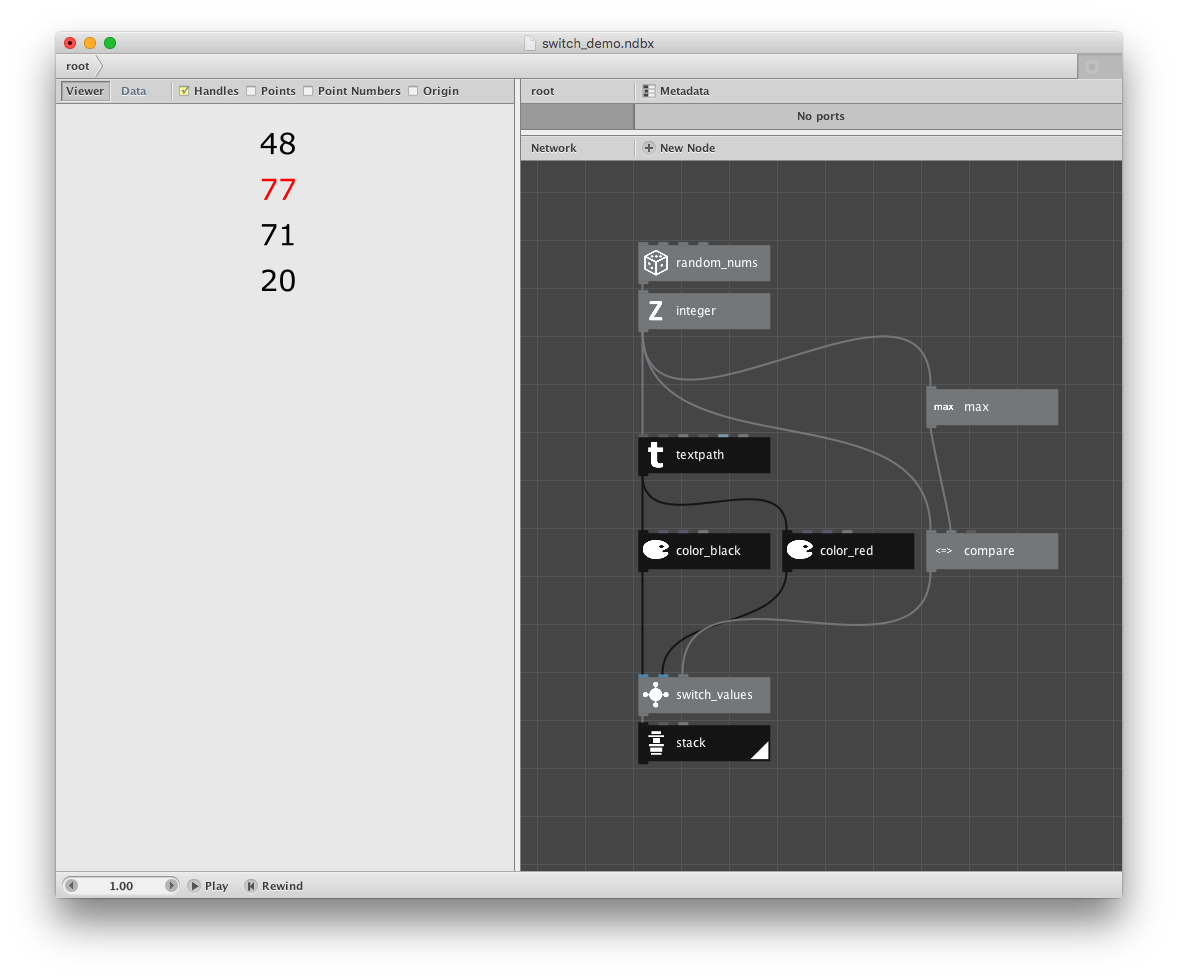
So that is what I've given you in this demo (shown in the second screenshot). The only difference is that the demo uses a "switch_values" node instead of a normal switch node.
How did I make this useful node? It's a subnetwork. But if you open it up (by control-clicking and choosing "Edit Children") you will see something strange. This is a one-node subnetwork.
If you thought subnetworks are only used to group nodes together, think again. Subnetworks are actually used to choreograph data flow by controlling which ports take lists and which take values.
In order to make this node, all I did was:
- select the normal switch node
- control-click to "group into network"
- return to root and select my new subnetwork node
- use the Metadata dialog to change the range for each input from "list" to "value"
That's it. By simply turning a standard node into a one-node subnetwork I gain the ability to rewire its ports. Now I get the output I wanted: 4 random numbers with the largest in red.
I hope this helps dispel the confusion I felt when I first tried using the switch node. As I've stated elsewhere, I think NodeBox would be much easier to learn if the vital distinction between list and value was not so well-hidden.
Comments welcome!
John