Hi, do you have any way for the project you made to fit in the rendering area? Not to do it manually
The new NodeBox forum is live! Everything from support.nodebox.net moved here: sign in with the same email to pick up your old posts. Something not working? Write to forum-support@nodebox.net.
NodeBox 3From the old forum
Render Center
-
-
Hi Patryk,
Yes, it's easy to center and resize drawings in NodeBox.
First of all, just in case you weren't already aware, you can redefine the rendering area itself by going to File / Document Properties... and changing the values for canvasHeight and canvasWidth. This defines what gets saved when you export as a PNG, etc.
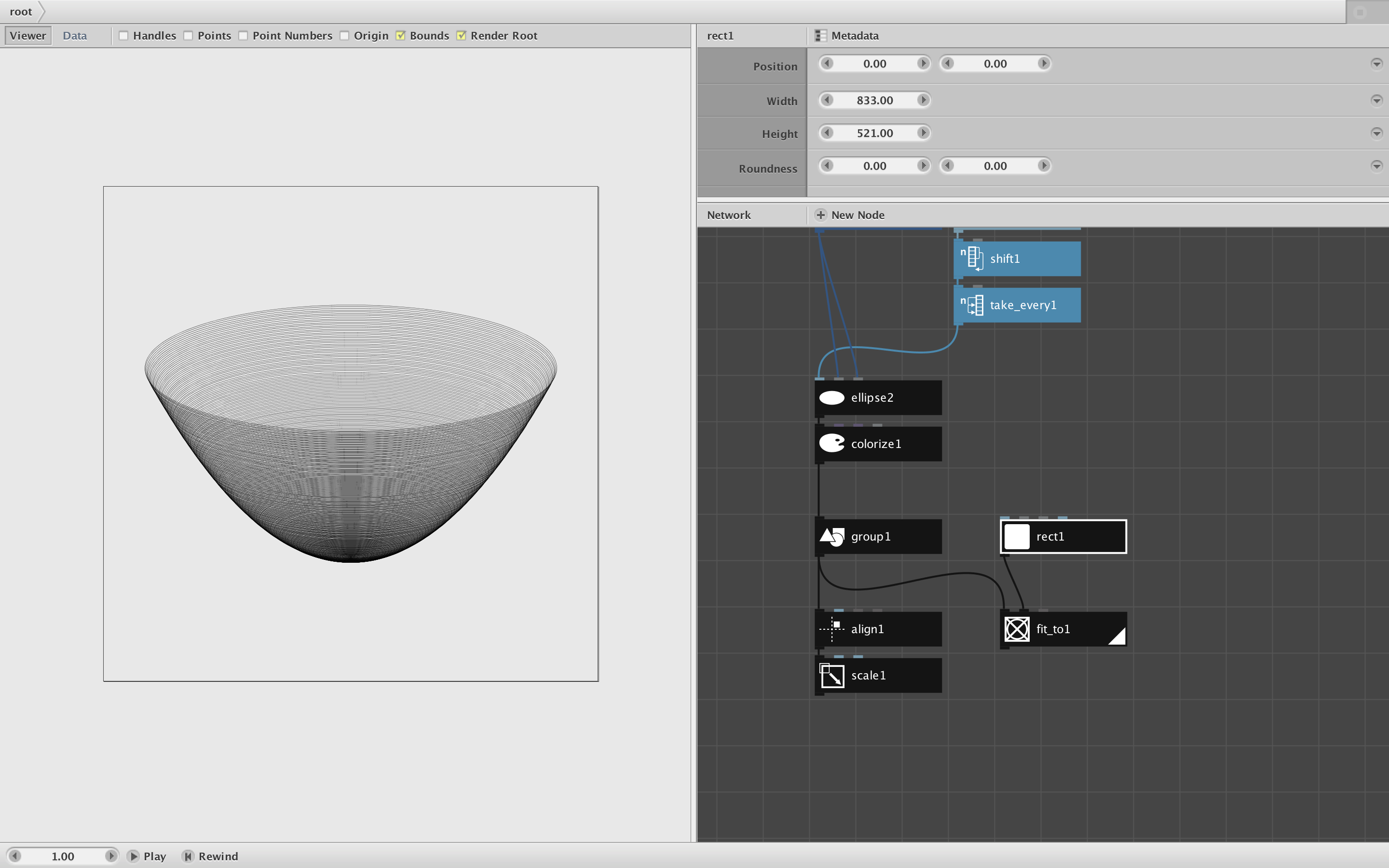
To center your drawing just feed the final node into a group node and then an align node (see attached screenshot).
You can then feed that into a scale node to resize the drawing so that it fits perfectly into the canvas area. When scaling it is sometimes necessary to adjust the line thickness in the colorize node.
Another option is to hook that group node to a fit_to node. This will translate and resize your drawing to fit any bounded area you wish. Just feed in a rect node to define the bounds and adjust the position and size of that rectangle to your heart's content.
It's also possible to add some nodes up top to automatically fit the quad curve to any bounding area and then redraw the whole thing from scratch. But I don't think that's necessary in this case.
One of the joys of NodeBox is getting instant feedback as you adjust the dimensions of a scale node or bounding rect.
Enjoy!
John
-
-
You are amazing, thank you!