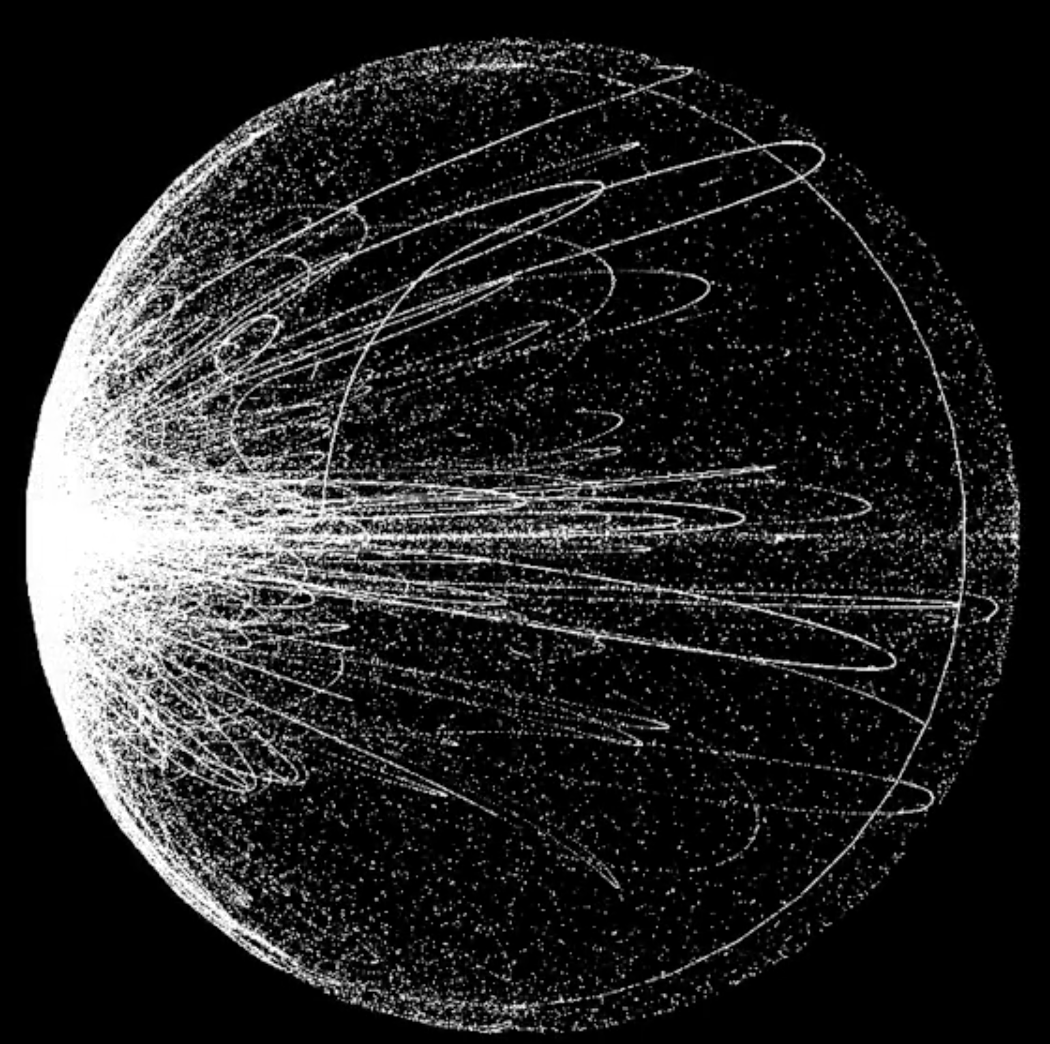
Forgive me for asking a lot of questions but I'm totally excited when I discovered a nodebox. On a daily basis I deal with generative art, the more I am happy. I have a question for you, how to make such "dirt" + blur? Do you have any ideas?
The new NodeBox forum is live! Everything from support.nodebox.net moved here: sign in with the same email to pick up your old posts. Something not working? Write to forum-support@nodebox.net.
NodeBox 3From the old forum
Dirt
-
-
Patryk,
Another great question!
Because it is purely vector based, it is challenging to make "dirty" or blurry images in NodeBox.
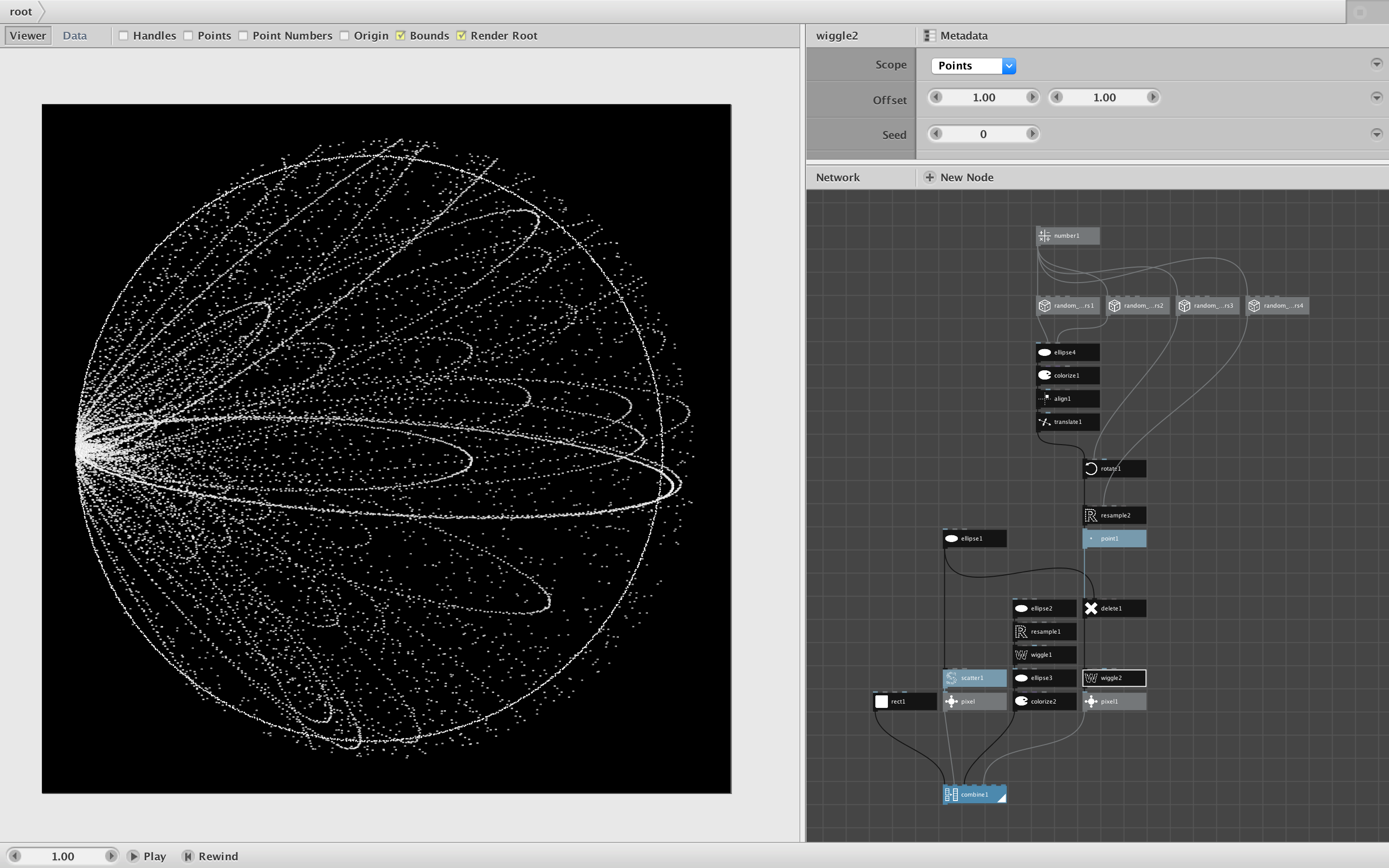
Attached is a quick example that looks roughly like the image you sent. As you can see it's a good start, but needs more work to even approach the complexity in your image.
If you study my network you will see some of the nodes you can use in projects like this:
- random
- resample
- wiggle
- scatter
- delete
I also made a simple subnetwork, pixel, that attempts to create an anti-aliasing effect.
The more attention you pay to each pixel in your final image, the more pixels you will end up having to define and render one at a time. Eventually NodeBox will start to bog down.
If you really want blurring and grunginess, it may be more practical to use NodeBox with other tools. You can make relatively "clean" images in NodeBox then combine them and apply filters using a more pixel-friendly tool like Sketch or Photoshop.
If you go down this path, I would be curious to see what you come up with!
John
-
As soon as I start creating, I will let you know! Thank you