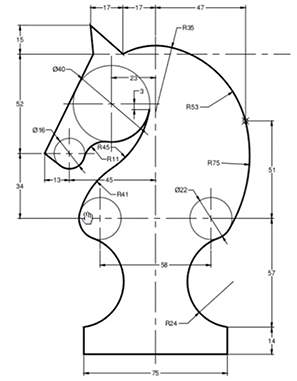
Drawing complex curves (splines) is tricky in any tool. CADCAM users learn by practicing with drafting diagrams like this widely used diagram of a chess knight (attached).
In order to do this kind of thing in Nodebox I needed a new node: find_arc. Find_arc returns a circular arc between any two points. Just scrub the offset value and flip the inward/outward checkbox to get the curve you need. Turn on the "show marks" option to get continuous feedback of the radius used to construct the arc - very handy for following drafting diagrams.
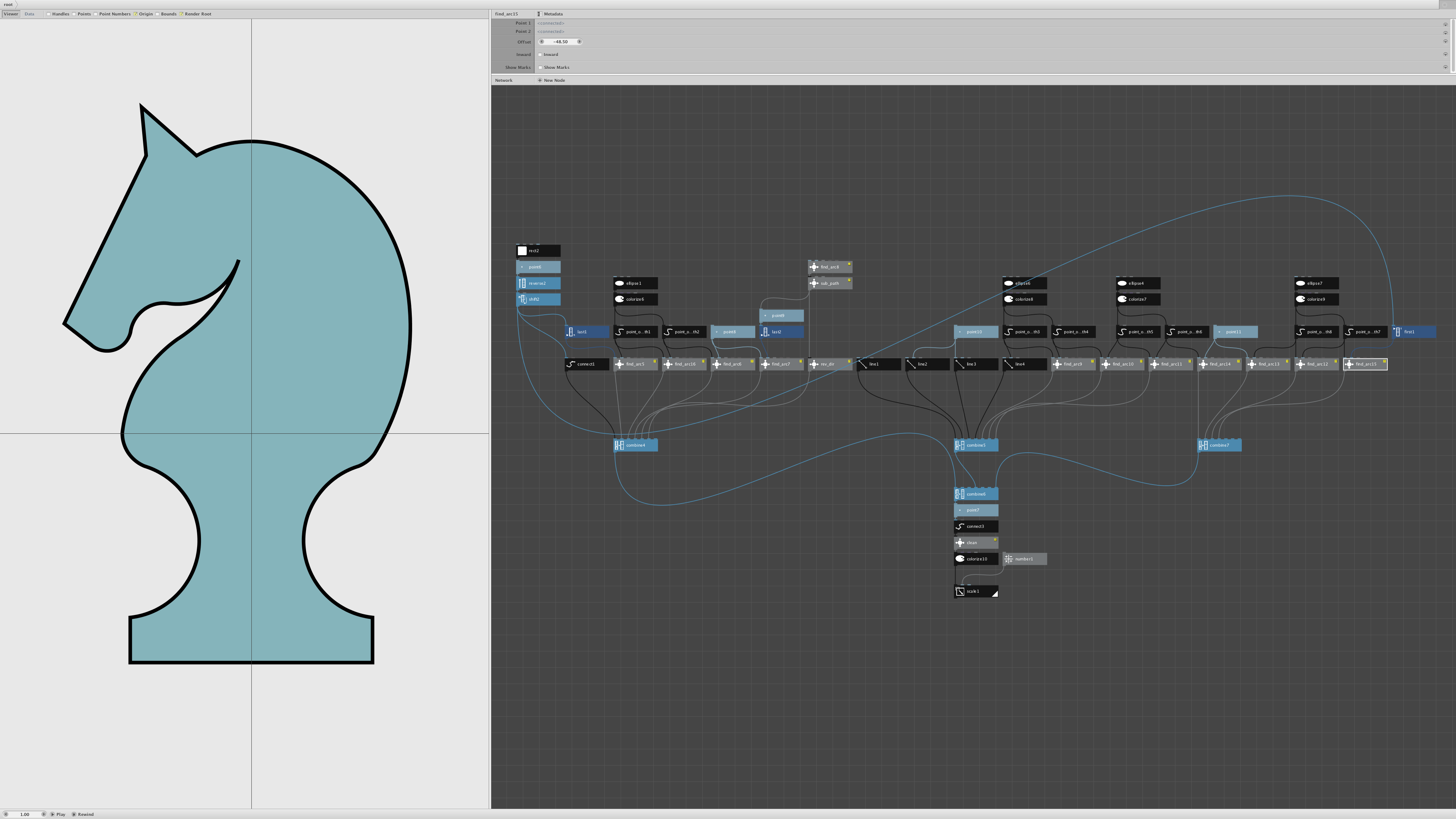
As you can see in the attached screenshot (and zipped NodeBox file), I was able to exactly reproduce the chess knight in Nodebox working only from the drafting diagram. The shape consists of 13 curves (found using 13 find_arc nodes) plus part of a rectangle and four line segments.
To create this knight I also used point_on_path to take sub-arcs from hidden circles and several other special nodes from my Nodebox Library:
-
sub_path to make an easily adjustable portion of an arc
-
rev_dir to reverse the direction of a particular curve segment
-
clean to remove duplicate successive points (which eliminates drawing artifacts when saving PNGs)
With a little practice I think you could turn any drafting diagram into a complex NodeBox path. And find_arc has many other uses. The demo network also contains nodes to animate a flower-like pattern of arcs connecting the corners of a polygon.
I will soon be adding find_arc to the next update of my node library. Comments and questions welcome!
John