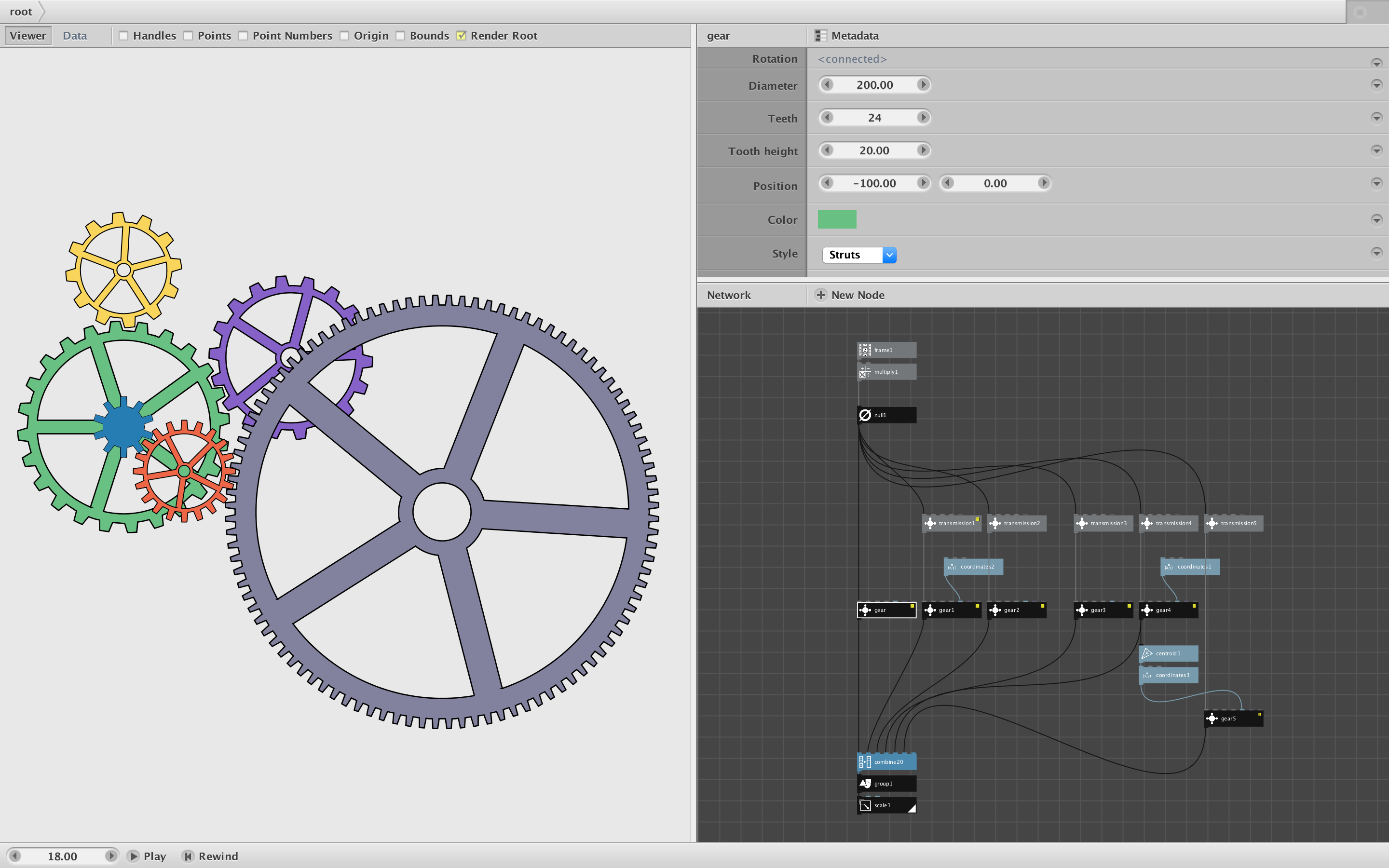
Attached is a whimsical node which makes gears - actual gears which can be made to interlock and turn at appropriate speeds and directions.
You can use this node to create a wide variety of gears by setting the following parameters:
- diameter
- number of teeth
- height of each tooth
- position of the gear
- gear color
- gear style: solid, hollow, or struts
By default the struts style has five struts, but you can easily change this by altering the struts parameter of the struts node inside the gear subnetwork. You could also adjust the thickness of the struts, size of the inner gear hole, thickness of the ring in hollow gears, etc.
In order to make the gear turn, just attach a value to its rotation port. Hooking a frame node directly to rotation port will cause the gear to spin clockwise. If you position multiple gears of different sizes so that their teeth intermesh, you will want to turn those driven gears at a speed proportional to gear driving them. For best results the ratio of gear diameters should equal the ratio of gear teeth.
To simplify this process, the demo includes examples of a transmission node. Input the same signal used to drive the driver gear in its reference port then enter the diameters for the source (driver) and target (driven) gears to establish the correct speed ratio. Adjust the offset to precisely position the intermeshing of the teeth. Check or uncheck the negate checkbox to reverse the direction of the driven gear (clockwise gears turn directly driven gears counterclockwise and vice versa).
The demo contains an example with several different gear chains of varying sizes and styles (hit play to see them all move). Zip file and screenshot attached. I have also attached an animation showing a different arrangement of gears.
The possibilities are endless. I would LOVE it if someone would make some gear animations using this node and post them in this forum.
John