The new NodeBox forum is live! Everything from support.nodebox.net moved here: sign in with the same email to pick up your old posts. Something not working? Write to forum-support@nodebox.net.
coming from a SQL background, im not sure what it's called.. is there an effective way to do a cartesian product of two lists?
example:
(x,y,z) , (1,2,3) becomes...
x1, x2, x3
y1, y2, y3
z1, z2, z3
i can do this manually now with a counter / range / shift .. but im not sure if theres something else i might be missing
JO
JOjohn
Hi Daren,
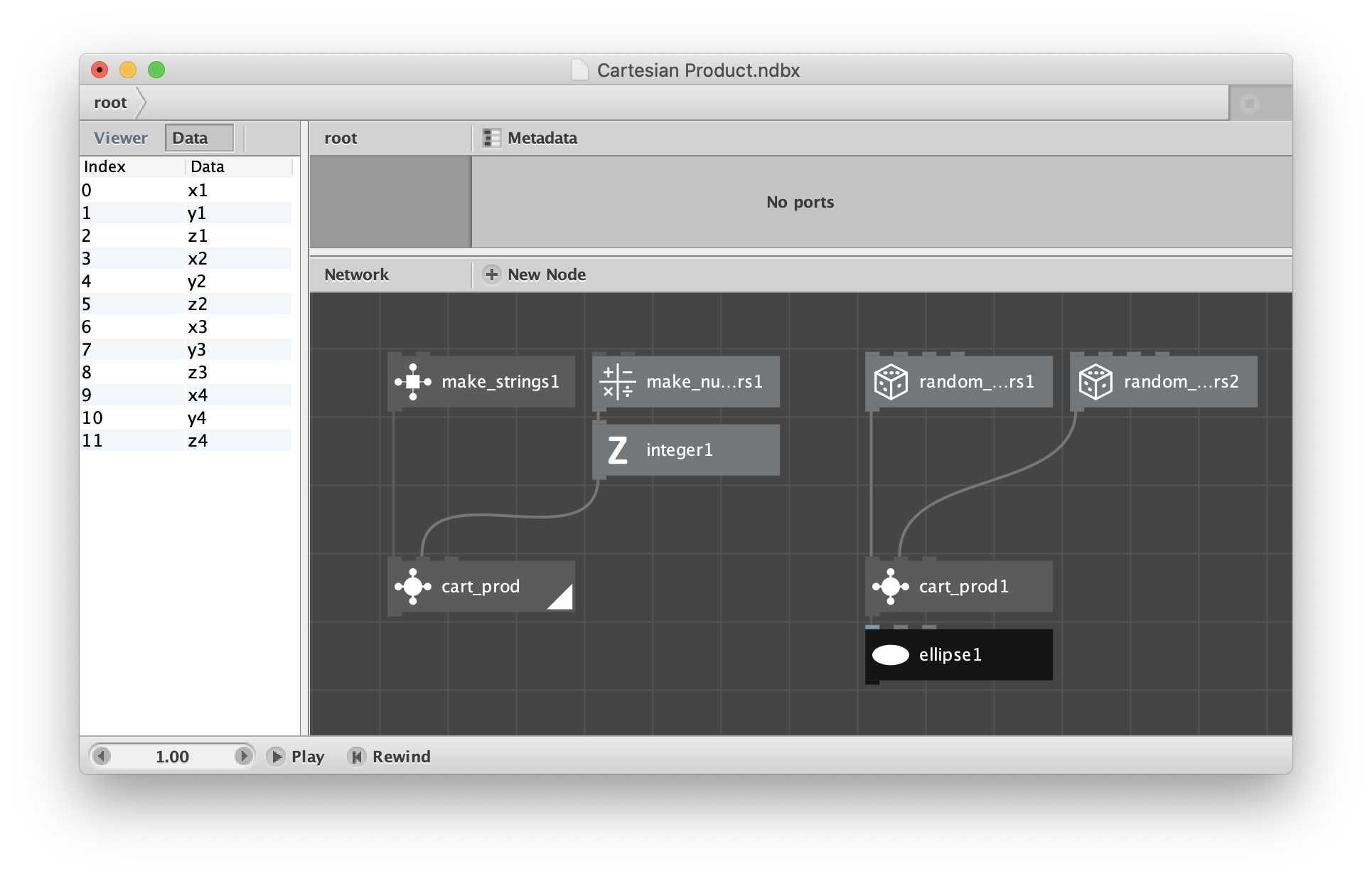
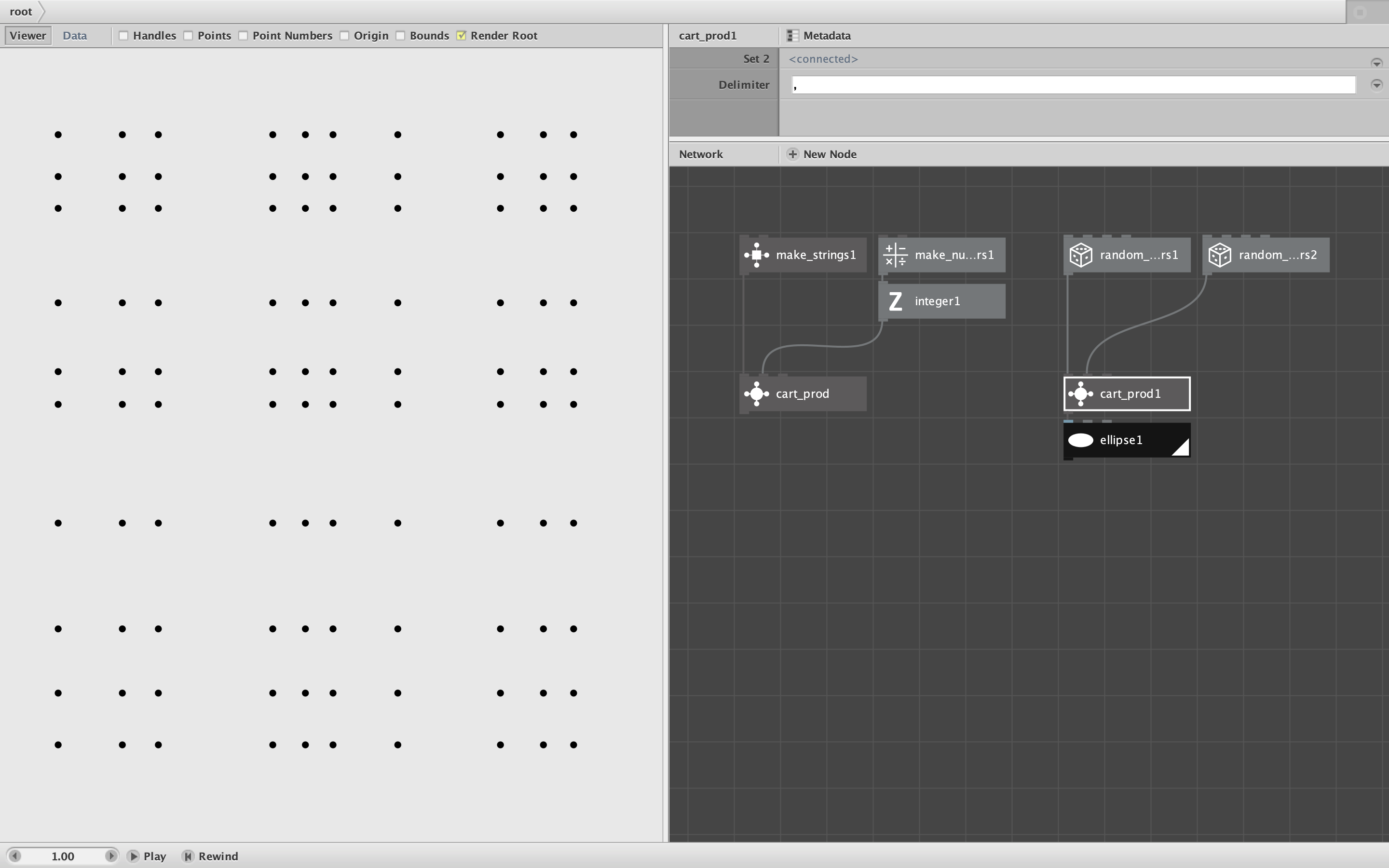
I made a simple Cartesian Product node for you (technically a subnetwork). See zip file and two screenshots (attached).
If you look inside the cart_prod node you will see that it's absurdly simple: all I do is concatenate the two lists (with an optional delimiter).
But there is a subtle trick needed to make this work. If you select the node and open the MetaData dialog, then select the set 1 and set 2 ports, you will see that the range for set 1 is list while the range for set 2 is value.
This means that the node sucks in the entire set 1 list and then fires once for each item in set 2. Each time it fires it produces concatenations (ordered pairs) of every item from set 1 with one item from set 2. The end result is a single list with all combinations.
This is a wonderful example of the way subnetworks work. Their main purpose is not so much to encapsulate nodes, but rather to choreograph the flow of data. This takes a little getting used to, but is very powerful.
I provide two examples. You can feed the node strings or numbers, but both lists will be treated as strings. The first case shows the Cartesian Product of {x,y,z} with {1,2,3,4} with no delimiter. The second case joins two different sets of 10 random numbers and uses a comma delimiter. Although the output is a list of strings, you can treat them a points (comma-separated pairs of values) and use that to plot an arrangement of 100 dots.
Thanks for an interesting question. Keep them coming!