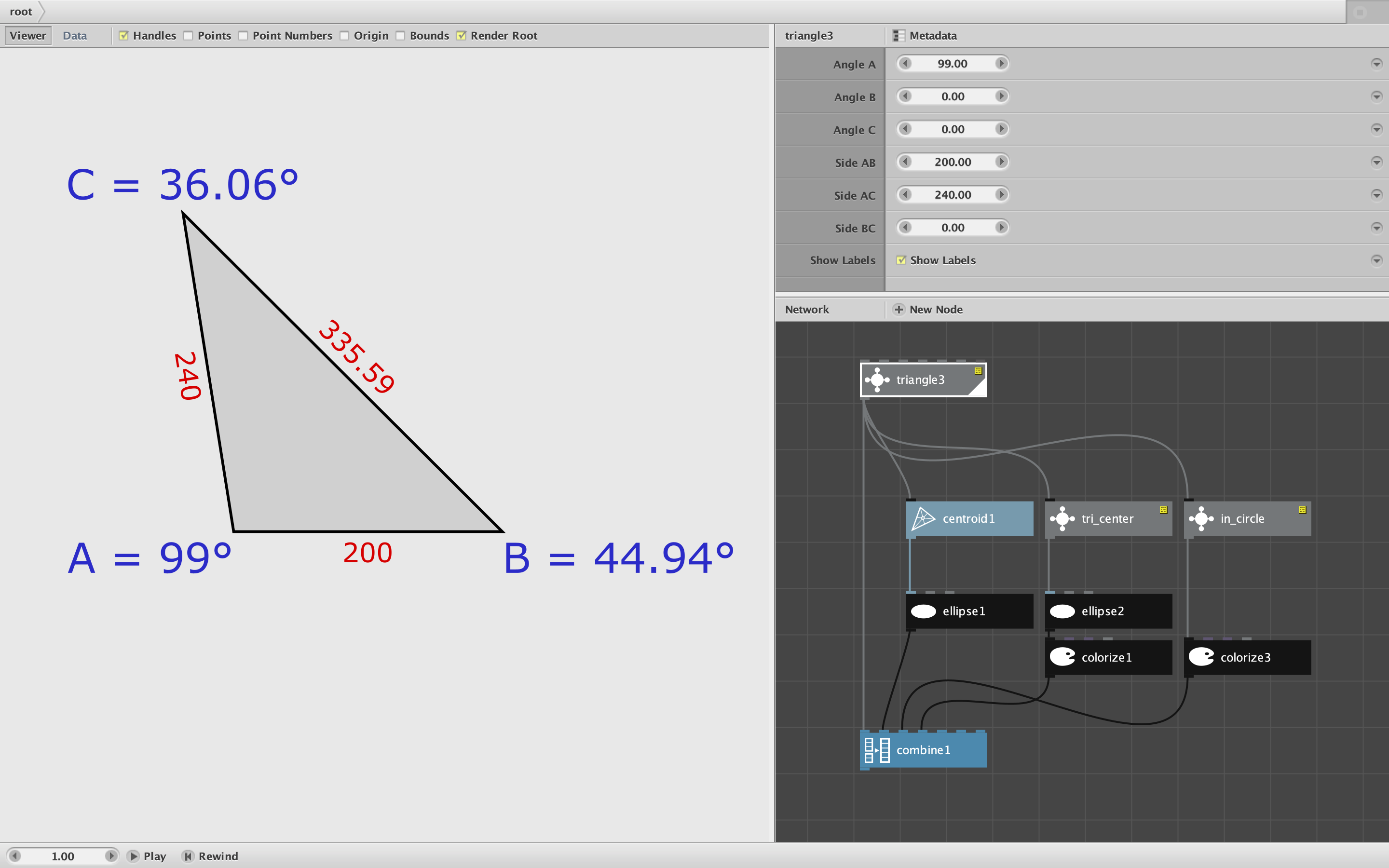
The three most common and elementary shapes are the circle, the square, and the triangle. For circles NodeBox provides the ellipse node, for squares the rect node. You can make only equilateral triangles with the polygon node. What about scalene triangles, right triangles, obtuse and acute triangles? I have often wondered: why doesn't NodeBox provide a general purpose triangle node?
When I finally sat down to make one myself, I learned why. Triangles are tricky. They are subtle and complex, full of weird corner cases. There are 57 different calculations required for a general purpose node, some involving trigonometric nodes NodeBox doesn't supply, like arcsin and arccos. Even just crafting a coherent UI to specify a triangle is challenging. In fact, this is one of the most challenging nodes I've ever made.
But it's also one of the most fun nodes to play with.
My triangle node has seven parameters:
- Angle A
- Angle B
- Angle C
- Side AB
- Side AC
- Side BC
- A checkbox option to show labels
The triangle you create sits on the X axis with Angle A sitting on the origin; Angle B is to its right and Angle C is on top. (Of course once you make your triangle, you can move it, rotate it and scale it to your heart's content.)
To create a triangle you must supply exactly three of the first six values, one of which must be a side: two angles and a side, one angle and two sides, or just three sides. If you enter more or less than three non-zero values, or forget to include at least one side, the node will display a reminder message. Swipe left on all six fields to reset.
Most combinations of values work fine. But if you provide two angles which sum to 180 degrees or more, or if you enter some other combination of values that cannot be used to create a valid triangle (like a leg longer than its hypotenuse) you will also see a message. There are also some cases in which the specified values could result in two different triangles; in those cases, the node will pick one for you.
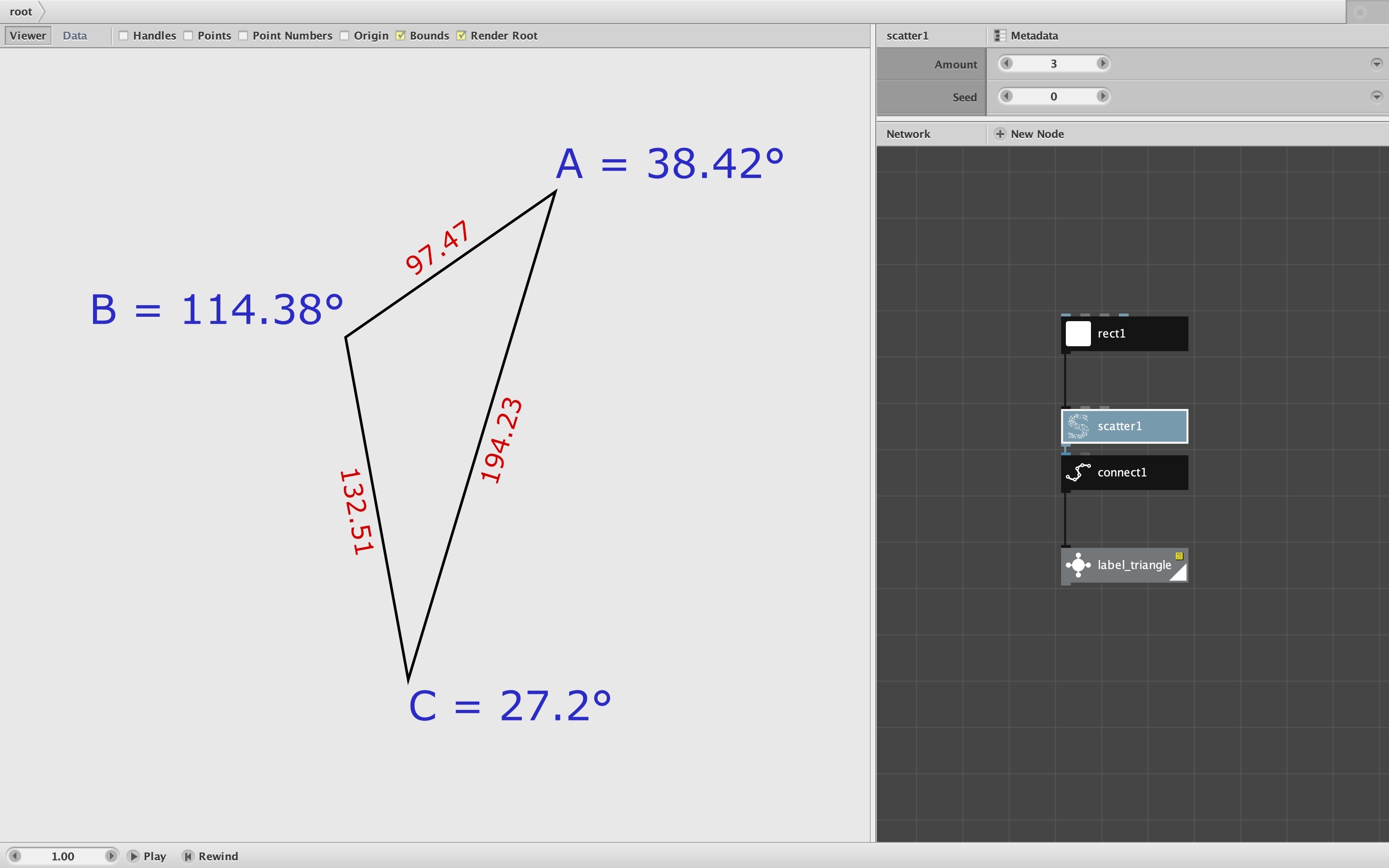
When creating your triangle it may be helpful to temporarily turn on the labels to easily see all the sides and angles. The labels are automatically positioned and sized to maximum legibility.
As an added bonus, I have also included two "satellite nodes" which may come in handy:
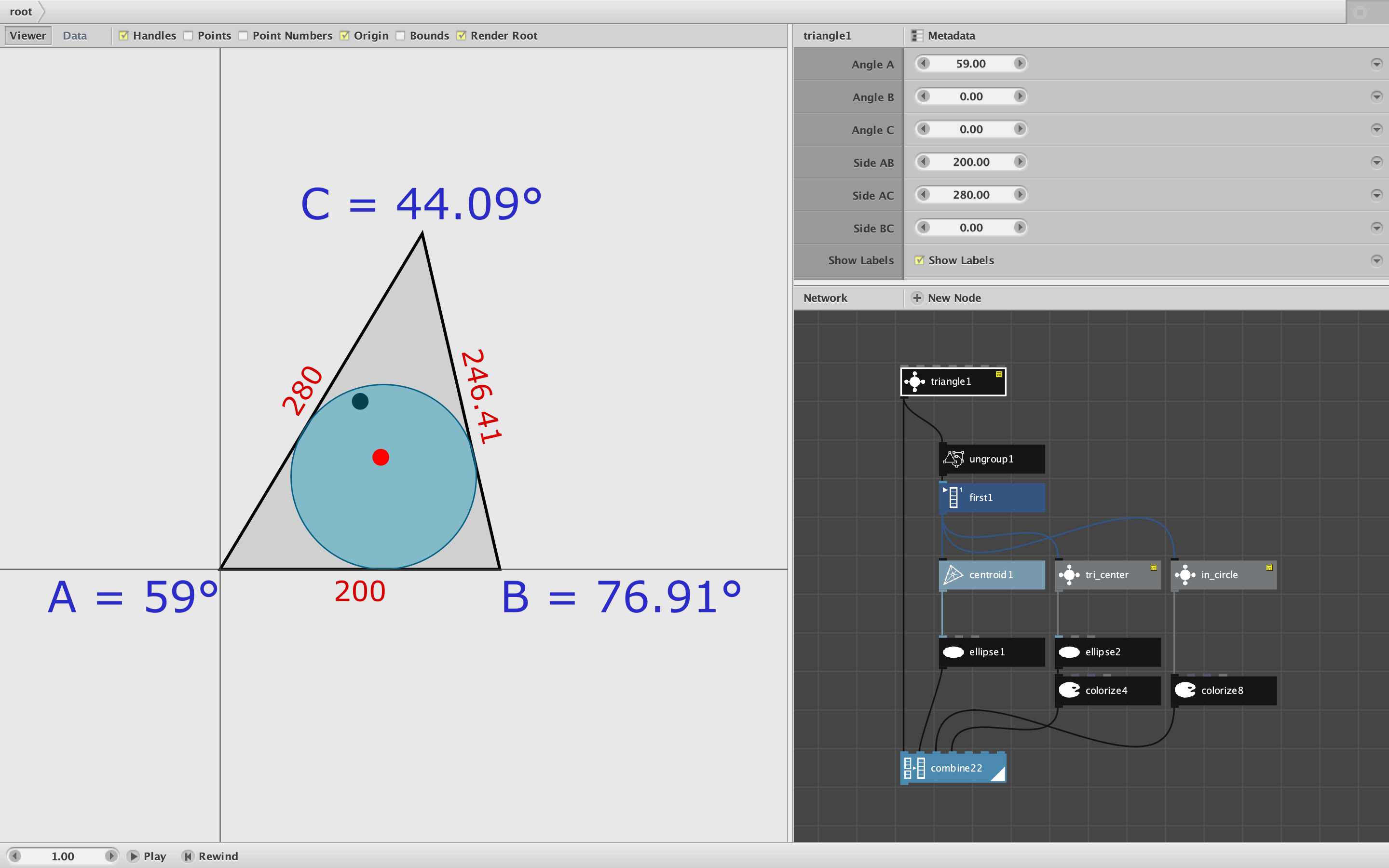
- Tri_center provides the true centroid of a triangle. NodeBox's centroid node is based on the rectangular bounds enclosing the triangle, so is often nowhere near the actual center. Tri_center fills that gap.
- In_circle returns the largest circle that can be inscribed in a given triangle. It also works for regular polygons with more than 3 sides.
To see the triangle, tri_center, and in_circle nodes in action, check out this video. The black dot is the NodeBox centroid, the red dot the true centroid, and the circle is the inscribed circle which changes with its triangle:
https://www.instagram.com/p/CK_TysoHttF/
Please give this node a try and report back if you have any questions, malfunctions, or rave reviews. It's fun seeing the triangle instantly respond with every turn of any one of the six dials.
Go forth and create!
John