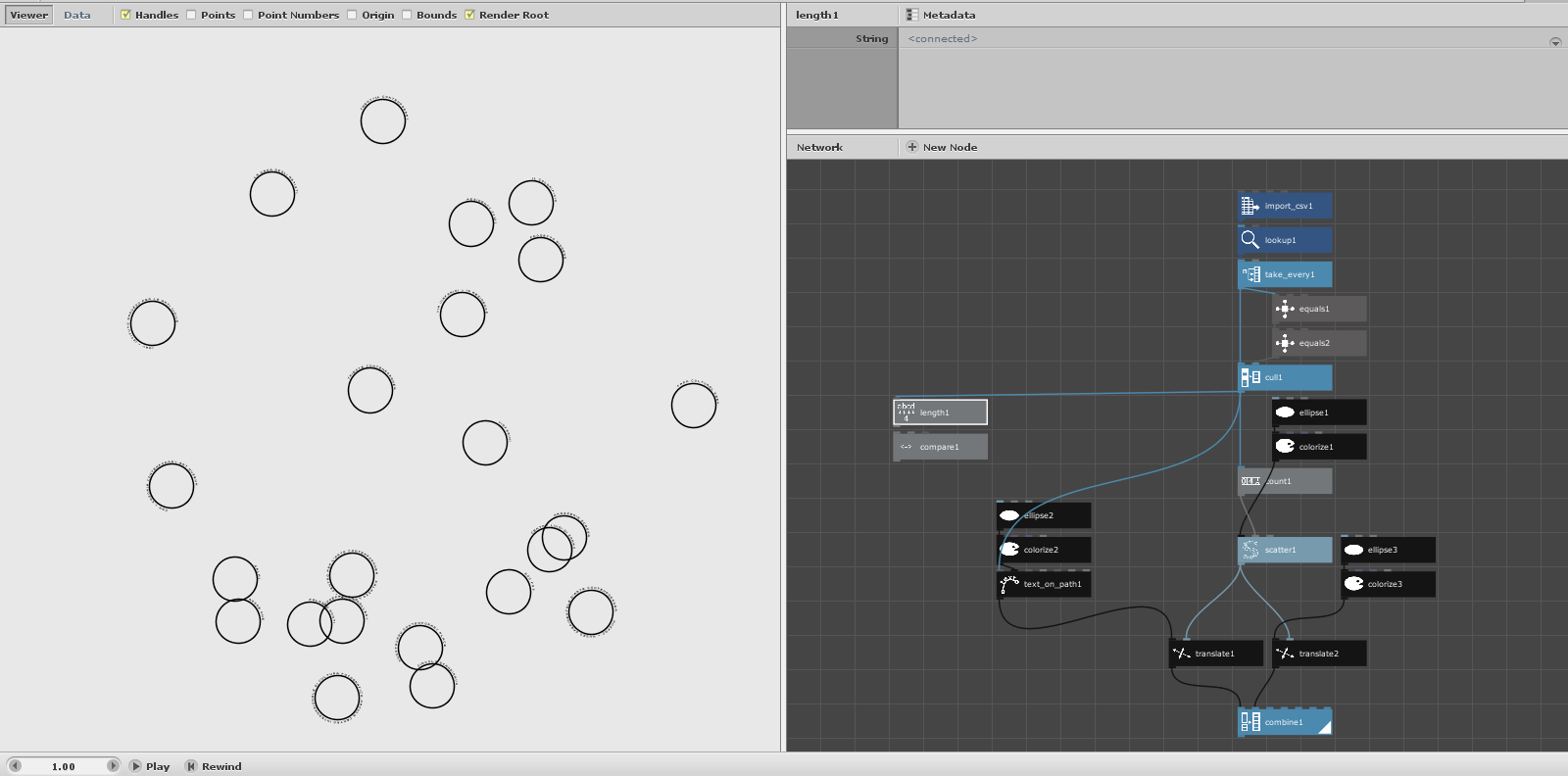
Hello, I'm trying to set the size of the font of the node "text on path" (which basically create a text in a series of circle) based on the leght of the string taken by a list that I upload. My idea is: more caracter on the row is equal to a small font size, and viceversa.
I tryed to use a compare node, but unfortunatly the node don't accept a int input, is there any workaround?
The new NodeBox forum is live! Everything from support.nodebox.net moved here: sign in with the same email to pick up your old posts. Something not working? Write to forum-support@nodebox.net.
NodeBox 3From the old forum
Set size font via string counter
-
-
Hello again,
Yes, the compare node is finicky about taking integers. All you have to do is feed your count (or any other integer output) into a number node and THEN feed that into compare. The number node is not only for creating numbers; it can also be used to convert integers into floating point numbers.
But for this task you may not need a compare node. Allow me to suggest the convert_range node instead. Feed your length node into its value port; it's not finicky like compare and will take integers or floating points without complaining. Then set source start and end to the shortest and longest lengths you want to handle. Set target start to a large font size (for your shortest length) and target end to a small font size (for your longest length); convert-range will interpolate accordingly.
Don't spend too much time trying to pick the perfect target values. Just make a reasonable guess, render the final output, and then adjust the two target sizes until you are pleased with the results. Convert_range is your friend.
I enjoy answering questions like these. Keep them coming!
John