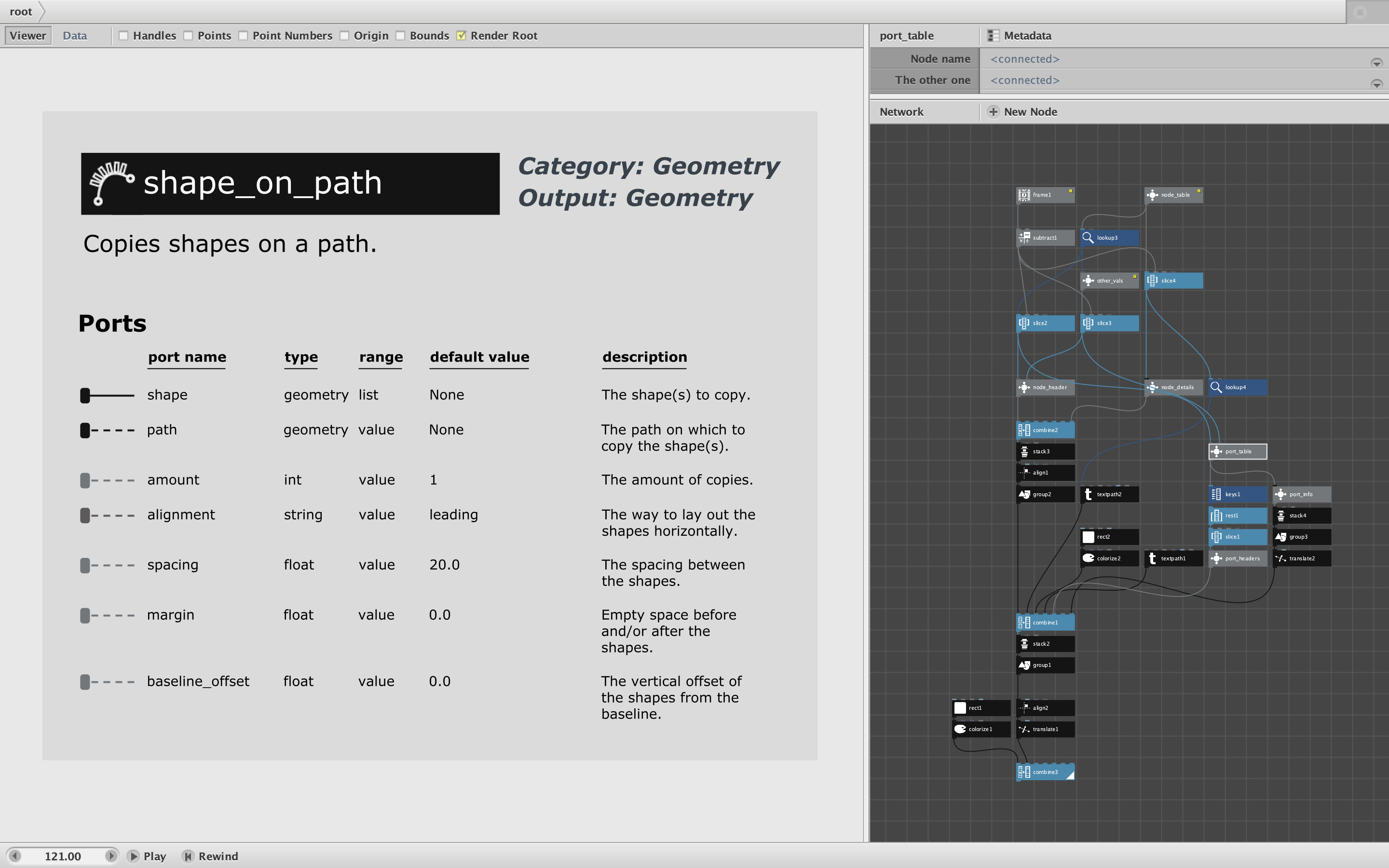
Attached is a demo with custom node that displays information about all 148 current NodeBox nodes. Its usefulness is dubious, but it does provide an example of how to make a custom node that introspects NodeBox itself.
A big thanks to NodeBox user ahuman who discovered and shared the basic technique. He found a way to retrieve all the node names. I expanded on that to provide much more including the icon, type colors, and details about each port. (The icons are composed of individual pixels; to draw them inside NodeBox I had to borrow code from my Image node.)
This demo produces a kind of microfiche. Information about each node appears on a separate frame. Scroll through the frame field in the lower left corner of the app window to see each node in alphabetical order. Or export it as a movie (as I have already done - attached) to step through them by hitting the right arrow key in any MP4 video player - or just hit play to see them all in 6 seconds flat.
If anyone wanted such a thing, it would be very easy to turn this into a poster as well.
The main node_table node produces a high level data table for the nodes. Additional nodes buried in subnetworks provide the node icons and port info. All require nodelist.py (included in zip file) which must be added as a code library. Open nodelist.py in a text reader to see how it works.
Each node card provides information already available from the New Node dialog, but shows it in a single summary view (instead of making you lookup each port one at a time). It uses the correct colors based on data type both for the node and for each port, though these are rather hard to distinguish (as they are in NodeBox itself). I show value ports as dotted lines to distinguish them from list ports (which suck in data all at once instead of one at a time); this is something I would like to see NodeBox do someday.
Enjoy?
John