Hi Jared,
I have attached a demo which I hope will illustrate some basic principles.
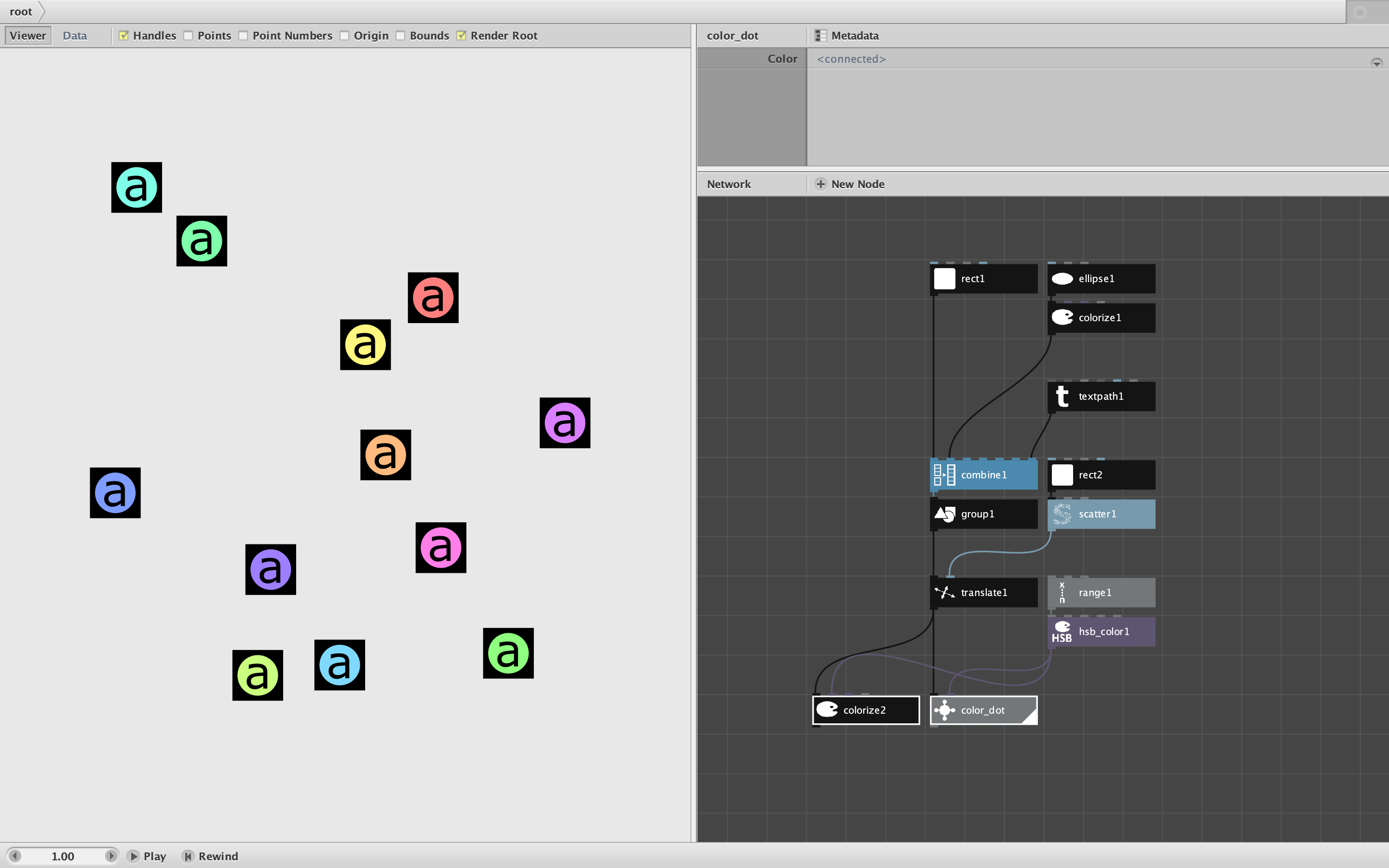
I form a complex object by combining a square, a white circle, and a text path (the letter a), and then using a group node to merge them into a single "geometry".
At this point I only have one object. But when I feed it into a translate node along with a list of 12 ransom points, I get 12 different copies of the object, each at a different location. In one step I have copied the object and also modified each copy by giving it a different location.
(I could also have used a repeat node to create multiple identical copies without changing any properties.)
Suppose I now wish to modify my complex objects further by assigning each a different random color. If I feed my list of objects and my list of colors into a colorize node, all components of my complex object (the square, the circle, and the text path) will all be colored at once with the same color - which may not be what I want. (Render the colorize2 node to see what this looks like.)
If I want to color just part of my conplex objects, say just the circles, I will need to create a little subnetwork like my "color_dot".
If you peer inside color_dot you will see that it takes two parameters: the object (pulled in using a null node) and the color for that copy of the object. The subnetwork then ungroups the object, colors just the circle (the second object in this case), recombines them in their original order, and then regroups them.
The result, as you can see in the screenshot, is 12 complex objects, each with a different location and a differently colored circle.
Does that help?
If not, if I am misunderstanding your question, please reply with more details about your complex objects and exactly what you are trying to do to them.