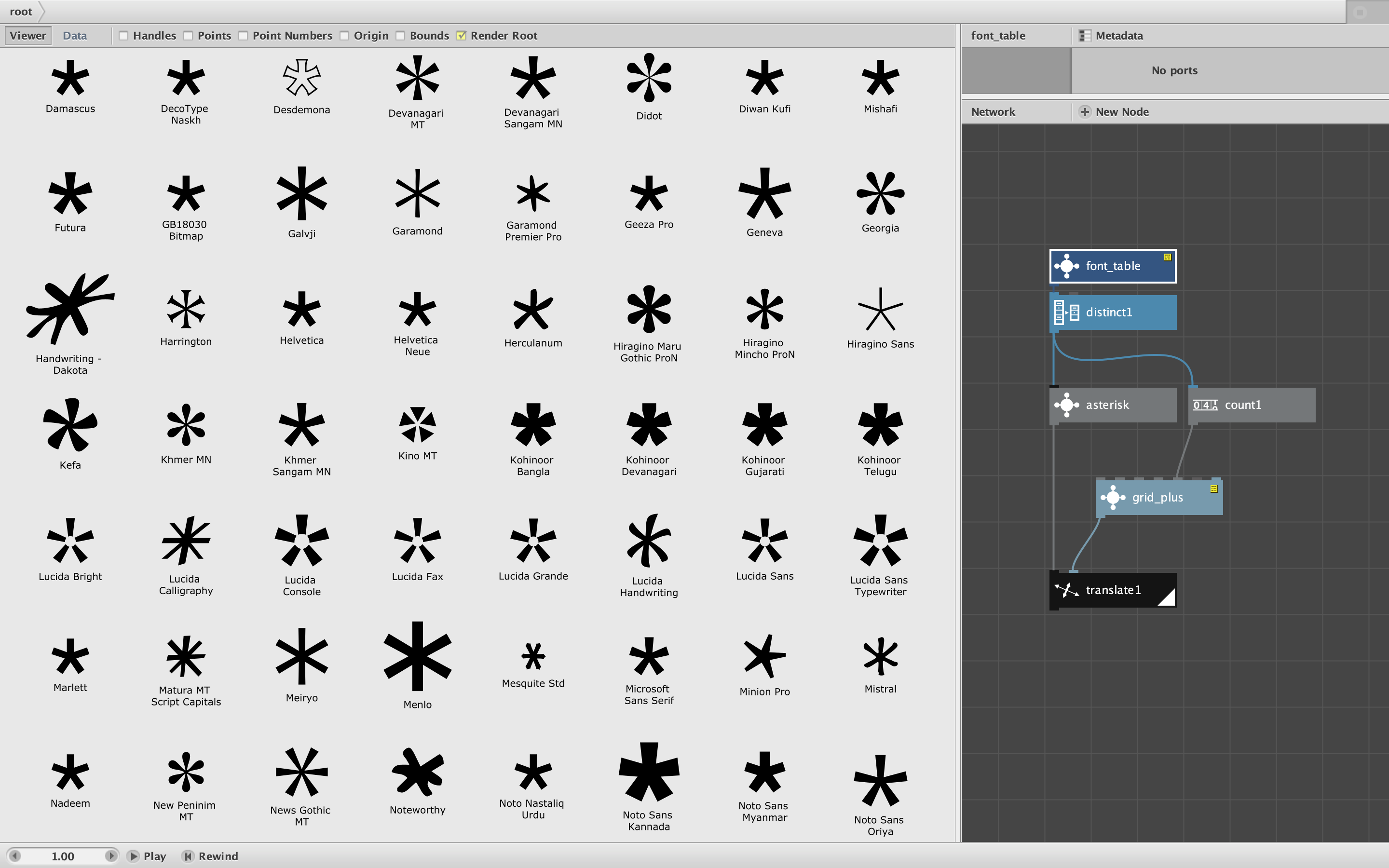
Attached is a custom node that returns a table, organized by family and font name, of all fonts currently installed in your system. It requires font_table.py (included) which must be added to your code library. You can lookup names from the table and feed them into the font name port of a text path node to generate output in many fonts.
I have way too many fonts in my own system, so it can become a chore to choose the right one for a given NodeBox project. This node allows me to step through all the fonts automatically and maybe build my own comparison charts within NodeBox so I can see my choices in context. Because it's a table I can also filter and sort the fonts in various ways.
This is almost no documentation about how to write custom nodes in Python, so each new example like this provides hints about how to access and return various kinds of data to NodeBox. In this case I access some core Java functionality and return a data table (a Python dictionary). The custom node itself returns a working NodeBox table, but causes hashing errors when its output is fed into a subnetwork (not sure why). So I have wrapped this node inside a subnetwork (also called font_table) that solves this issue.
As you can see in the screenshot, the demo renders many different versions of an asterisk with the font family for each one below in small print. It's interesting to see how many ways there are to make an asterisk.
This node seems to work fine on my Mac, but I have not been able to test it on a PC. I would appreciate it if some PC user out there would download this, test it, and reply on this thread to confirm that it works on PCs as well. I would also love to see any example of creative projects using this node.
Enjoy!
John