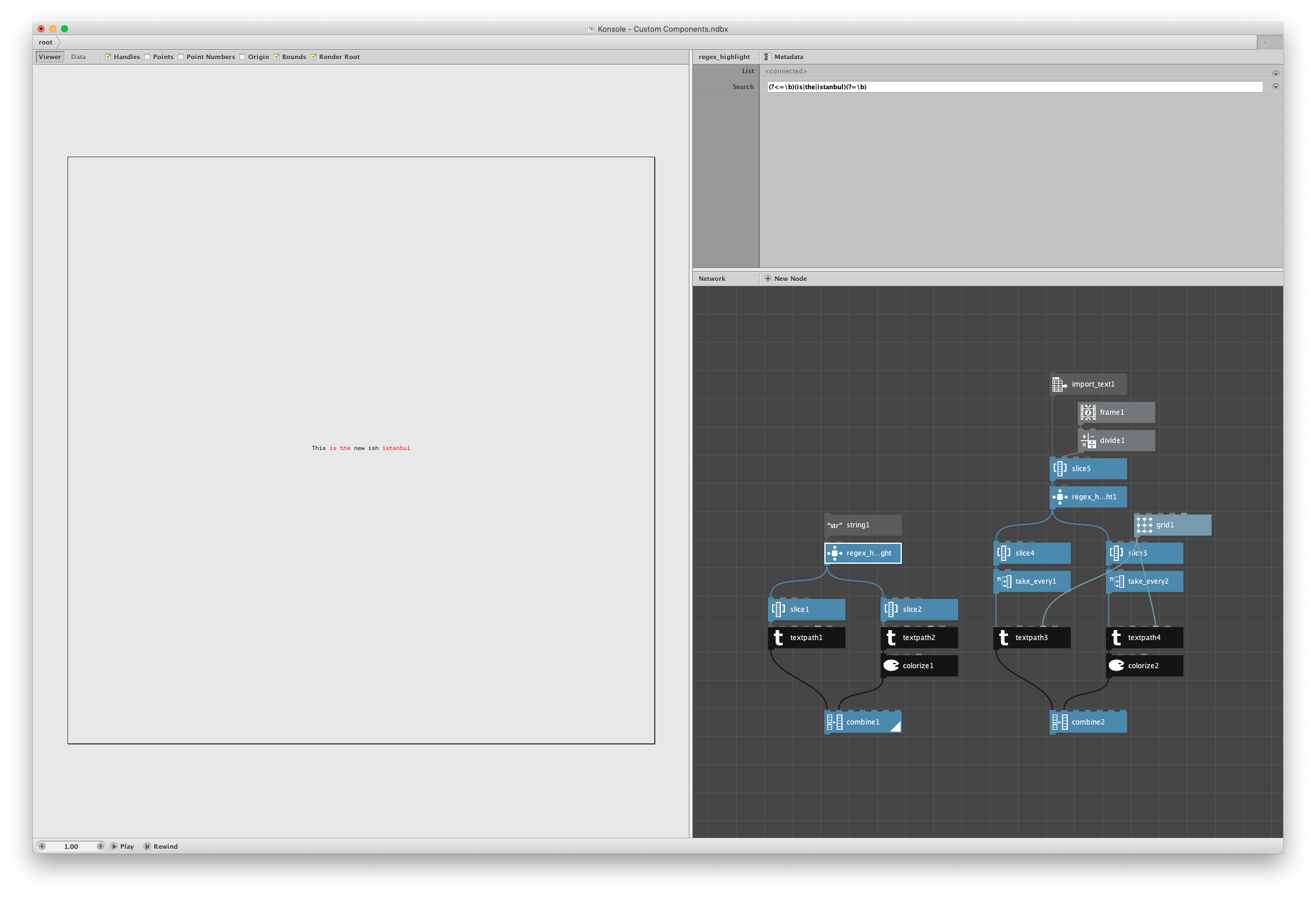
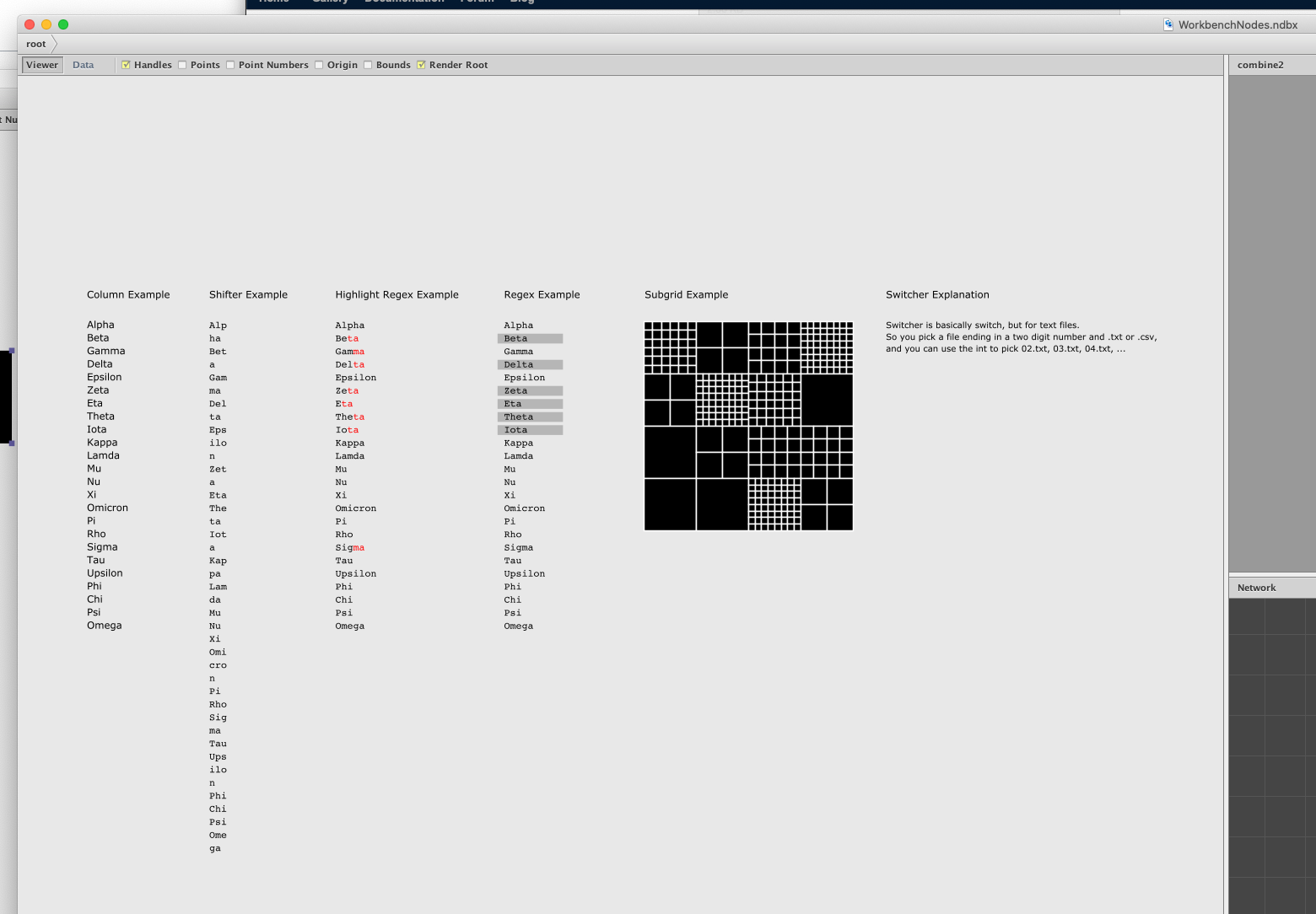
Hi everyone! I really love Nodebox. But as a motion graphics artist with clients that don't always have a ton of extra time for lookdev and R&D, I don't often have a chance to use it as much as I'd like. But I run a side project called Workbench and another company called Element Supply Co. and during the holiday break I'm taking some time to build a new product that relies on generating a bunch of terminal UI, and Nodebox is perfect for that. However, I wanted to highlight some text—basically code highlighting—and I couldn't find a good way to do that in Nodebox. Note that this isn't going to work for variable width text, but I happen to be using monospaced text, so this solution works perfectly for me and maybe it can help you too, or perhaps you can find a way to improve upon it.
This is the basic python code for the node. It finds whatever regex you specify in the search for the node, and it applies it to strings/lists it's given. Where the search is found, it returns a list with the first string having the original text with spaces where the search terms are found and the second string having everything as spaces except for the search terms. In this way, you can split them out to two separate textpath nodes and color them differently or use different font weights.
I build the second string by checking each character between the new string and the original one. You can probably build a regex solution to get the opposite which is probably faster, but this is the route I took. I was originally using difflib but I realized that I couldn't get a string like I wanted easily enough and even if I could compare them, I couldn't keep only the differences the way I needed to.
import re

def highlight(list, search):
    listA = re.sub(search, blank, list)
    listB = ''
    for i in range(len(list)):
        if list[i] != ' ' and list[i] != listA[i]:
            listB += list[i]
        else:
            listB += ' '

    newList = [listA, listB]
    return newList

def blank(matchobj):
    blank = ''
    for x in range(len(matchobj.group(0))):
        blank += ' '
    return blank
There might be a better way to return these lists. I'm newer to Python than I am to most other languages, and especially with Nodebox, so perhaps there's a better way. I tried to return these in a list of lists, but it didn't seemingly work out that way. I looked at some of John's code but couldn't figure out a solution to return what would essentially be an array with Index and two data points for each index. It seemed from the docs that that wasn't possible too so I didn't go too far in since I can do this with a take_every node and be done with it and keep a lot of flexibility in my solution. But if you have a better way to do it with less node spaghetti, I'm all ears!
Also, I'm using Aglet Mono in my example in case you're wondering. It's on Adobe Fonts. I didn't provide the text file I'm using in the more complicated example because you'd likely want to do something on your own anyway. This isn't even the final way I'm using it. It's just a test for me.
I think that's everything. Feel free to ask any questions. I'll be making more nodes in the future for sure. I do wish there was a better way to integrate them, but having to link a code library isn't a huge problem in the grand scheme of things.