Here are THREE new nodes for your grid and tessellation needs!
This effort grew out of a request from Floris for a more flexible hex_grid, during a Cartan Node Library discussion thread:
https://forum.nodebox.net/t/19584209/cartan-node-library-2-3
Both Floris and I wanted something a little more general purpose than hex_grid. I spent a few days going down various rabbit holes and came up with these three new nodes:
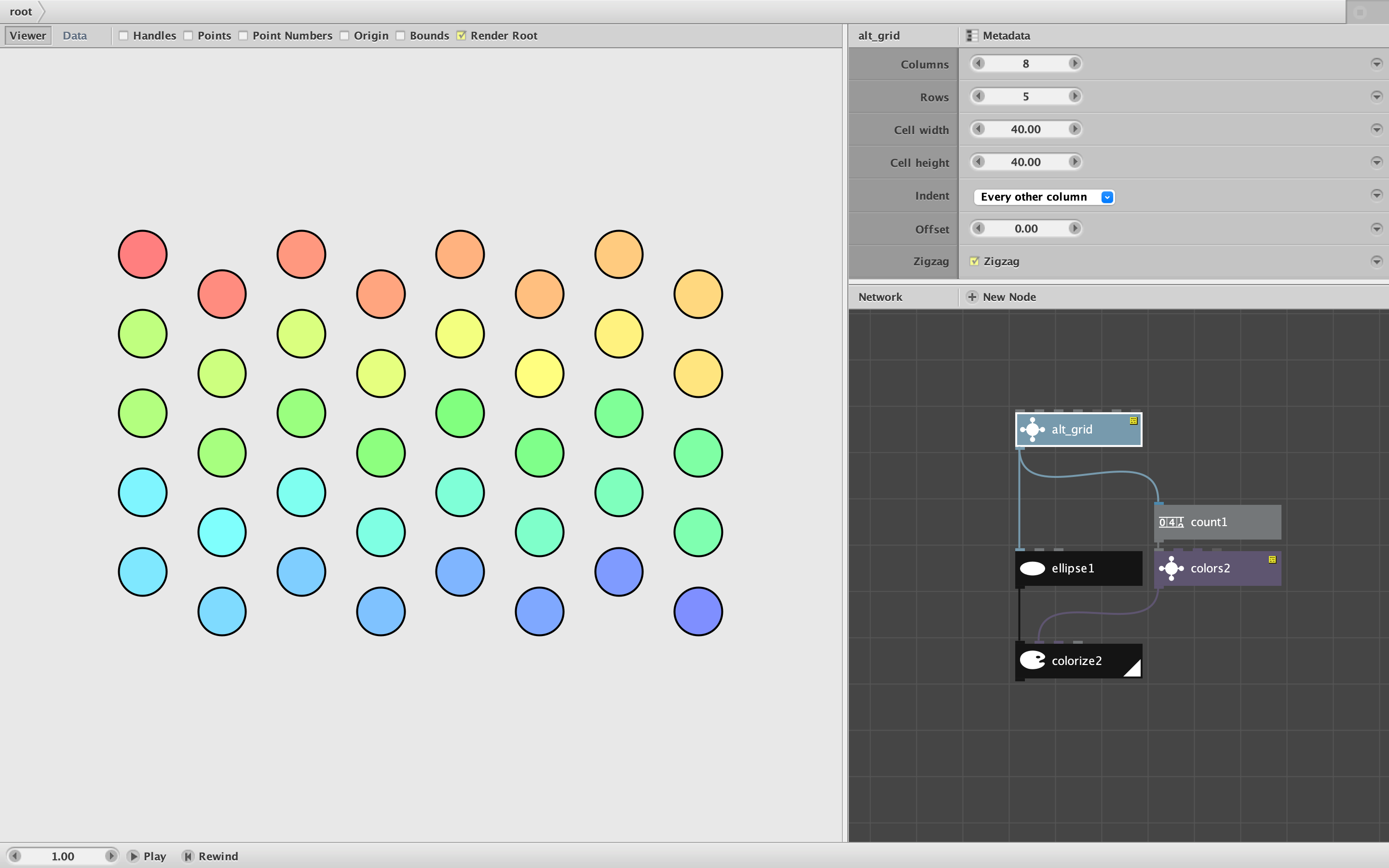
- alt_grid creates a grid of points with options for alternating indents and zigzagging
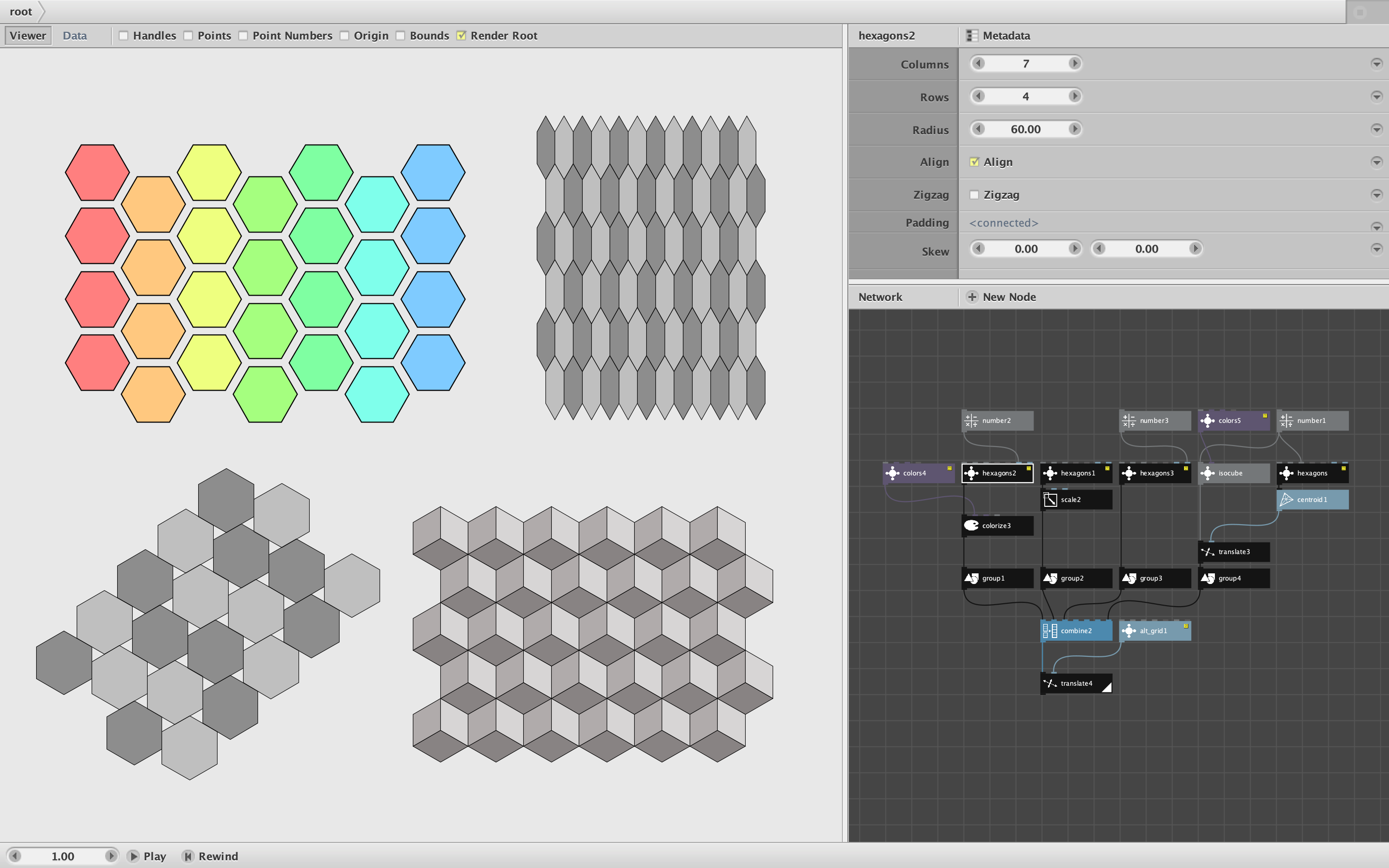
- hexagons uses alt_grid to quickly create a grid of hexgons with various options
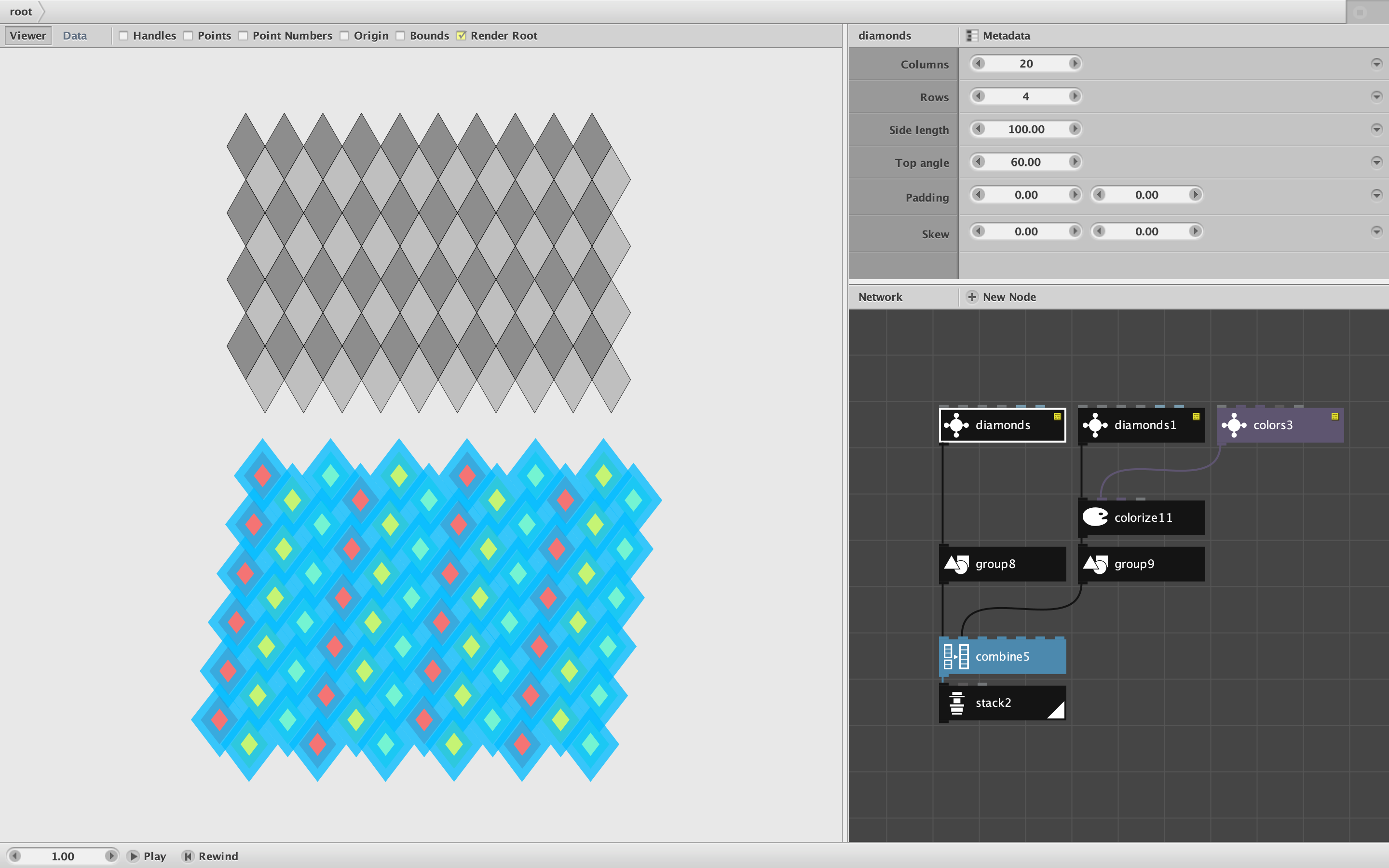
- diamonds does the same thing with variable diamond shapes
Alt_grid takes the following parameters:
- Number of Columns
- Number of Rows
- Cell Width
- Cell Height
- Indent. The choices are:
- Every Other Row
- Every Other Column
- Nothing
- Offset. This adds or subtracts from the standard indenting of alternate rows or columns.
- Zigzag. Check to reorder the points to weave back and forth (useful for alternating colors or shapes)
Alt_grid is very flexible and can be used for many things (even just to make a quick chessboard). The ability to independently set cell width and height carries you far beyond standard hexagonal layouts, but also requires you to calculate those values yourself. You can easily do this by eye, but precision may require additional calculations (if you want to perfectly tesselate various shapes for example). So I made two other nodes to simplify this task for commonly used tessellations.
Hexagons takes the following parameters:
- Number of Columns
- Number of Rows
- Radius of Hexagon (also the side length in a regular hexagon)
- Align. Check this for hexagons that sit flat rather than balance on a point
- Zigzag. Check to reorder the points to weave back and forth (useful for alternating colors)
- Padding. Provide additional horizontal and/or vertical margins between hexagons.
- Skew. Shew the positions of the hexagons (not the hexagons themselves)
Diamonds takes the following parameters:
- Number of Columns
- Number of Rows
- Side Length (of each of the four sides)
- Top Angle. Enter 60 degrees for a standard equilateral triangle diamond, 90 for a rotated square, or skinniness of your choice
- Padding. Provide additional horizontal and/or vertical margins between diamonds.
- Skew. Shew the positions of the diamonds (not the diamonds themselves)
The Hexagons and Diamond nodes output shapes instead of points, already colored in alternating translucent shades of gray. But of course you can recolor them with a colorize node. And if you want points instead of shapes, just feed them into a point node.
Attached is a demo file with three screenshots illustrating each node. I encourage you to play with them and see if they meet your needs. Either way please reply and let me know what you are using them for and if you have any more feature requests.
I will include these nodes in the next release of my library and deprecate the current hexgrid node. As always these nodes are free for your use without restriction. Thanks to Floris for prodding me into this.
Go forth and create!
John