Attention Floris, Jussi, and other Nodebox plotters.
Attached is a new node specially designed for plotters.
NOTE: SEE BOTTOM OF THIS THREAD FOR AN IMPROVED VERSION OF THIS NODE
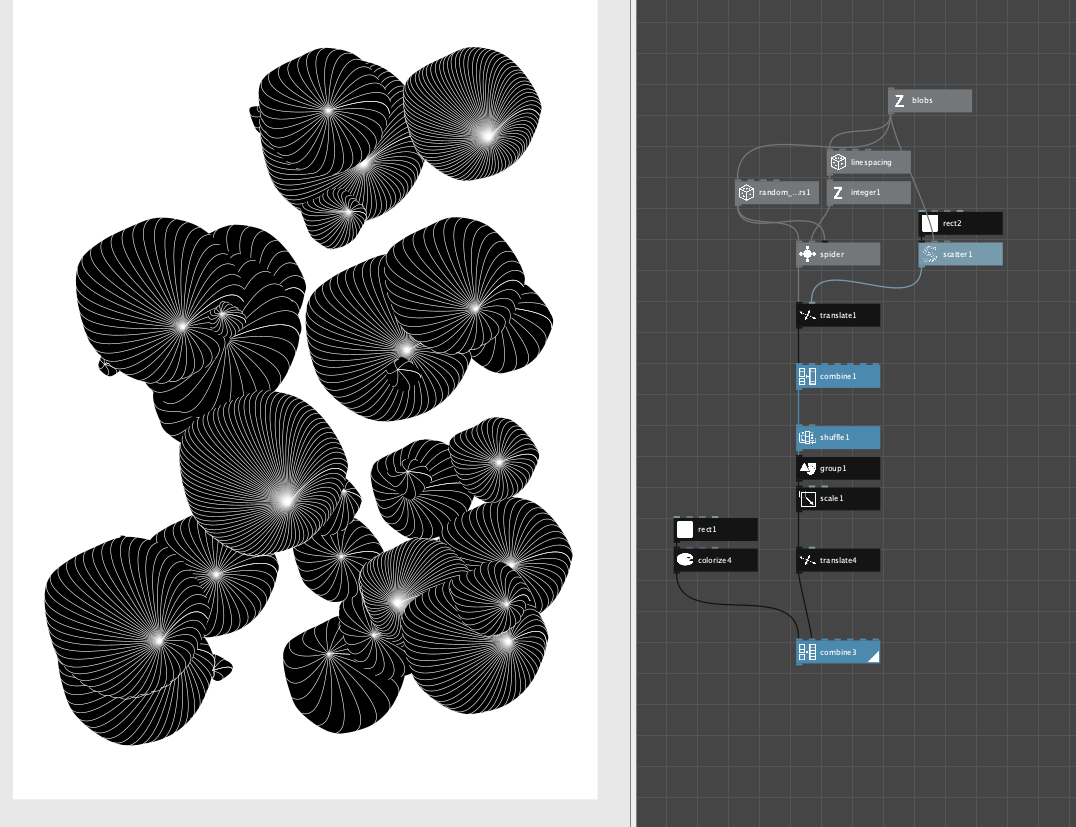
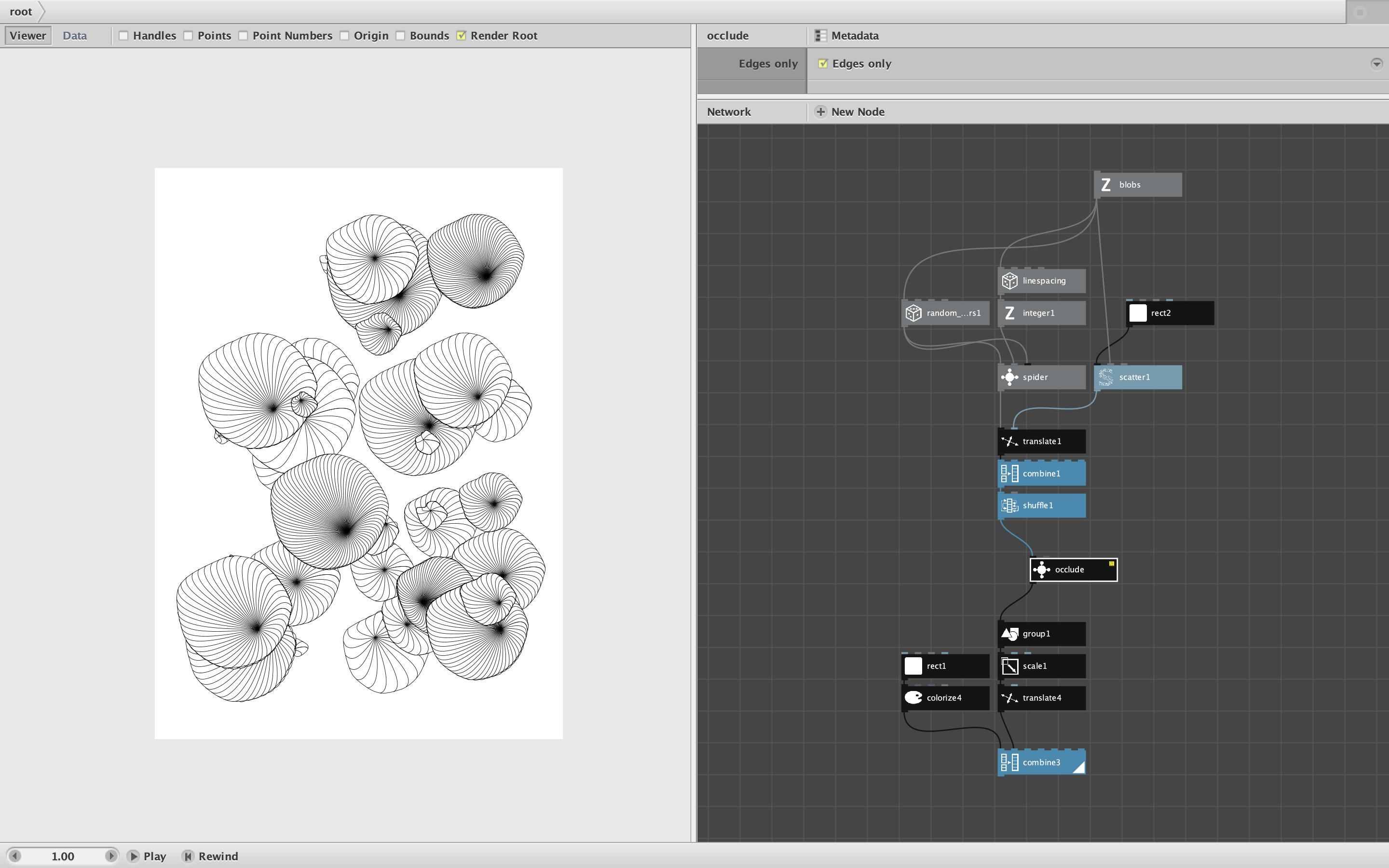
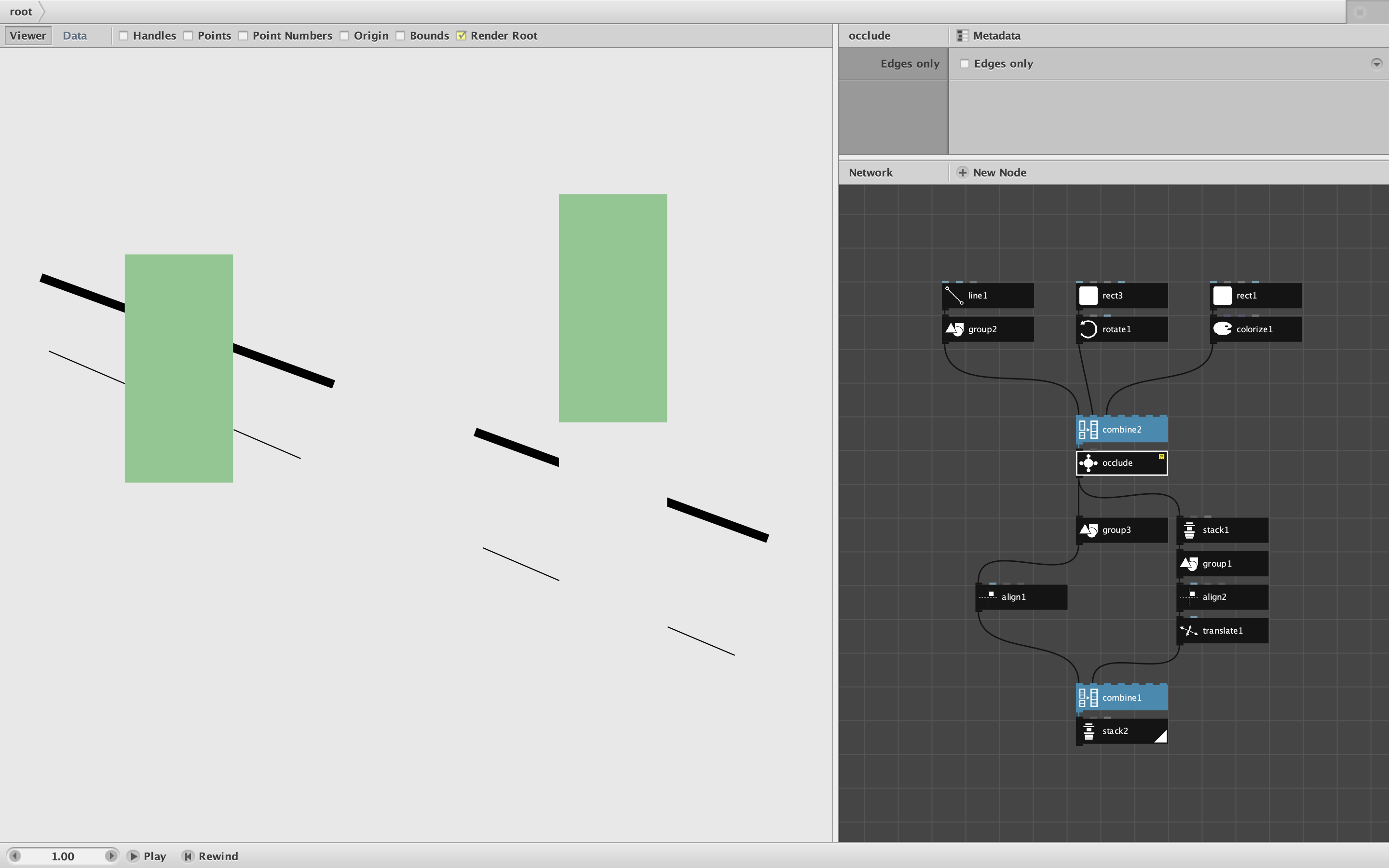
Occlude takes a list of closed shapes or geometries in Z order (sorted from bottommost shape to topmost shape), and returns a matching set of shapes or geometries altered so that all occluded edges are removed. This allow a set of overlapping shapes to be plotted in a way that resembles the way it looks on a screen.
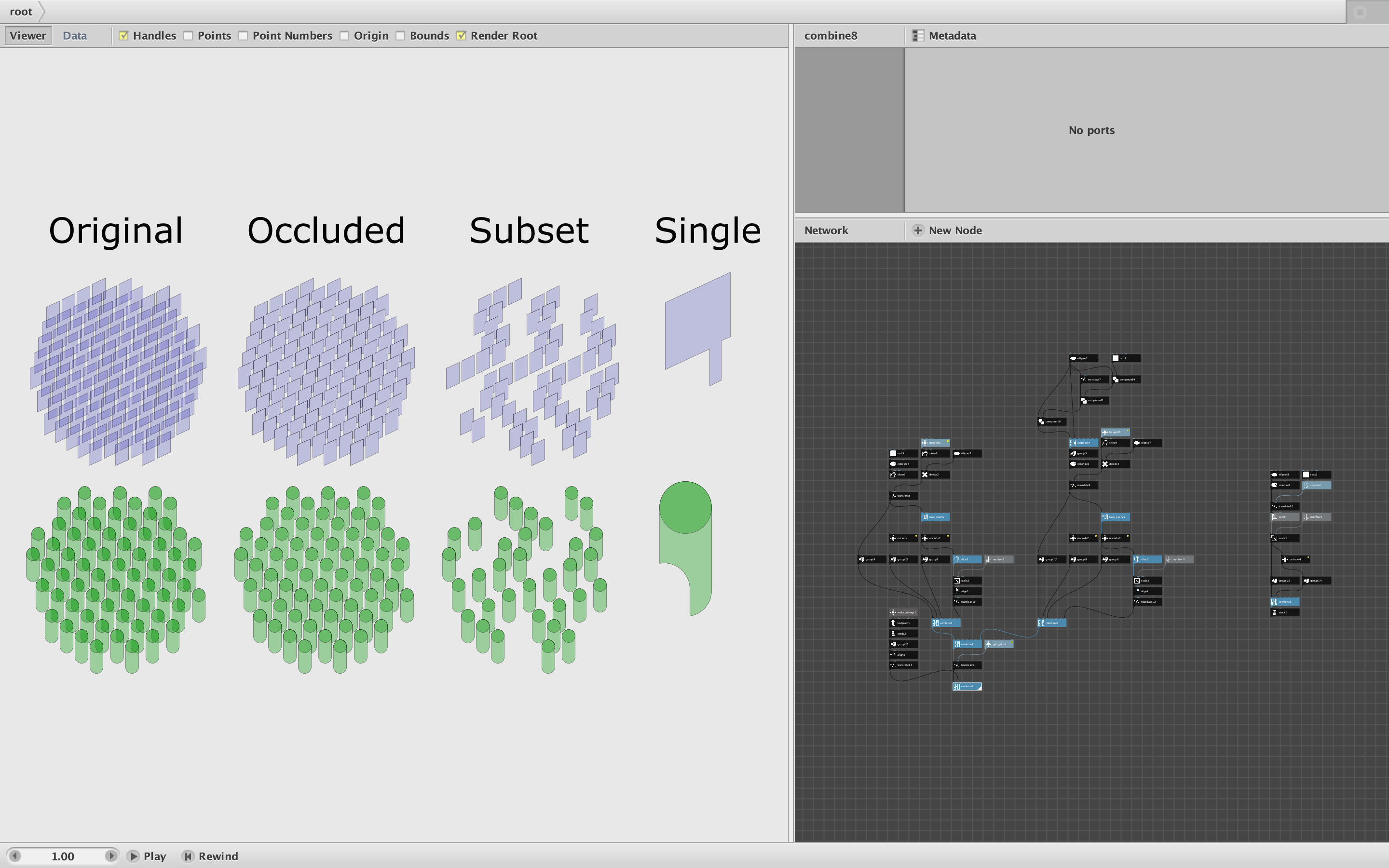
See attached screenshot and demo.
This node is an improvement over two earlier nodes I developed with Floris. My first attempt required separate nodes for paths vs. geometries, did not preserve colors, and was painfully slow. The improved node works for closed paths and geometries composed of closed paths, preserves the original colors, and is much faster - though still slow for large lists of shapes (more than about a hundred or so, slower if shapes are curved).
The demo creates two sets of shapes: 116 overlapping skewed rectangle paths (colored translucent blue) and 65 overlapping cylinder geometries (colored translucent green). It then applies the occlude node to the original set and a subset consisting of every other shape. Finally it slices out a single occluded shape so the you can more clearly see how each shape is altered. It does all this in under three seconds.
Not shown in the screenshot is a second test with 100 overlapping red circles. This example takes longer to occlude - almost seven seconds. Some shapes are more time-consuming to occlude than others.
The main use for this node is to enable plotters to correctly draw overlapping shapes. The node assumes the list of shapes are all closed and are already in Z-order. If need be, you can change the Z order of your list using the sort node; in these example I use sort Y to order the shapes from top to bottom.
The occlude node may also be useful in non-plotting situations as well. If your original list of shapes is translucent, and you do not wish to show overlapping areas in blended colors, occlude will remove the blended colors while still preserving the original colors of the non-blended areas.
I have not yet tested this node on a wide variety of shapes. I assume it will not work well with open paths for example. So this node needs to be battle tested using actual plotters.
So I need HELP! If you are using Nodebox to plot overlapping shapes, PLEASE try this node and report back. If it fails, please include your original source code and a description of what failed (with photo if possible) so I can debug and improve this node. I would also be curious to hear about situations in which this node took more than ten seconds to work. (If it worked perfectly please report that, too!)
If people are using this and it seems to work, I will add it to the next release of my node library,
John