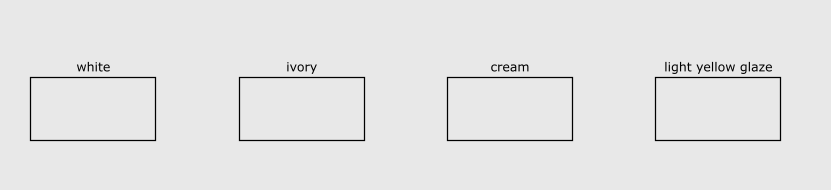
Sarah,
Welcome to the Nodrbox community.
Before answering, I just wanted to say that yours was the best asked question I've received in ages. Your description of what you want to do was complete and crystal clear, and you supplied me with sample code to work with. This makes my job much easier - thanks!
Also, both of your questions are excellent! They deal with basic issues that every new Nodeboxer grapples with. Let's get to it.
Your first issue has to do with the ways lists arrive into node ports: sometimes one at a time, sometimes all at once. The combine node takes an entire list into each of its seven ports, so if you feed 10 text paths into the first port and a rectangle into the second port, it will spit out all 10 text paths followed by that one rectangle.
In this case you would prefer to take one textpath at a time so that you can group it and the rect into a pair. Fortunately there is an easy way to do this: subnetworks.
Subnetworks are a way to make your own node functions - and "functions" is the key word here. To make Nodebox sing you need to think functionally, that is, break your problem into functions and make a node for each one.
What you need is a "pair" function with two inputs: a text path and a shape. Your pair function will take a list of text paths - one at a time - along with a single shape and spit out a group with the text path centered over that shape.
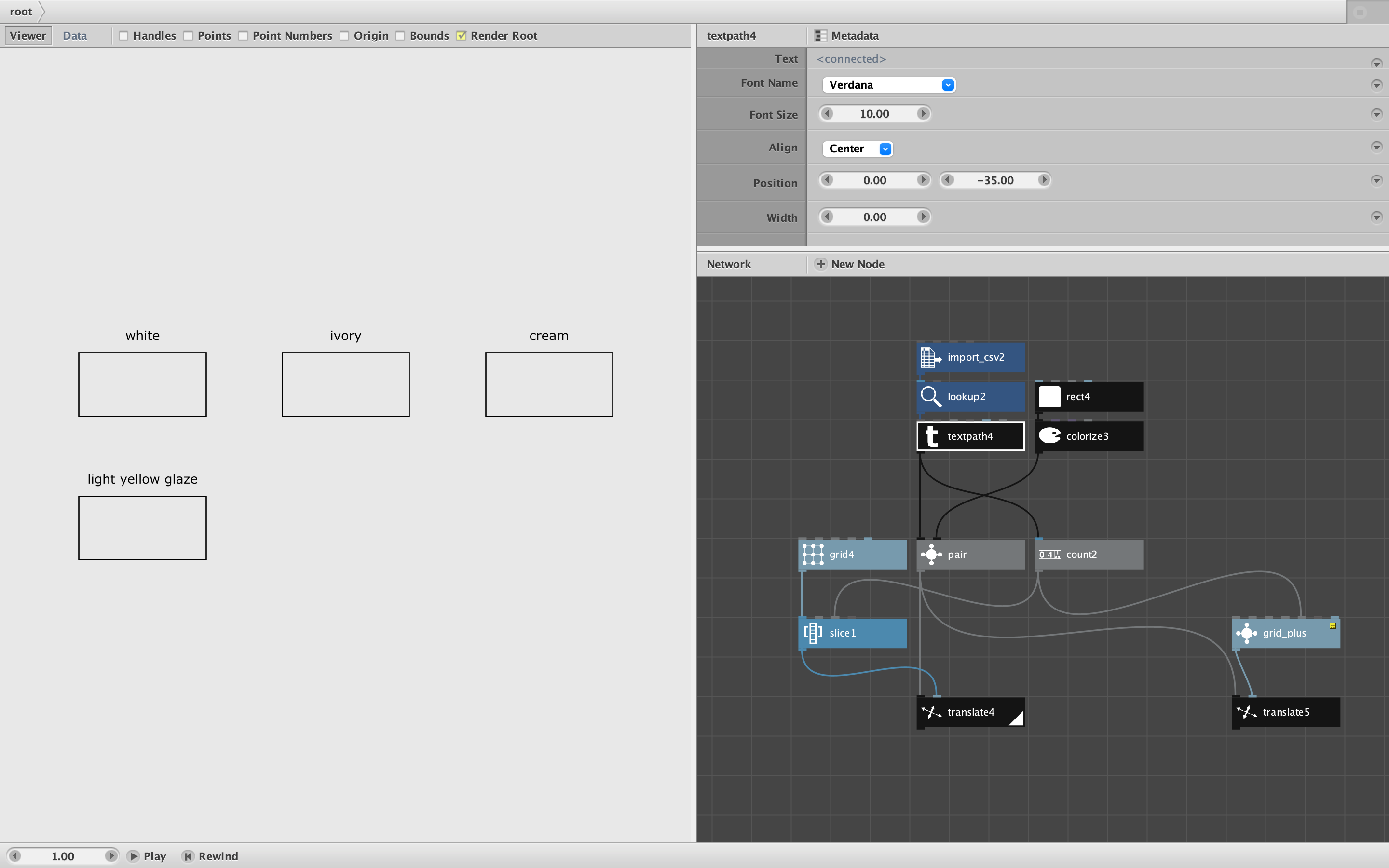
I made a pair node for you (attached). To see how it works, control-click on it and choose "Edit Children". You will see two null nodes to take in the textpath and shape. (I renamed them label and shape, a good habit but entirely optional.). The textpath and rect are combined and grouped - that's it.
So why does that pesky combine node behave the way you want it to here, but not out in the wild? The reason is that the pair function only takes the textpaths one at a time, so each time the function fires, it only has one textpath to combine with the rect.
This is something you can control when you use subnetworks. If you select pair and open the Metadata dialog (from the link above the properties pane), you will see the two ports listed on the left: label and shape. Select label. On they right you will find that the Range property is set to "Value" - this means take items one at a time. If you were to change Range to "List" it would instead take the all at once, and you would be back to the normal behavior of the combine node.
If this seems unintuitive and almost entirely undocumented, that's because it is. But once you get over this hump, once you embrace subnetworks and learn to think functionally, Nodebox will become immensely powerful and easy to bend to your will.
So please practice by creating some subnetworks of your own. The tutorial for how to make them is here: https://www.nodebox.net/node/documentation/concepts/subnetworks
Now for your second question.
The grid node produces a list of points arranged in a grid of R rows and C columns, so there are always R x C points in that list. If you have a grid with 2 rows and 3 columns, it will produce 6 points. But suppose you only want the first four of those points?
The answer is to use the slice node, one of the handiest nodes in Nodebox. Just feed the output of the grid node into a slice node and set the size to 4. In order to make this general purpose, use a count node to find out how many items you need and feed that into the size node.
This is what I've done with the nodes I added to the bottom of your sample code. Have a look at that.
This situation of needing a grid with an odd number of items comes up all the time. So instead of reinventing this wheel each time, you can dip into the Cartan Node Library:
https://forum.nodebox.net/t/2160535262/cartan-library-3-1
In there you will find my grid_plus node. It has a limiting option built in, so you don't have to add your own slice node each time. It also allows you define the grid based on the size of each cell instead of the overall size of the grid; this way you don't have to resize the grid each time the number of items to be displayed changes. I added it to the sample code as an alternative solution.
My library is free for you to use as little or as much as you want. It may be a bit overwhelming at first, so don't feel you need to examine it right away. I just wanted you to know that it's there when you need it.
Hope that helps! Please let me know and please keep asking questions!
John