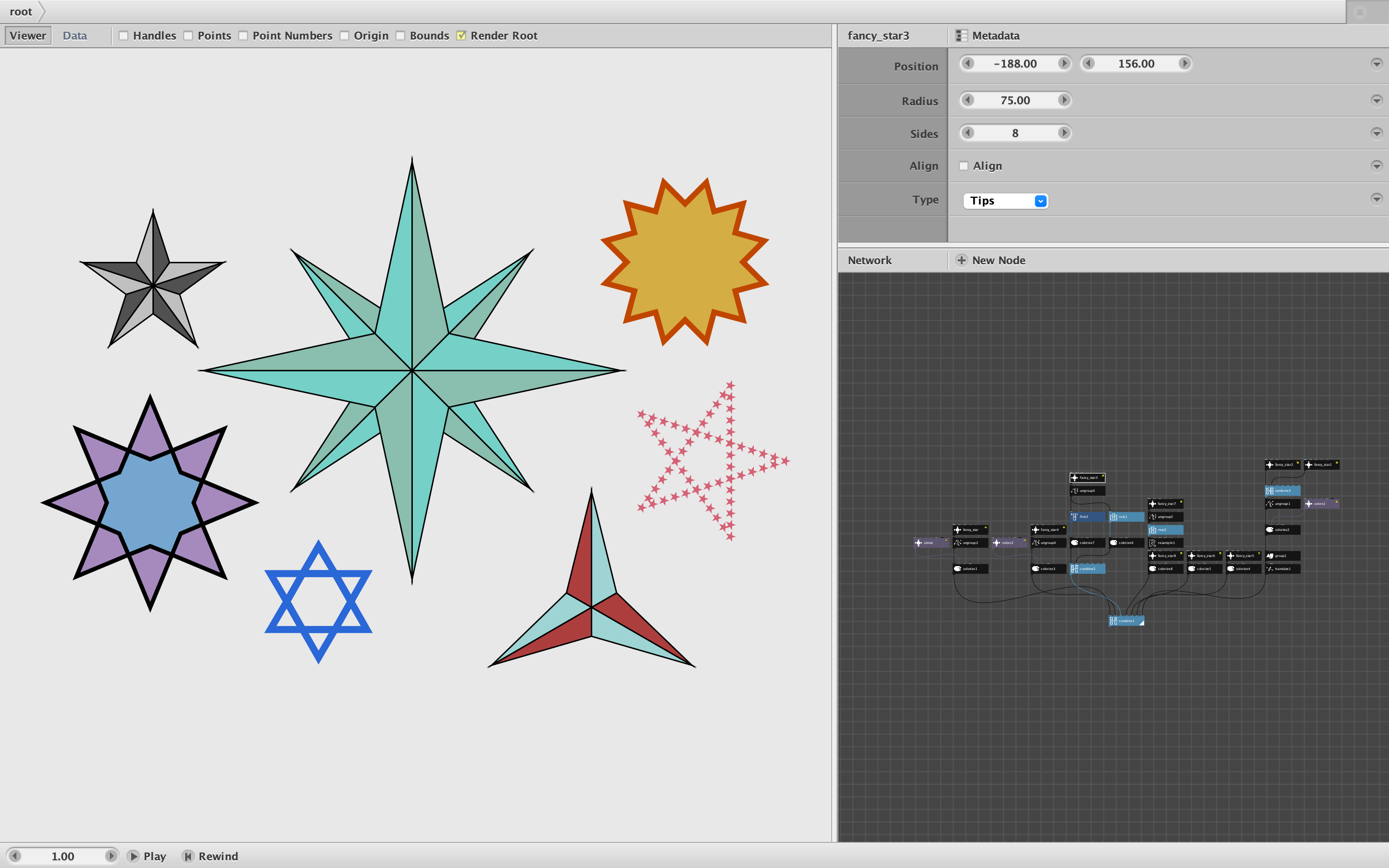
Attached is a new node, fancy_star. It makes it easy to create well-balanced stars with several coloring options.
Of course Nodebox already has a star node which takes an inner and outer radius. This allows a wide variety of stars, but in order to create the perfect stars you usually want, you need to calculate an exact value for that inner radius - which can require a surprising amount of math.
Fancy_star solves this problem. Just enter an outer radius and number of points and it automatically creates the balanced star you probably want. The stars always start with their easternmost tip on the X axis (the beginning of its outer radius), but if you need the star to tilt a little to line up with the Y axis, just check the align checkbox.
In addition, Fancy_star has three drawing modes:
- Simple draws a single clockwise path that you can then fill or stroke.
- Tips creates a group of shapes: the inner star and a separate triangle or kite shape for each tip. You can then ungroup this and color the inside and the tips separately, an effect commonly seen in quilts, geometric tessellations, Islamic art, etc.
- Two Tone creates a set of split tips with no center which you can then color to produce a 3D two tone effect.
The attached demo shows seven examples and how to color them (see screenshot). Fancy_star is remarkably quick and easy to use. You can even use it to create a compass rose in under a minute.
Fancy_star will be included in the next rev of the Cartan Node Library and, as always, is free to use.
Enjoy!