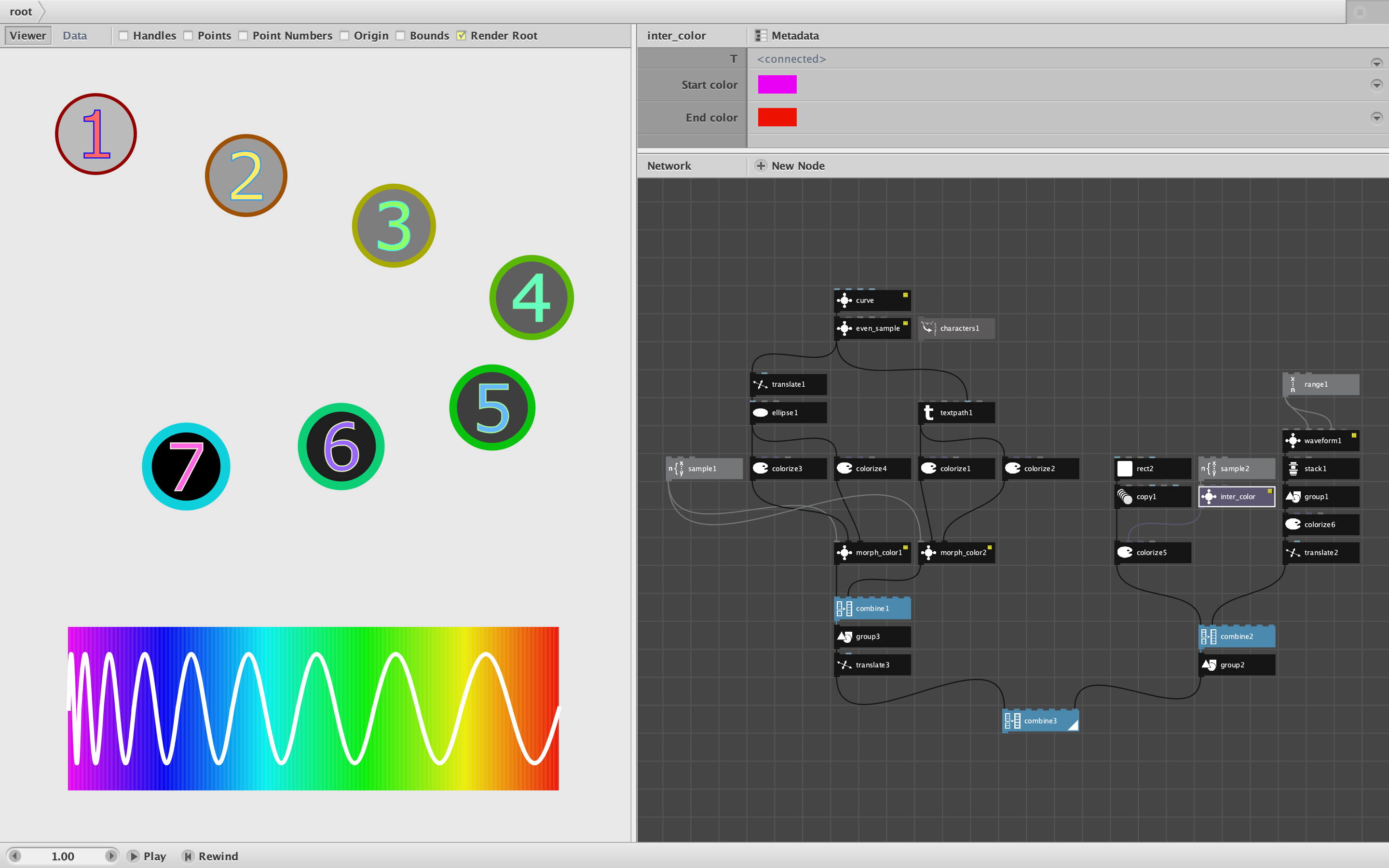
Attached is a demo showing TWO new nodes: inter_color and morph_color.
Inter_color returns intermediate shades between two colors based on a T value between 0 and 100. It is useful both for gradients and for animations.
Morph_color varies all three drawing characteristics - fillColor, strokeColor, and strokeWidth - at once, thus reducing the number of nodes and links needed to gradually change the color and/or thickness of a shape or path. It takes the T value, the shape, and a reference object with all three of those properties in their end state. By varying T in an animation you can gradually change all the drawing characteristics of a shape at once using only this one node.
If you need to simultaneously change the object itself (e.g. unwind a path or change the numbers in a time display) you can still use morph_color to change the drawing characteristics and then feed it into the reference port of an apply_color node to apply all three changes at once to the object. This technique greatly reduces the complexity needed to perform this common task (see this inside of the reshape node for an example).
The demo shows a morph color change on top, and an inter_color change on the bottom. Morph_color is used to shift the fillColor, strokeColor, and strokeWidth of a set of numbers and the circles behind them. Inter_color is used to create a color gradient showing how light wavelength affects color perception.
Both of these nodes use a linear interpolation for hue, saturation, brightness, and alpha. If someone requests it, I would consider supporting additional types of transformation.
These node will appear in version 3.2 of my Cartan Node Library. Go forth and create!
John