Edgeofinnerspace,
Your remaining questions...
Is there some way of sneaking in global variables?
No, there is not. If you need a value for a node or subnetwork, you will need to directly feed it in from above. This is sometimes a royal pain, but it has many advantages. And there are ways to reduce the pain (see below).
Could you achieve global variables by publishing root network ports? If not, what is the purpose of that?
Publishing ports at the root level allows you to create a top level parameter pane that could make it easier to change values fed into top level nodes. So if you had several nodes at the top of your root level with values that affected everything below, you could adjust the final output by selecting each of those nodes and changing the key values. OR you could publish them and then change those values in the parameter pane.
This would work in exactly the same way, but by publishing and using the parameter pane you could change all the key settings in one place without having to find the individual nodes each setting was defined in. I rarely use this option, but it would be nice in situations where you frequently want to adjust the final output with multiple settings. But those settings still need to filter down your network, so this does not provide a magic way of achieving global variables.
How can I adjust values from the last point while maintaining the first?
I'm afraid I don't understand this question. Your current method chains together all your segments using relative angles, so any change to one segment will affect everything below it.
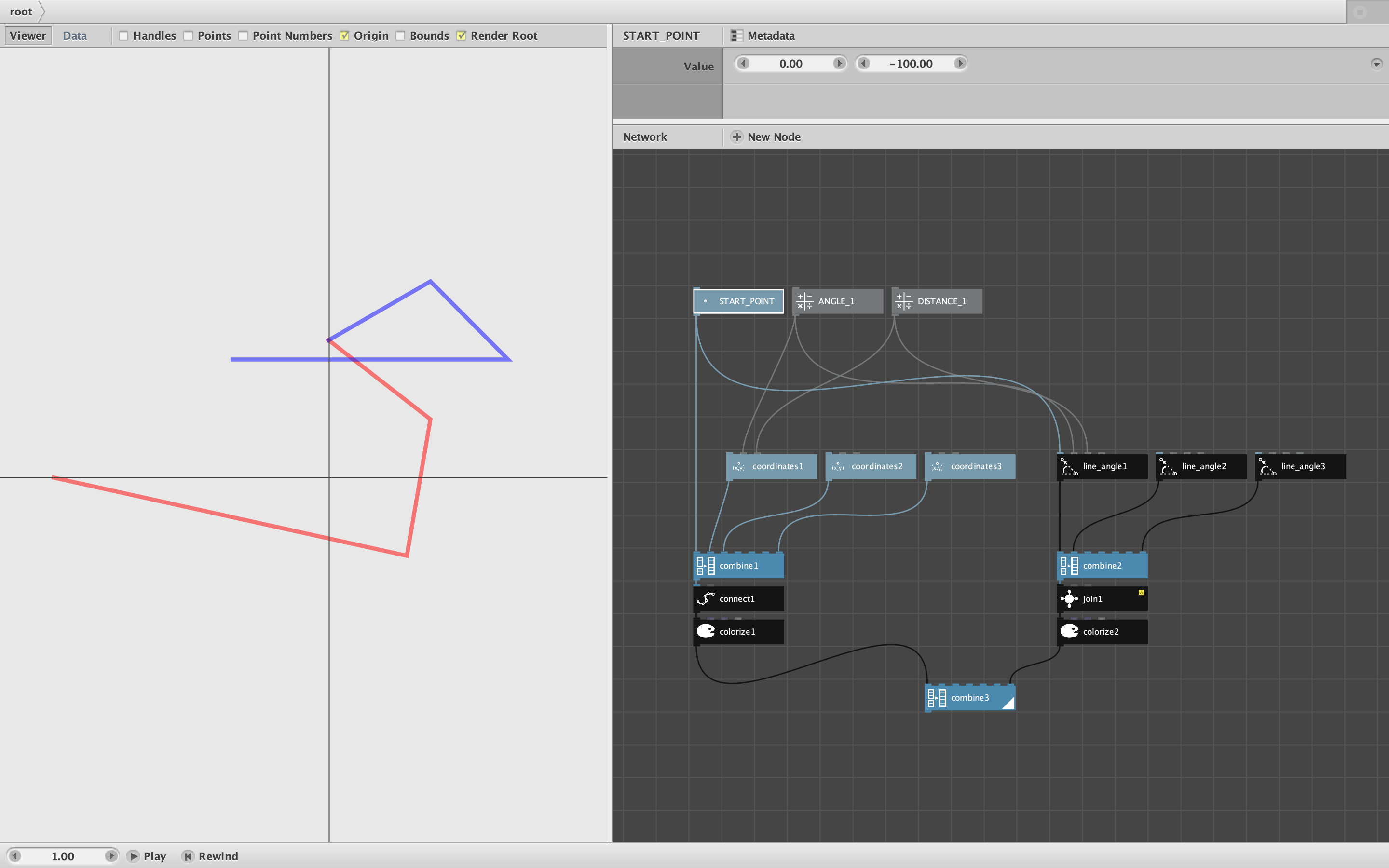
There is an alternative to chaining, which I mentioned earlier in our discussion. Instead of using relative angles, you can use absolute angles: multiples of 30 degrees that remain fixed regardless of the angle of the previous segment. There is no need to calculate starting points either: all segments start at the origin. Then, to make your drawing, you simply combine them in order and join them using my join node with the new "End-to-End" option.
With this system you can change any single line segment without causing angle changes downstream. I think it also makes the angles easier to calculate: you can just look at the direction of each segment from a paper sketch without having to add or subtract from the previous segment's direction. This is the system which I proposed earlier, but which you are resisting due to "Wilson stubbornness" (which is fine). But if that's not what you were asking about, please try your question again.
Is there some way to change all matching length inputs from the same instance?
You can't do this using global variables. You could pass in a scaling factor, but you would have to pass it in to each latestLine node - which would add quite a tangle of additional links. There are a few clever alternatives that could reduce the pain, however...
It depends exactly what you are trying to do. If you just want to change the overall scale of your drawing, you can do that at the bottom by simply grouping your drawing and adding a scale node. So you make all your drawings at a standard scale and then, before publishing, adjust the final size using a scale node.
I'm not sure what you mean by "matching" inputs. If you just wanted to adjust a subset of segments (like all the horizontal segments), this would be hard to do with a chain. But with the join end-to-end method where the segments are just one big list of independent paths, it would be fairly easy to add a test at the bottom to detect and filter out a certain subset of segments, apply some change to just those, put them back, and THEN do the join.
If your adjustments are more complex and require something like a global variable passed to each latestLine node, one way to avoid the huge tangle of extra links passed into each node would be to still chain them together as you are doing now, but instead of passing just the previous line to each node, you could pass a list consisting of the previous line and the global-like variable.
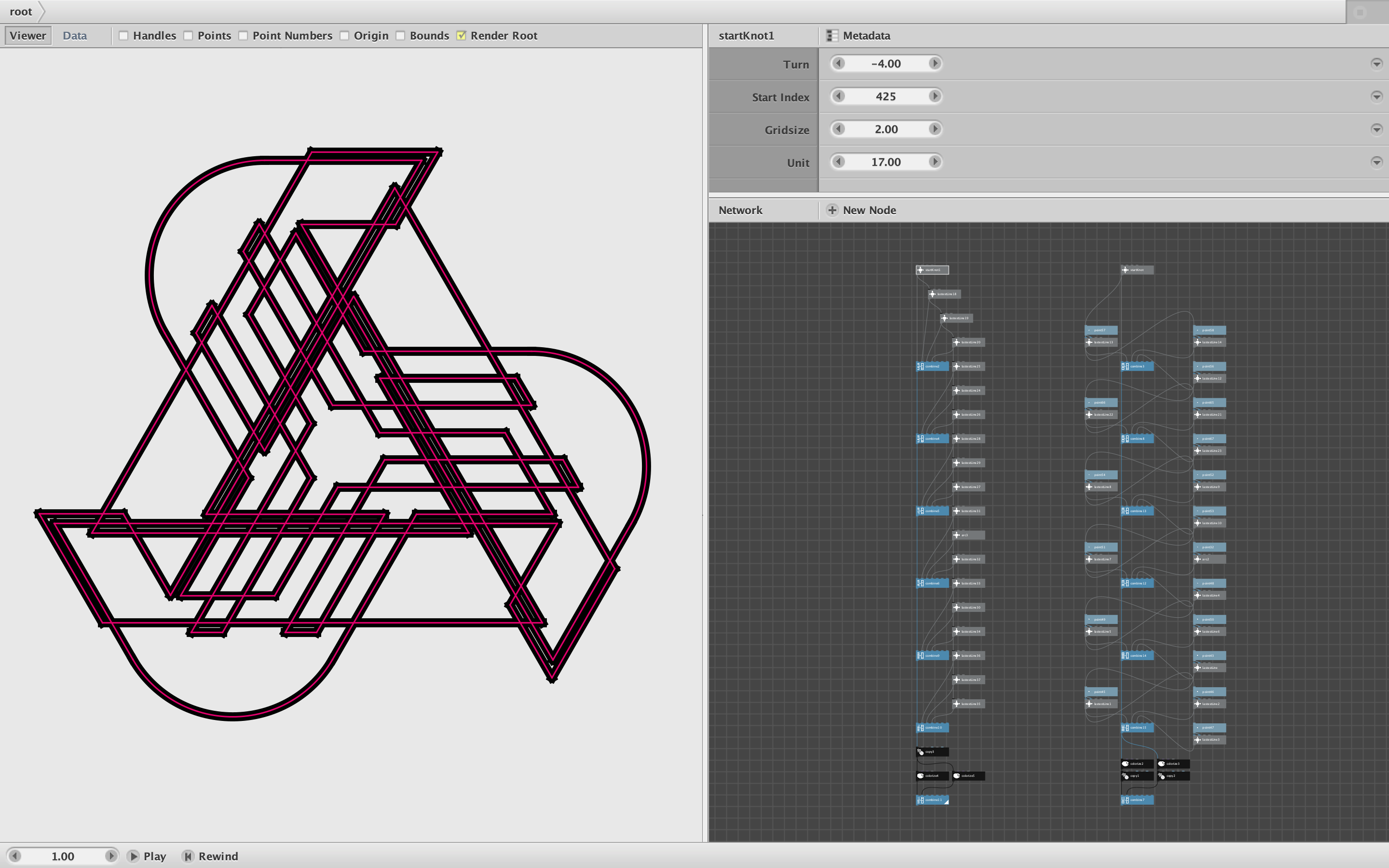
To do this, you would need to add a port to define this global variable at the top of your chain (maybe in your StartKnot node). Then, inside StartKnot and each latestLine node, instead of outputting a single line segment, you would use a combine node to output the segment AND the global variable.
Then, on each latestLine node, you would change the previous line input port from value to list. Inside the subnetwork, you would take the "prev_line" null node receiving that input and branch off a "first" node and a "second" node. The first node would then hold the previous line segment; you would feed that into all the nodes below as before. Your second node would now hold the "global variable" passed in from above. You could then use that in whatever calculations you need it for.
This is the trick I use in my iso_paper drawing system. It allows me to pass multiple pieces of information down through a chain of nodes with only needing a single connection between each link in the chain. If you change the "global variable" at the top, that change will ripple down through the entire chain. It's not a true global variable, but it's almost as good.
Is there a way to show the grid as well as the knot without running it through the combine and copy at the end?
Yes, by using the multiple value output technique I just described. This is another trick I do in my iso_paper drawing system. Each segment subnetwork in the chain passes along the grid as well as the previous segments. The grid is in one group and the previous segments are in a second group. This makes it easy to see both grid and knot as you render each segment. It also makes it easy to drop the grid at the bottom before you copy the segment threads to rotate them. One drawback is that passing along the entire grid each time eventually causes the drawing process to slow down a bit. If this becomes a problem, you could form subsets of your knot in separate chains, then drop the grids at the bottom of each chain before combining them for the final rotation.
Why does the alt_grid give an error when I pass it through a colorize node?
Because alt_grid outputs a list of points, and you can't color a point. A point is simply a pair of numeric values (x and y); there is nothing to color. To solve this problem, simply feed those alt_grid points into an ellipse node with height and width set to a small value like 8. This will turn each point into a "dot" that can then be colored however you want.
Is there a more efficient way to achieve this setup?
That's what I showed you in my previous note. If you are chaining together many copies of the same subnetwork, you will want to make that subnetwork as efficient as possible.
Whenever my Nodebox programs start to bog down I immediately start hunting for inefficiencies. I render each node in my network until I find the node slowing things down and then look for more efficient ways of doing the same thing. I often switch from Viewer mode to Data mode. Sometimes, due to a bug, what looks like a simple line segment is really the same segment drawn over and over consisting of thousands of copies. So whenever I switch to data mode and scroll down to the bottom, if I see that there are 100,000 values when I was expecting only 100, I have usually found the problem.
In this particular situation, there are really two different challenges: drawing the knot step by step, and rendering the final graphic. When drawing the knot is is quite helpful to see the grid at every step in the process, and this will make things a bit slower or messier. But once you have the final knot defined, you no longer need the grid.
All you really need in the end are the values for each segment: angle and length. Once you have these, you could put them in a spreadsheet, read that into Nodebox using a CSV node, and then draw the knot directly from that data without needing a whole chain of subnetworks hooked together. You could draw the knot using just a few nodes and it would render very quickly. If that idea appeals to you, let me know and I'll show you how to do it.
Whew! That was a lot of questions. Hope you are still there and still working on this!
John
.png)
.png)