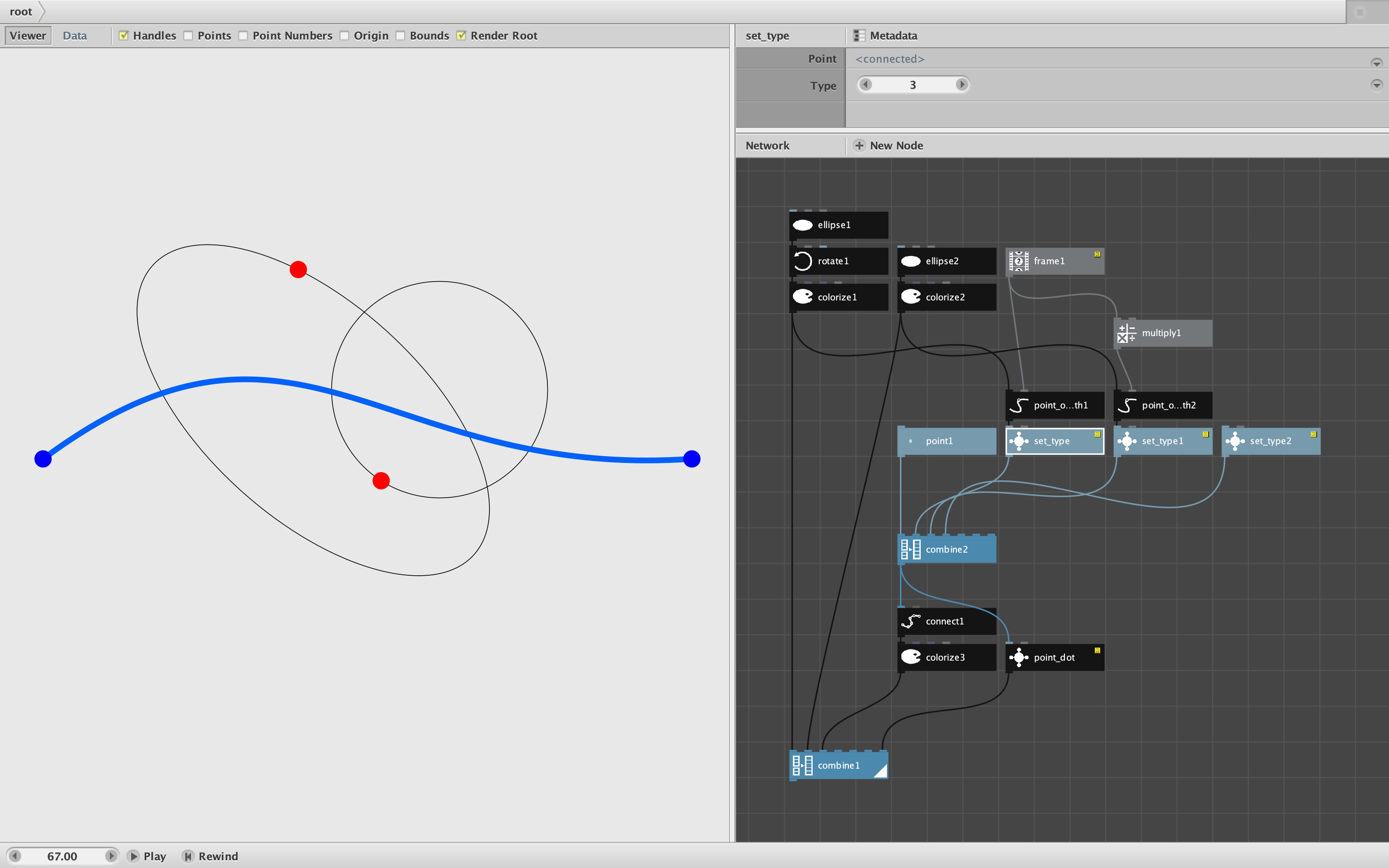
There are three types of points in NodeBox. Type 1 points are the normal points created by a point node and used to form the endpoints of lines and the corners of polygons. Bézier curves start with type 1 points, but then add two type 3 points to shape the curve and a type 2 point to end it.
If you turn on the Points checkmark above the render pane with a curve showing, you will see type 1 and 2 points as blue dots and type 3 points as red dots. You can find out the type of any point by using the lookup node with Key set to "type". But there is no built-in node that allows you to create type 2 and 3 points from scratch,
Hence, my set_type node. Feed it a Point location and a Type (1, 2, or 3) and it will create a point of that type.
Set_type can be useful when you reconstructing curved paths, resampling curves by hand, or creating Bézier curves from scratch. It does this without requiring an external code library,
The attached demo shows one use case. I create a simple Bézier curve by simply combining four points of the correct type and then connecting them. The position of two type 3 guide points are controlled by a frame node that causes them to follow predefined orbits. If you save this as a movie you will see the blue curve bend and wave. The demo also includes a "point_dot" subnetwork that displays a list of points as type-colored dots.
Enjoy!
John