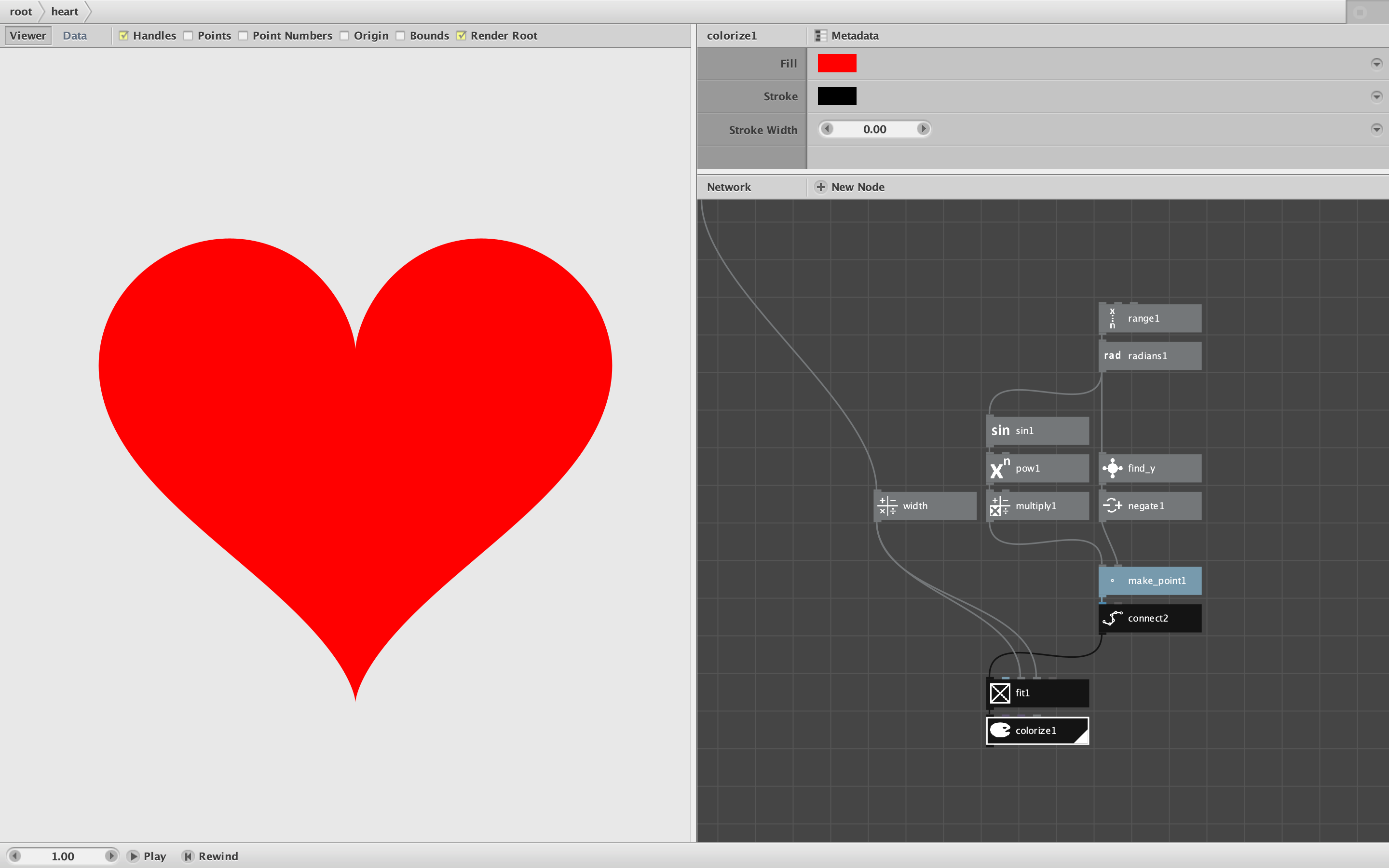
Attached is a very simple node that does a very simple thing: it draws a heart.
The classic heart shape is widely known and has many uses, but unlike rectangles, lines, and ellipses, does not have its own built-in node. So to make one you either have to import it as an SVG or pull it from a special character in a font. But both of these ways are cheating - I want to make my own heart from scratch.
My heart node does this using some sine and cosine waves, resampled into a 360-sided irregular polygon. You can set it to any width you want. (See screenshot.)
But this is certainly not the only way to make a heart - and probably not even the best way.
For one thing, there are many variations on what a "heart shape" really is. And once you decide on a particular heart shape, there are many different conceivable ways of making it in Nodebox.
My CHALLENGE to all of you out there, then, is to make a better heart node - or at least a different one, and post it in this thread. SVG and font-based hearts are verboten. Anything else goes.
I am modeling this challenge after our recent successful yin-yang symbol challenge:
https://forum.nodebox.net/t/19615828/yin-yang-challenge
The heart challenge is simple enough to be tackled even by relative newbies, but interesting enough to stretch the skills of expert Nodeboxers.
- Can you make a heart prettier than mine?
- Can you make one in an usual or clever way?
- Can you make it with fewer nodes than I used?
- Can you make one with just a few bezier curves instead of 360 edges?
GAME ON!