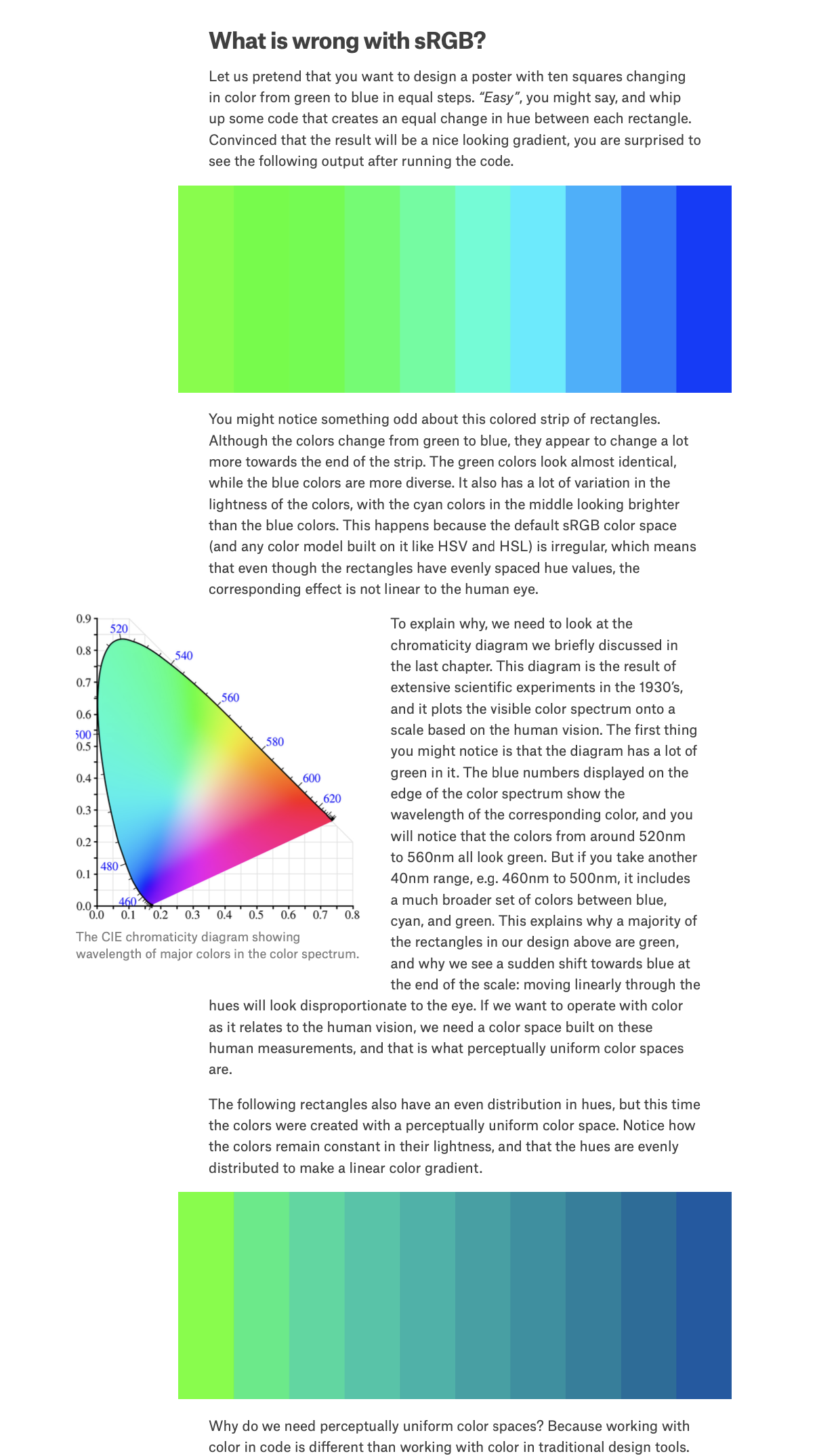
I came across a nice tutorial on design which included an interesting section on color theory, and perceptually uniform color spaces:
I have attached a partial screenshot of the webpage showing two green-to-blue gradients. The first ghastly gradient is what happens if you simply interpolate from bright green to bright blue using standard RGB values. The second is what you would want instead, made possible through the use of perceptual color spaces.
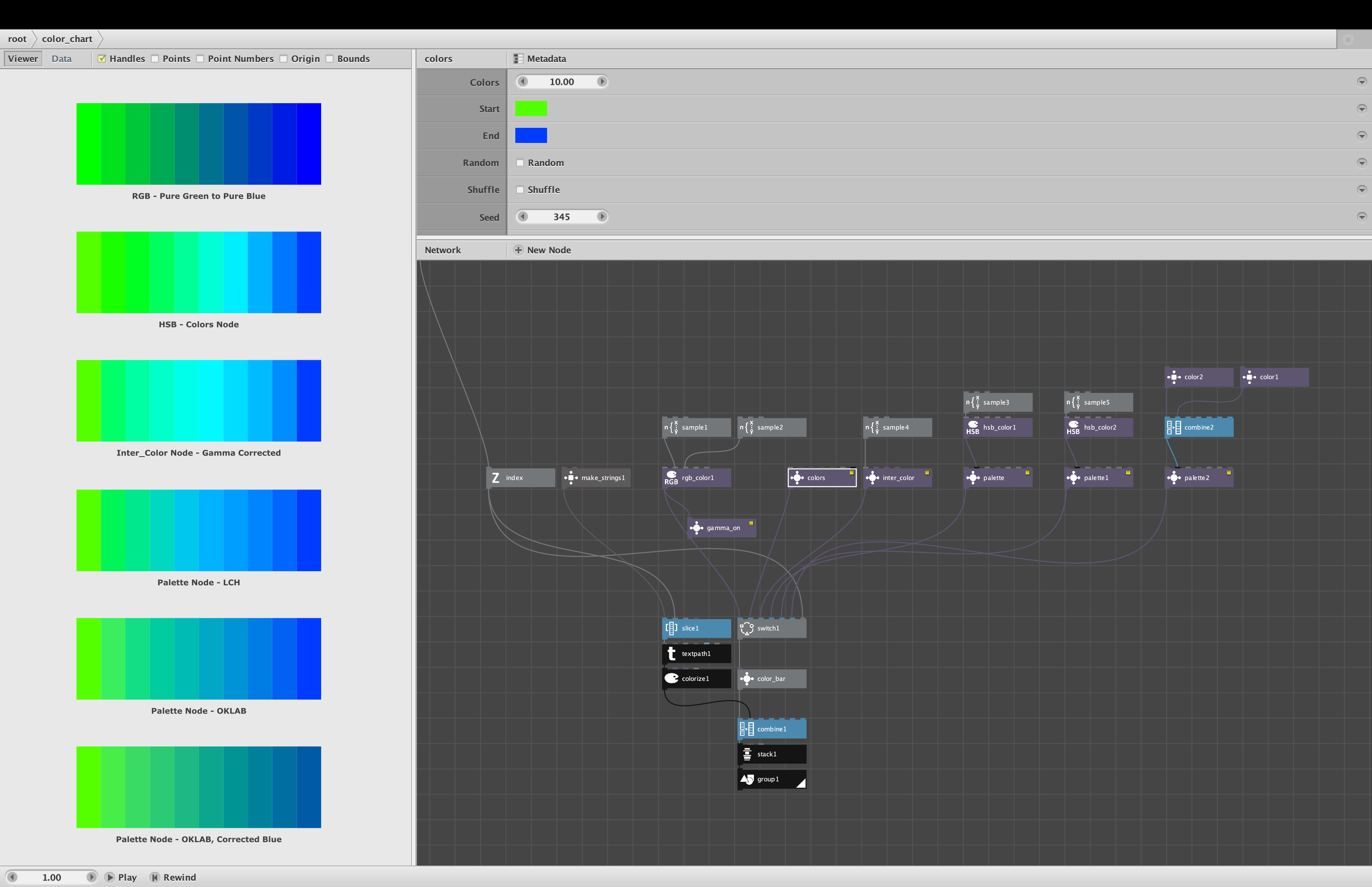
I was curious to see if the new color nodes I added last Fall would allow me to replicate this page, so I made a quick test (see screenshot).
My test draws six gradients:
- RGB. A pure RGB interpolation that matches the 1st gradient in the webpage
- HSB. A gradient using HSB colors to vary hue, easily made with my Colors node
- HSB Corrected. A gamma-corrected HSB gradient made with my Inter_Color node
- LCH. The perceptual LCH color space using my Palette node
- OKLAB. The perceptual OKLAB color space using my Palette node
- OKLAB Corrected. The 2nd gradient in the webpage made using Palette and OKLAB with a corrected blue
I was pleased to find that I could recreate the second gradient using my existing Palette node. The gradient shown in the webpage cheats a little by changing the final blue color to make the overall effect more harmonious. When I did the same thing, my gradient matched theirs.
Both the LCH and OKLAB settings in my Palette node allow you to create perceptually uniform gradients (with subtle differences). The "Correct Lightness" checkbox - essentially a "gamma correction" - does not apply to those two color spaces because those spaces are already gamma corrected. I did discover, though, that if you choose the plain vanilla RGB color space and then check the "Correct lightness" option, the result is pretty good, almost as good as using OKLAB - and much better than HSL/HSB with lightness corrected as in my third gradient.
I don't currently offer gamma correction as a separate node, but maybe I should. Or maybe choosing "Gamma Correct" in my Inter_color node should switch to RGB-based interpolation. I will consider both options for the next release of my library.