The new NodeBox forum is live! Everything from support.nodebox.net moved here: sign in with the same email to pick up your old posts. Something not working? Write to forum-support@nodebox.net.
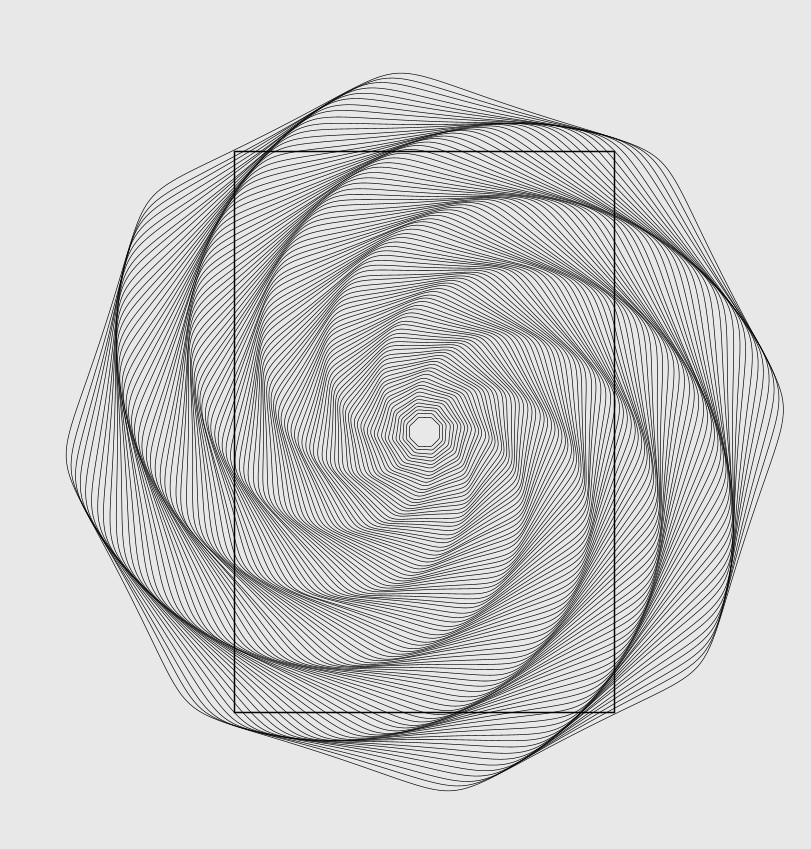
First of all... thank you for an awesome tool. Coding is not my strong suit, so this visual node based tool is amazing, however I am still challenged by it. How would I go about removing all geometry outside the rectangle in the attached image?
Thank you.
LA
LAlastvector
Hi Thomas
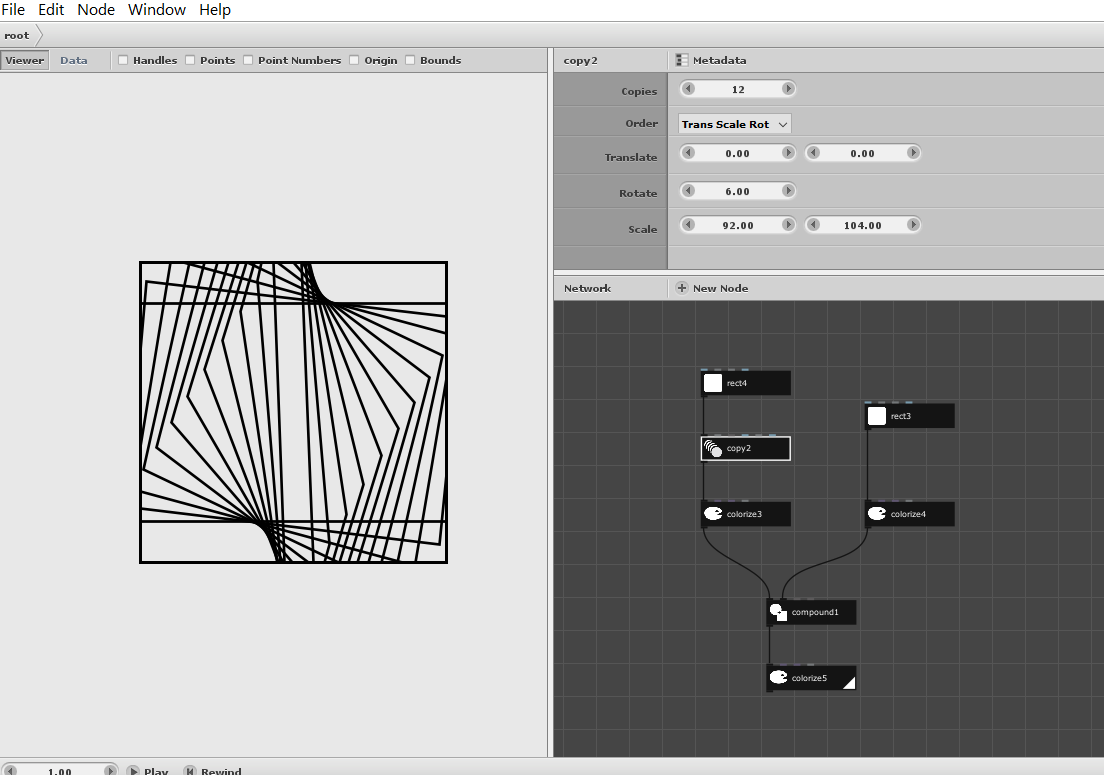
This will be possible with the Compound Node
take look at my Node Tree which is attached
As far as i know there are also a Mask Node from Johns
Node Library he is the Forum Admin.
Search for "Cartan Node Library 3.3" in the Forum
the Library have many useful custom Nodes
all made by John
It turns out that removing all the geometry outside of a boundary can sometimes be a surprisingly hard problem.
In this case, as Gottfried said, a compound node will do the trick. You need to set the compound node's Function parameter to Intersection. You also need to colorize it afterwards to remove the fill.
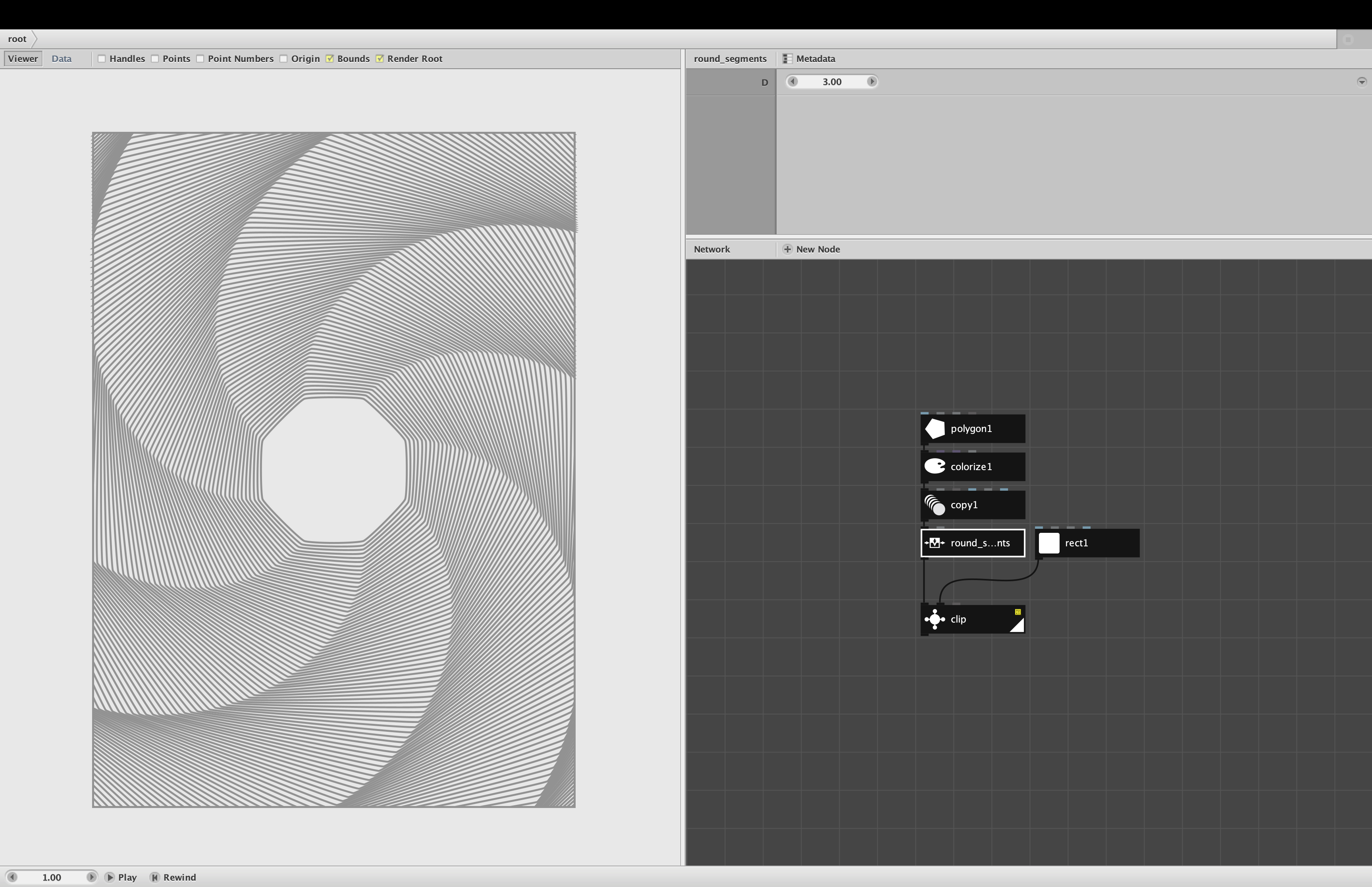
OR you can use a Clip node from my Cartan Node Library - see attached screenshot and demo. Clip will work with almost any geometry and will preserve the original coloring.
Thank you for the responses. I had already tried the compound node but couldn't get it to work as I expected it would. With your help I now know it was because I didn't use the colorize node after the compound node.
Thank you once again.
LA
LAlastvector
Thomas
your welcome
relatively new to Nodebox too
i also like the visual programming approach
via nodes in Nodebox
gottfried
Know something that helps?
Sign in with your email address to reply. No password needed.