The new NodeBox forum is live! Everything from support.nodebox.net moved here: sign in with the same email to pick up your old posts. Something not working? Write to forum-support@nodebox.net.
Hey, I am using Nodebox for a while now and while the documentation is sparse this forum has been a valuable source for a deeper understanding and tipps and tricks.
I think I can contribute on trick that I have not read about in the other posts yet.
Problem:
I wanted to import a CSV file from an online source. So I could not rely on the CSV import node, but had to parse the server response into a table on my own.
For that I needed to split the string by line breaks at some point. But none of the string related nodes let's you input a line break anywhere.
So I ended up writing a little custom node that let's you specify a character by ASCII/unicode number.
I also read about John's approach of importing the file, looking for any new-line character present, isolating that character and then using that one going forward.
Solution:
Recently I stumbled across a nice way by accident:
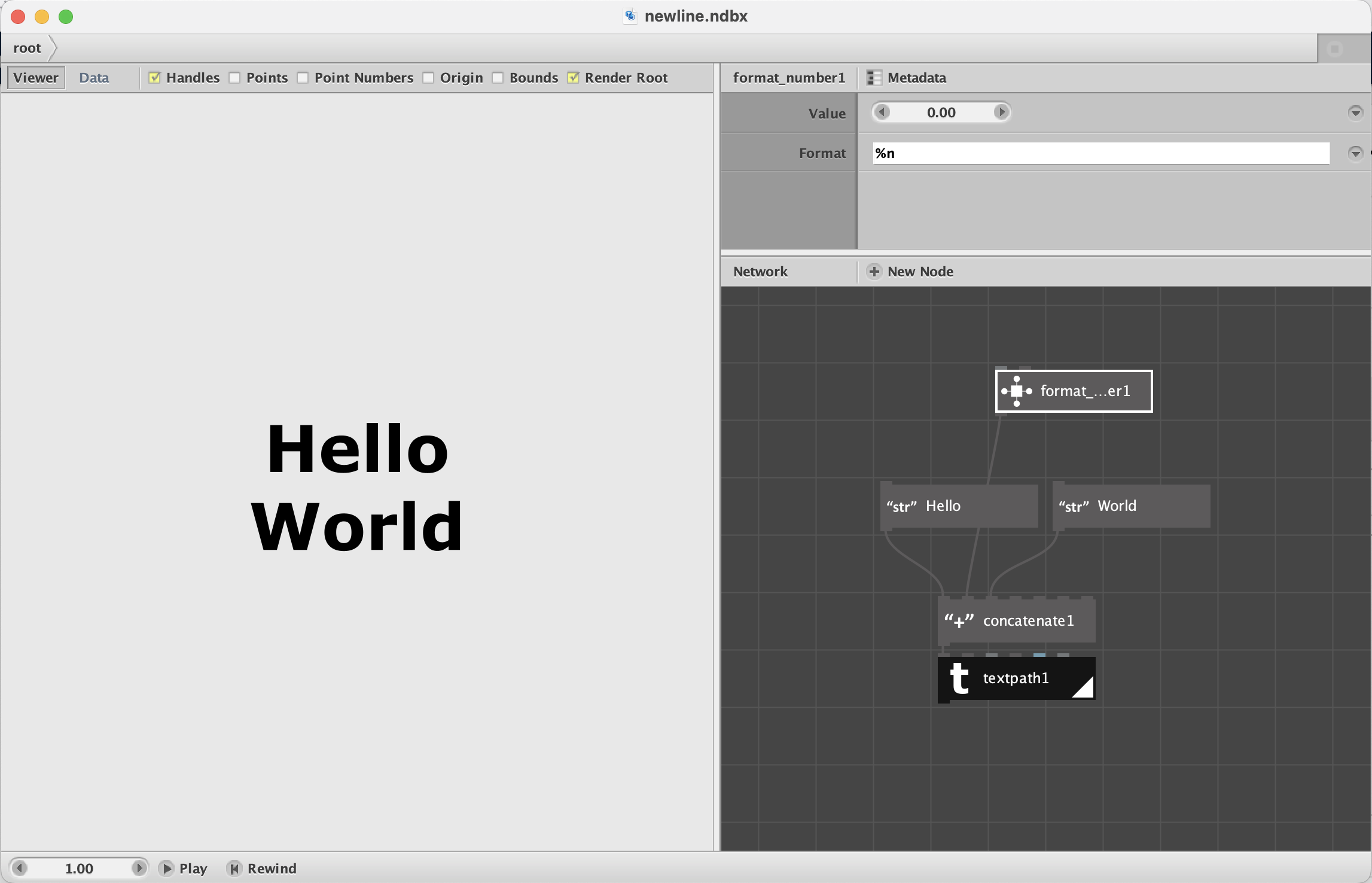
The format number node is using a specific syntax (Python, Java, Jython?). While reading up on that I noticed that the syntax also allows you to specify a new line character. For example to format a date and time into two separate lines:
2025-Jan-01
1:30PM
So if you just specify the format of the number to be %n, the format number node will output a single new line character that you can use to split a long text by lines or to insert a line break into a single string.
P.S.: I wanted to attach an example, but the previous attempt to post this did not go through. So I'm trying again without.
The format_number node is perhaps the least documented of all the undocumented nodes in Nodebox. Here is an exchange I had with Frederik about it in 2015 that includes some useful links:
As Frederik explained, format_number is a crippled form of Java's string.format function. Much of the Java functionality is unavailable, and what bits and pieces remain are shrouded in mystery. Over the years I have found a few useful tricks it can do.
But I hadn't spotted this one! And it's quite handy. Many is the time I tried to get by with textpath's width parameter to add line breaks, but those often did not land quite where I wanted them.
Would you mind if I turned this hack into a simple node and added that node to my library? I think it would be a very handy addition.
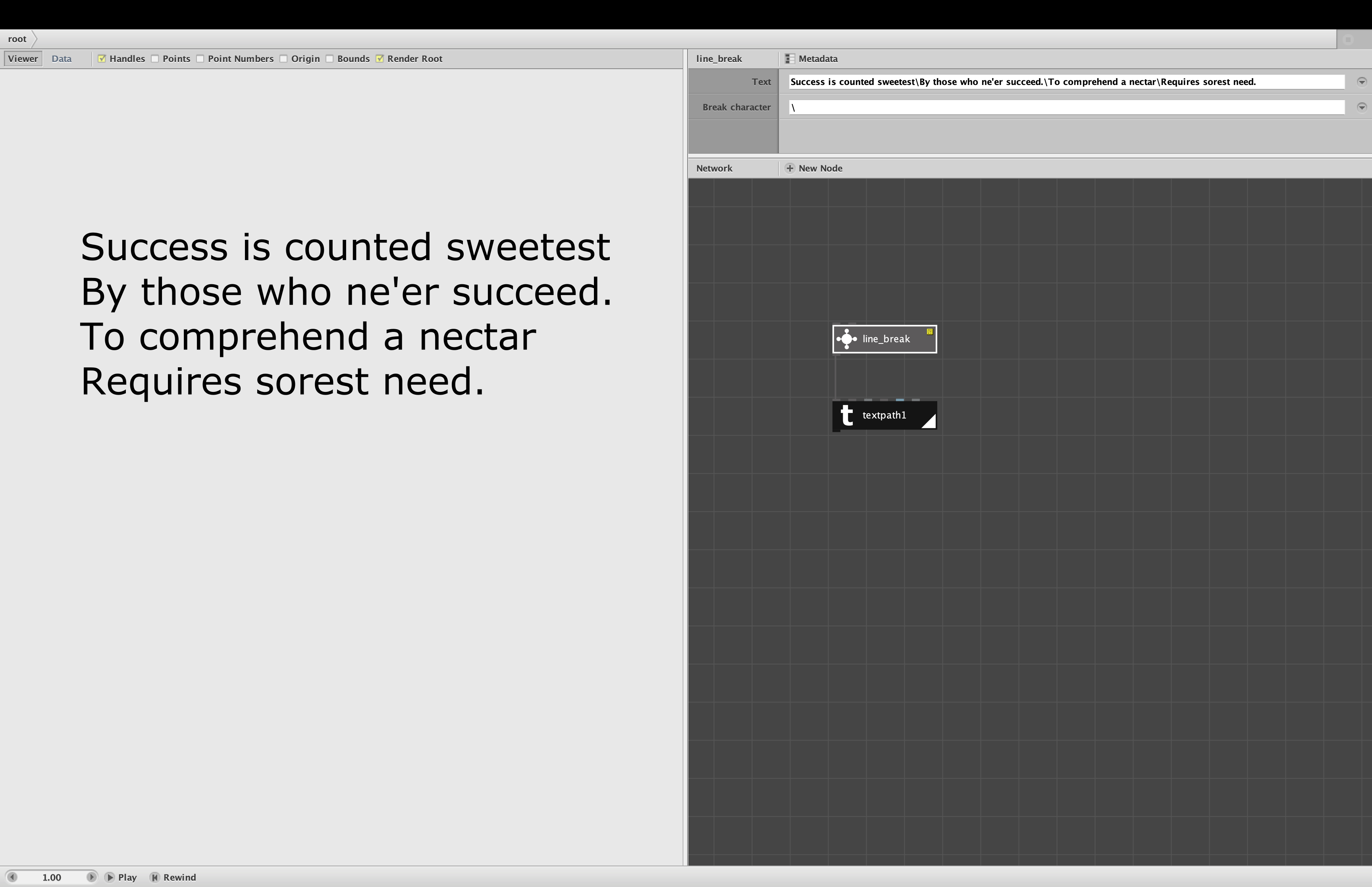
I have attached a demo of your hack in node form.
I call it "line_break". It's dirt simple. Choose a character, any character that does not occur in your text, to serve as your line break character. The default is a backslash. Then enter your text using that break character wherever you want a line break. The node returns a single string with that character replaced by %n characters.
You can then treat the output as you would any other string, like feeding it into a textpath node to be rendered in a given font.
If you look inside the extremely simple line_break node you will see that the format_number node has a comment giving you credit for discovering the hack.
If you have any objections to including this node in my library let me know. Otherwise I will include it in version 3.6.