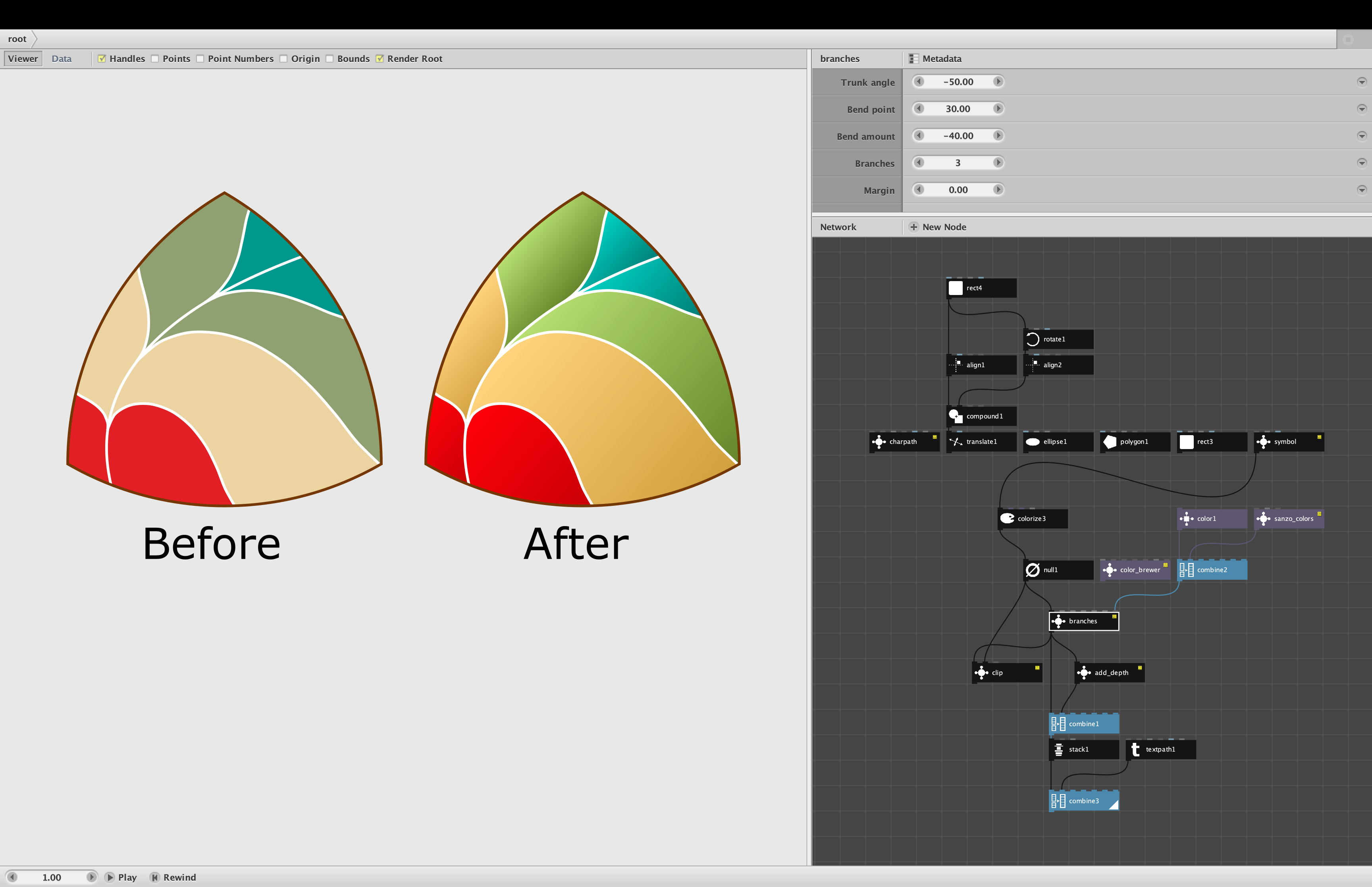
UPDATE - see below for a bug fix and an add-on node!
The branches node, which I think is pretty cool, was a direct result of a request from a Nodebox user named Colt:
https://forum.nodebox.net/t/7321538632/new-to-nodebox-advice-creating-these-shapes
Colt wanted help creating some simple art nouveau style floral patterns. I have not yet figured out how to help him achieve this, but as a first step I created a prototype for the branches node. The prototype could only draw a branching line shape within a square. The fully developed node I am sharing today can do much more.
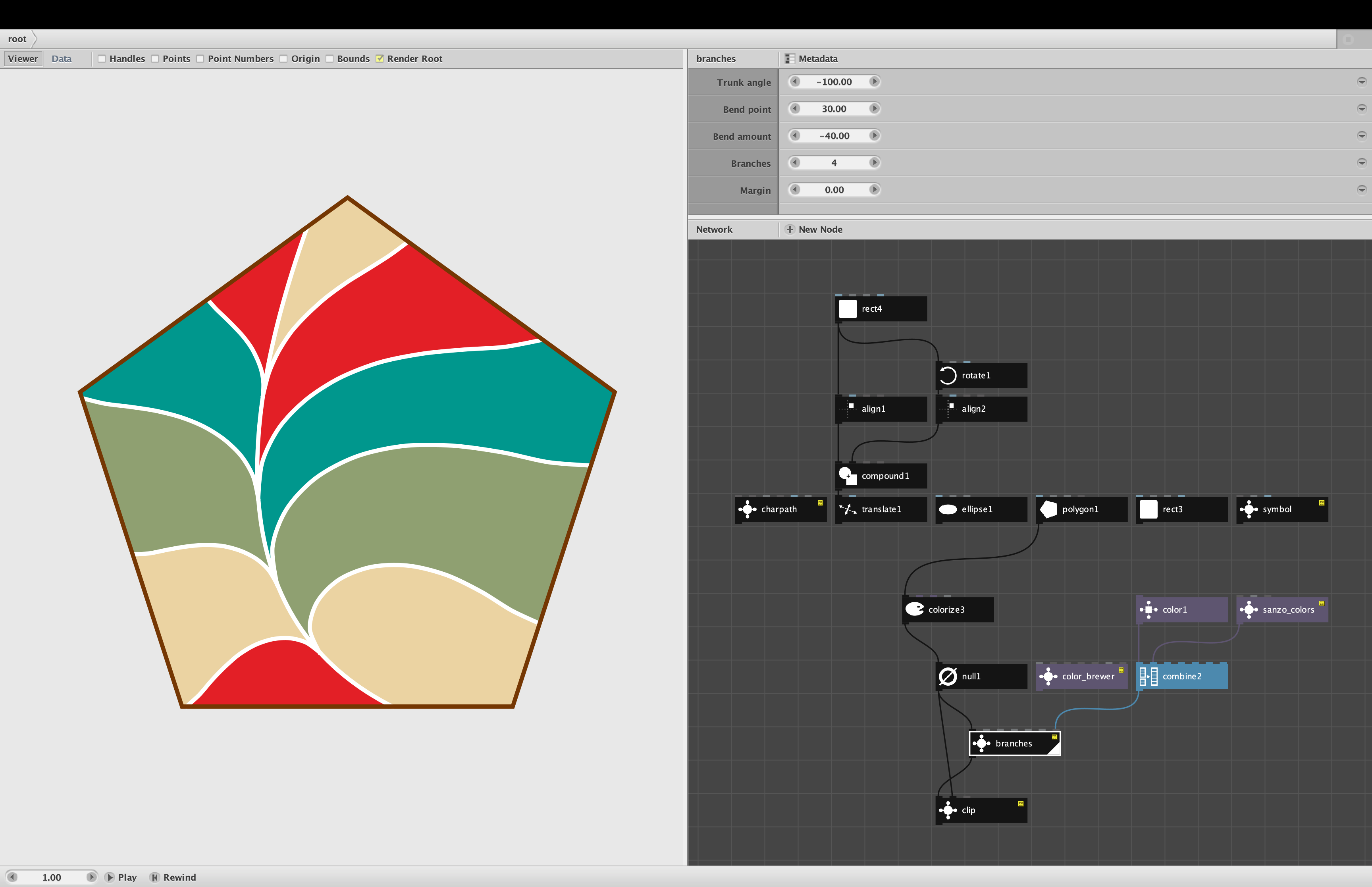
Branches divides a container into regions using an organic branching pattern. The pattern consists of a trunk, which can start from any point along the edge of the container and bend high or low to the left or right, and from zero to six branches on each side, which initially follow the tangent of the trunk and then gracefully bend towards the edges of the container.
Branches returns a grouped geometry containing the regions formed within the container by the branching pattern, the trunk and branches, and the outline of the container. You can then color the regions and branches independently. Depending on how severely the trunk bends and on the shape of the container, parts of the pattern may leak beyond the edges of the container. If this is not desired, you can use my clip node to trim the excess away.
Any closed path may be used as a container (including text characters produced by my new charpath node), but simple convex shapes like rectangles, polygons, or ellipses work best.
Branches takes the following parameters:
- Container. Any closed path. Simple convex shapes work best.
- Trunk angle. The angle from center that the trunk is pointing. A trunk angle of 0 degrees (due east) will produce a trunk which ends at the point along the container edge intersected by a 0 degree line, and begins at a point directly opposite to that. The value can range from -360 to 360.
- Bend point. The point along the trunk, from 0% to 100%, where the trunk bends from. Values between 20% and 80% work best.
- Bend amount. The amount the trunk bends, from -100% to 100%. Negative values bend to the left, positive to the right. Values between -40% to 40% work best.
- Branches. The number of branches on each side, from 0 to 6. A pattern with N branches per side will produce 2N+2 separate colorable regions filling the container.
- Margin. The percentage of space between the branching pattern and the edge of the container, from 0% to 100%. A margin of 0% stretches to the edges of the container and is usually what you want. A margin of 20% will produce a branching pattern which sits inside the container with negative space all around. The larger the margin, the less natural the regions look; in such cases you will probably want to color all the regions the same to produce a neutral backdrop. A margin of 100% will make the branching pattern disappear.
- Colors. A list of colors used to color the branches and regions. The first color in the list will be used for the stroke color of the trunk and branches. Any additional colors will be applied to the regions. If no region colors are supplied, the default background color is a light tan. If no branch color is supplied, the default branch color is black.
NOTES
The thickness of the branches will match the stroke width of the supplied container. If you supply a container shape directly (with no intervening colorize node), or with a stroke width of 0, the branch thickness will be set to an aesthetically pleasing value based on the area of the container.
As mentioned above, severely bent branching patterns, or patterns placed in unusual concave containers, may leak beyond the edges of the container. If this is not desired you can use my clip node to trim the excess. WARNING: certain container shapes may require excessive computation time to clip. Most angular shapes clip quickly, but for some reason circles with trunks at particular angles can take a long time (15 seconds or more) to clip. Clipping generally works well for short text produced by my charpath node, but can bog down for long text.
The attached demo shows a pentagon filled with white branches and colors from my sanzo_colors node. You can play with all the parameters on the branches node to get a feeling for how they work. You can then feed in a variety of other container shapes and change the coloring scheme (sequential Color Brewer colors look nice even without a separate branch color). You can supply the containers with or without an intervening colorize node. If there is leakage (as there certainly will be with the charpath node) you can apply the clip node.
Branches was a particularly challenging and exciting node to create. I've already had great fun using it and look forward to see what others might do with it!